ln the array header, bytes 1 and 2 contain the array name.
8ytes
3 and 4
contain a
cou
nt
of the number of memory locations that the array occupies.
For example.
A(O)
would occupy
12
bytes: 7 for the header and 5 for the single
element. The byte count
is
stored
in
low-byte, high-byte order. Byte 5 contains
a count of the number of dimensions
in
the array. As examples. A(5)
has
one
dimension (byte 5 =
1)
and
A(l
0.1
0.2)
has
three dimensions (byte 5 =
3).
For
a
one-dimensional array
(or
vector), bytes 6 and 7 contain the dimension
size -
that
is.
the number specified between parentheses
in
the DIM statement
+
1.
For example. the dimension
size
=
61
for DIM A(60}, =
101
for DIM A(100},
etc.
If the array does not appear
in
a Dimension statement. the dimension
size
defaults to
11.
The dimension
size
is
stored
in
low-byte, high-byte order.
For
a
multiple dimension array, the header contains additional bytes
in
which are
stored ail the dimension sizes.
Two
additional bytes are used for each addi-
tional dimension. The dimension sizes are stored
in
reverse order from the
order
in
which they appear
in
the
DIM
statement. For example. for DIM
A(l
0.5)
the dimension sizes
are
stored
as
bytes
6.7=6
and bytes 8.9=11. For DIM X(2.1.3)
the dimension
sizes
are stored
as
bytes 6.7=4. bytes
8.9=2
and bytes 10.11 =3.
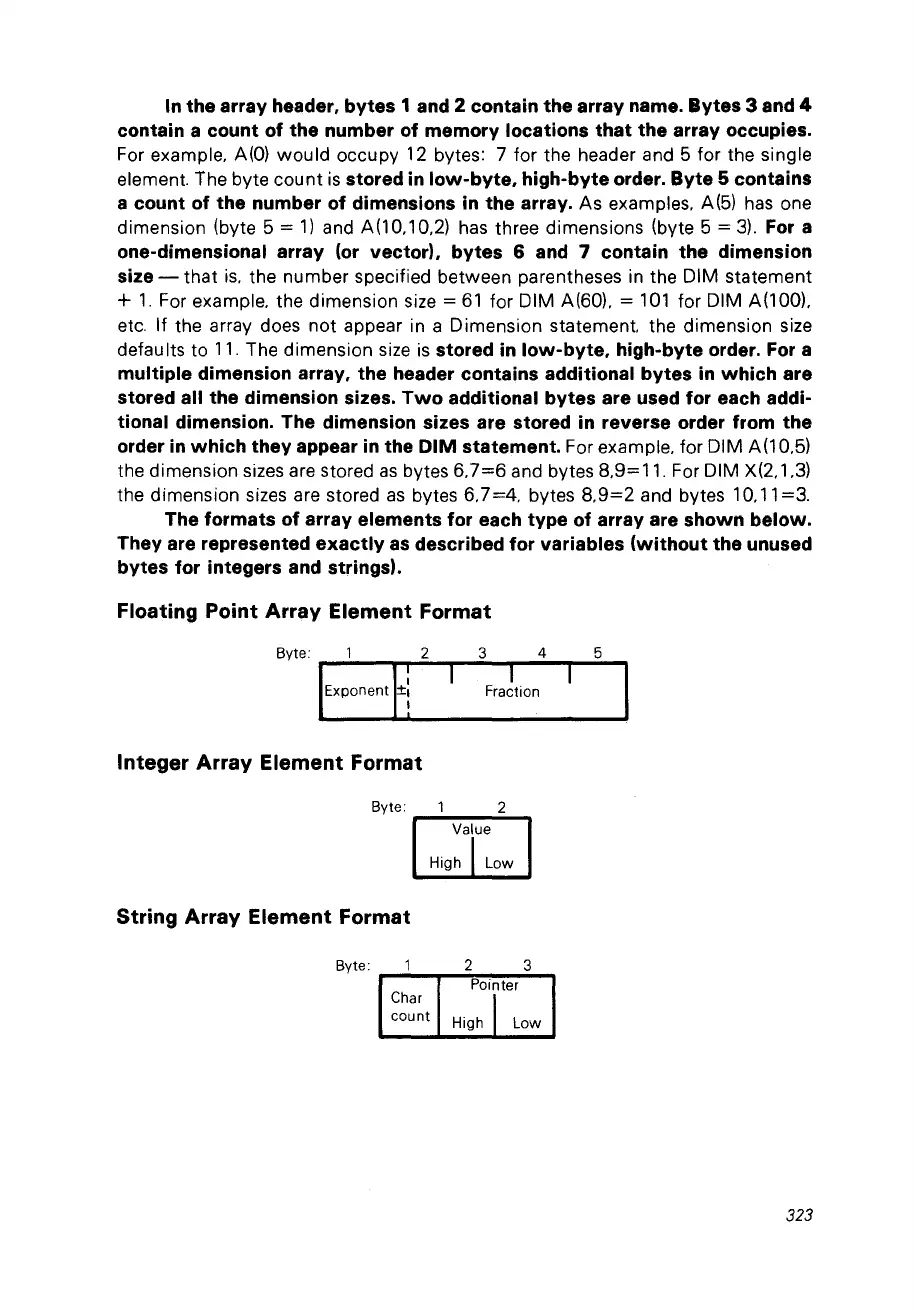
The formats of array elements for each type of array are shown below.
They are represented exactly
as
described for variables (without the unused
bytes for integers
and
strings).
Floating
Point
Array
Element
Format
Byte: 1 2
IExponentH
Integer
Array
Element
Format
3 4
1
Fraction
5
Byte: 1 2
Value
High
'1
Low
String
Array
Element
Format
Byte: 2 3
Pointer
Char
1
cou
nt
High Low
323



 To Next Page