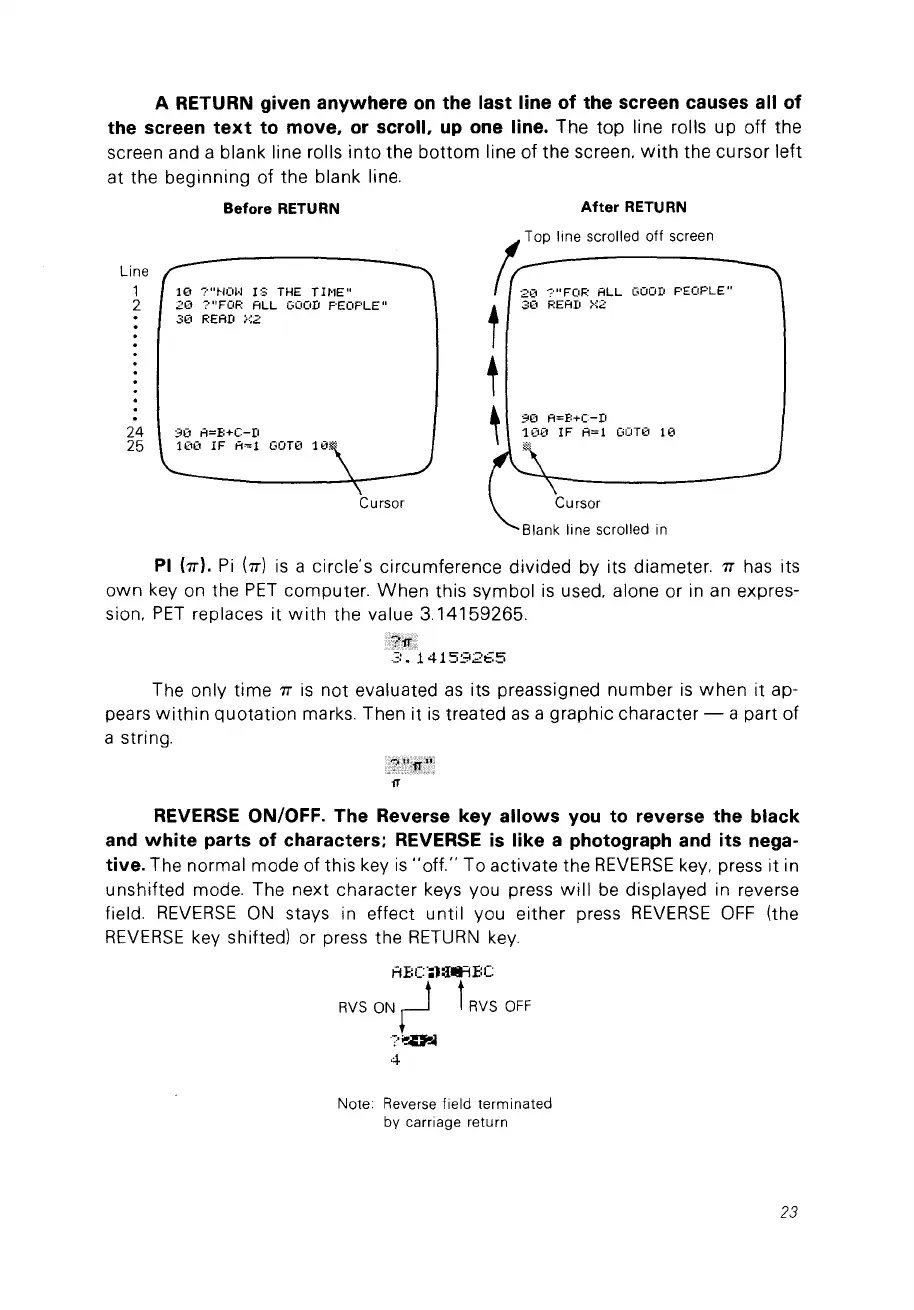
A RETURN given
anywhere
on
the last line of the sereen causes ail of
the sereen
text
to move. or seroll. up one line. The top line rolls up off the
screen and a blank line rolls
into
the
bottom
line of the screen,
with
the cursor left
at the beginning of the blank line.
Before RETURN
Line
1
10
?"Hm'J
I::;
THE
TH1E"
2
20
?"FOF; ALL
GOOD
F'EOF'LE"
30
RE
AD
;':2
24
90
A=B+C-D
25
100
IF
A~1
GOTt'
10.',
Cursor
After RETURN
90
A=B+C-D
100
IF
A=l
GüT0
10
Cursor
PI br).
Pi
b)
is
a circle's circumference divided by its diameter.
1T
has its
own
key
on
the
PET
computer.
When
this symbol
is
used, alone or
in
an
expres-
sion,
PET
replaces it
with
the value 3.14159265.
.
4159265
The only time
1T
is
not evaluated
as
its preassigned number
is
when
it
ap-
pears
within
quotation
marks. Then it
is
treated
as
a graphie character - a part of
a string.
fT
REVERSE ON/OFF. The Reverse key allows you to reverse the black
and
white
parts of eharaeters; REVERSE
is
like a photograph and its nega-
tive. The normal mode of this key
is
"off."
To activate the
REVERSE
key.
press it in
unshifted mode. The next character keys vou press
will
be
displayed in reverse
field.
REVERSE
ON
stays in effect until vou either press
REVERSE
OFF
(the
REVERSE
key shifted) or press the
RETURN
key.
ABC;l:IIIiFIE:C
RVS
ON
~
t
RVS
OFF
?~
4
Note: Reverse field terminated
by carriage return
23



 To Next Page