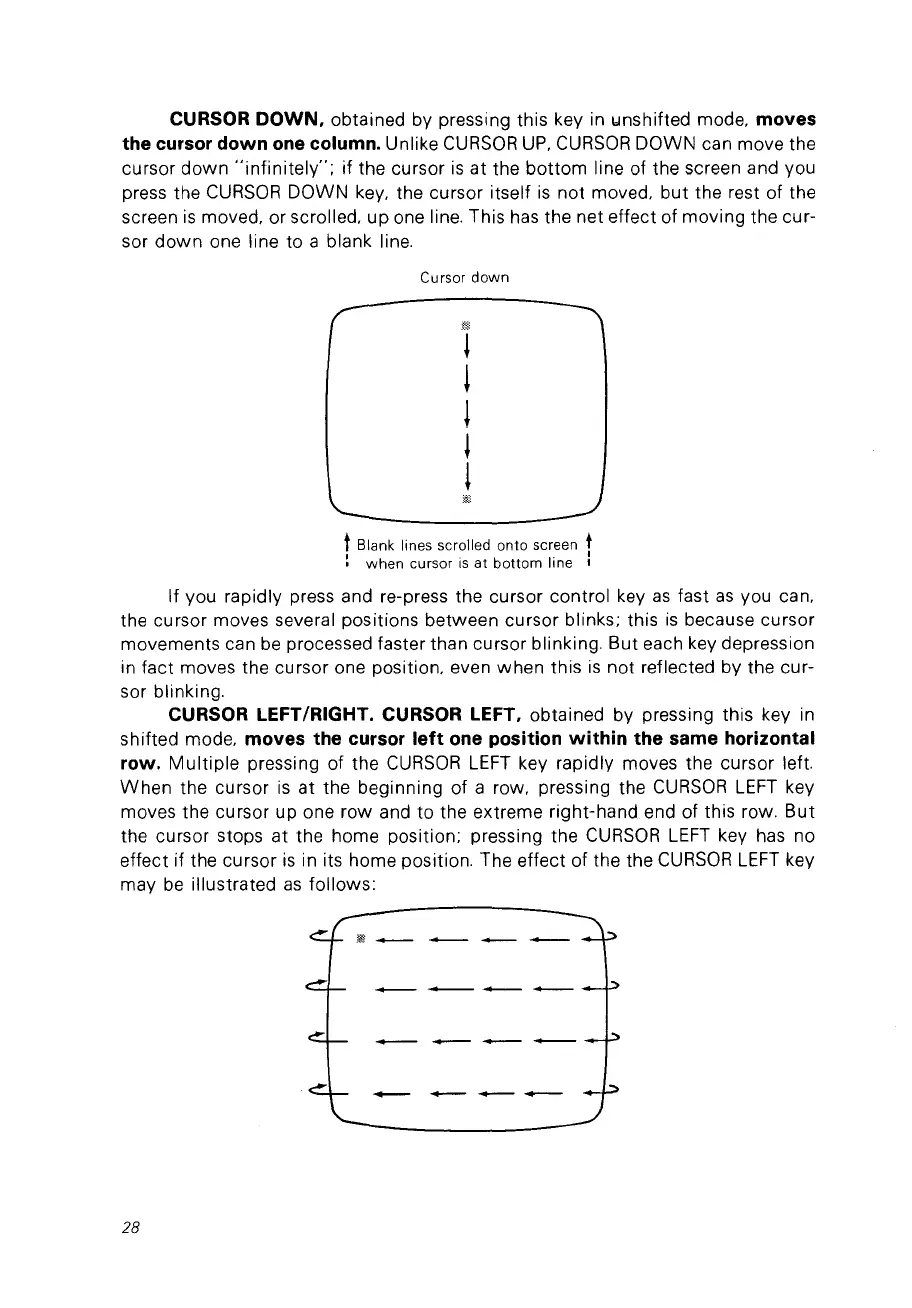
CURSOR
DOWN.
obtained by pressing this key in b1nshifted mode, moves
the cursor down one column.
Unlike
CURSOR
UP,
CURSOR
DOWN can move the
cursor
down
''jnfinitely'';
if the cursor
is
at the
bottom
line of the screen and vou
press the
CURSOR
DOWN
key,
the cursor itself
is
not moved,
but
the rest of the
screen
is
moved, or scrolled, up one line. This
has
the net effect of moving the cur-
sor
down
one line to a blank line.
Cursor
down
tBlank lines scrolled onto screen t
:
when
cursor
is
at
bottom
line :
If VOU rapidly press and re-press the cursor control key
as
fast
as
vou can,
the cursor moves several positions between cursor blinks; this
is
because cursor
movements can
be
processed faster than cursor blinking. But each key depression
in fact moves the cursor one position, even when this
is
not reflected by the cur-
sor blinking.
CURSOR LEFT/RIGHT. CURSOR LEFT. obtained by pressing this key in
shifted mode,
moves the cursor
left
one position
within
the same horizontal
row.
Multiple
pressing of the
CURSOR
LEFT
key rapidly moves the cursor left.
When
the cursor
is
at the beginning of a row. pressing the
CURSOR
LEFT
key
moves the cursor up one row and to the extreme right-hand end of this row.
But
the cursor stops at the home position; pressing the
CURSOR
LEFT
key has no
effect if the cursor
is
in its home position. The effect of the the
CURSOR
LEFT
key
may
be
illustrated
as
follows:
28



 To Next Page