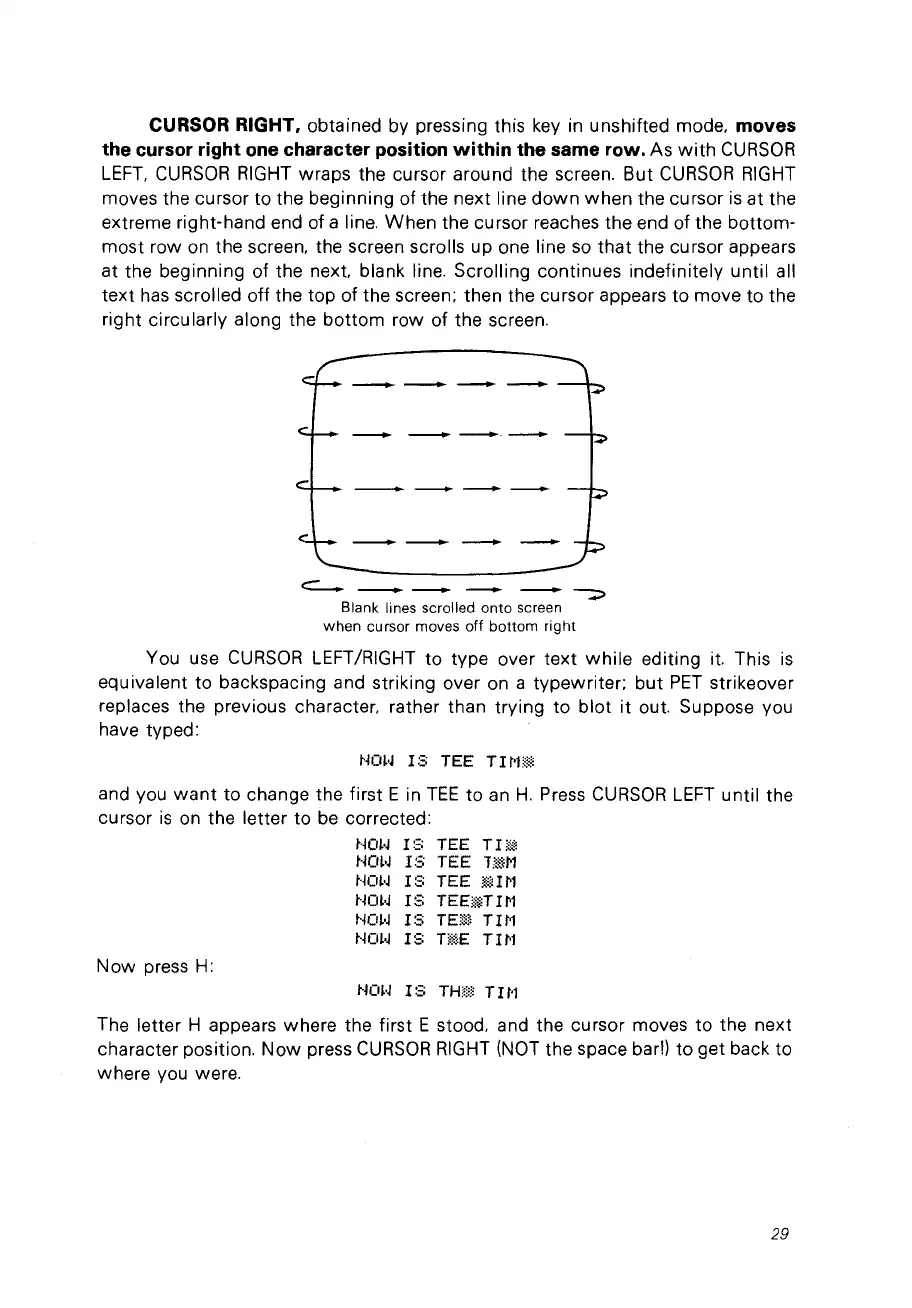
CURSOR RIGHT, obtained by pressing this
key
in unshifted mode, moves
the cursor right one character position within the same row.
As
with
CURSOR
LEFT.
CURSOR
RIGHT
wraps the cursor around the screen. But
CURSOR
RIGHT
moves the cursor to the beginning of the next line
down
when the cursor
is
at the
extreme right-hand end of a line.
When
the cursor reaches the end of the bottom-
most row
on
the screen. the screen scrolls up one line
so
that the cursor appears
at the beginning of the
next
blank line. Scrolling continues indefinitely until ail
text
has
scrolled off the top
of
the screen; then the cursor appears to move to the
right circularly along the bottom row of the screen.
Blank lines scrolled
onto
screen
when
cursor moves off
bottom
right
You use
CURSOR
LEFT/RIGHT to type over
text
while
editing it. This
is
equivalent to backspacing and striking over on a typewriter: but
PET
strikeover
replaces the previous character, rather than trying to
blot
it out. Suppose vou
have typed:
~~m'J
18
TEE T
HF!*
and vou
want
to change the first E in
TEE
to
an
H.
Press
CURSOR
LEFT
until the
cursor
is
on
the letter to
be
corrected:
t·~m~
1:'=;
TEE T l
~~
Hm.J
1:;
TEE
'TmN
HŒoJ
18
TEE
~H~l
t·ml·J l 8
TEE!~n
l N
t·jOl'J
1:3
TE!~~
T1t'1
tKll·J
1:3
n~E
T
Hl
Now
press
H:
HOH
18
THm T1t'l
The letter H appears where the first E stood. and the cursor moves to the next
character position.
Now
press
CURSOR
RIGHT
(NOT
the space barn to get back to
where vou were.
29



 To Next Page