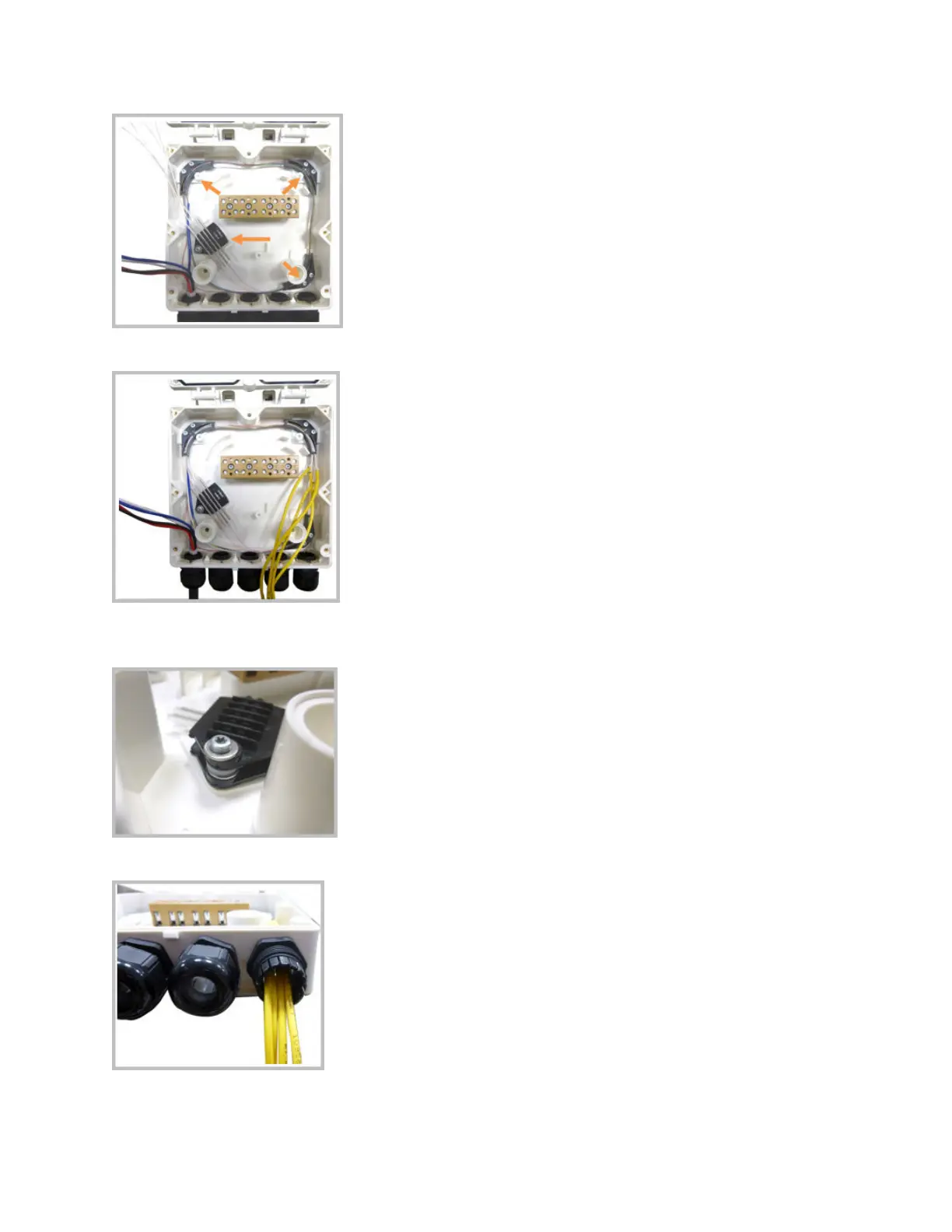
7. Bend the opcal cables as shown in the picture.
8. If a second splice holder is needed, it can be assembled using the M4 insulang washer and two M4
plain washers, as shown. The required screw is a PTK30 x 12.
9. Remove the sealing nut and rubber of the cable gland and insert the opcal cables.
10. Place each cable into one of the grooves of the seal insert.
DRAFT: CONFIDENTIAL
Chapter 4: Mount the Fiber UAP2
CommScope ERA
®
UAP2 with Fiber Interface Installaon Guide , Release
P/N M0203AB, DRAFT Rev D 24










 To Next Page