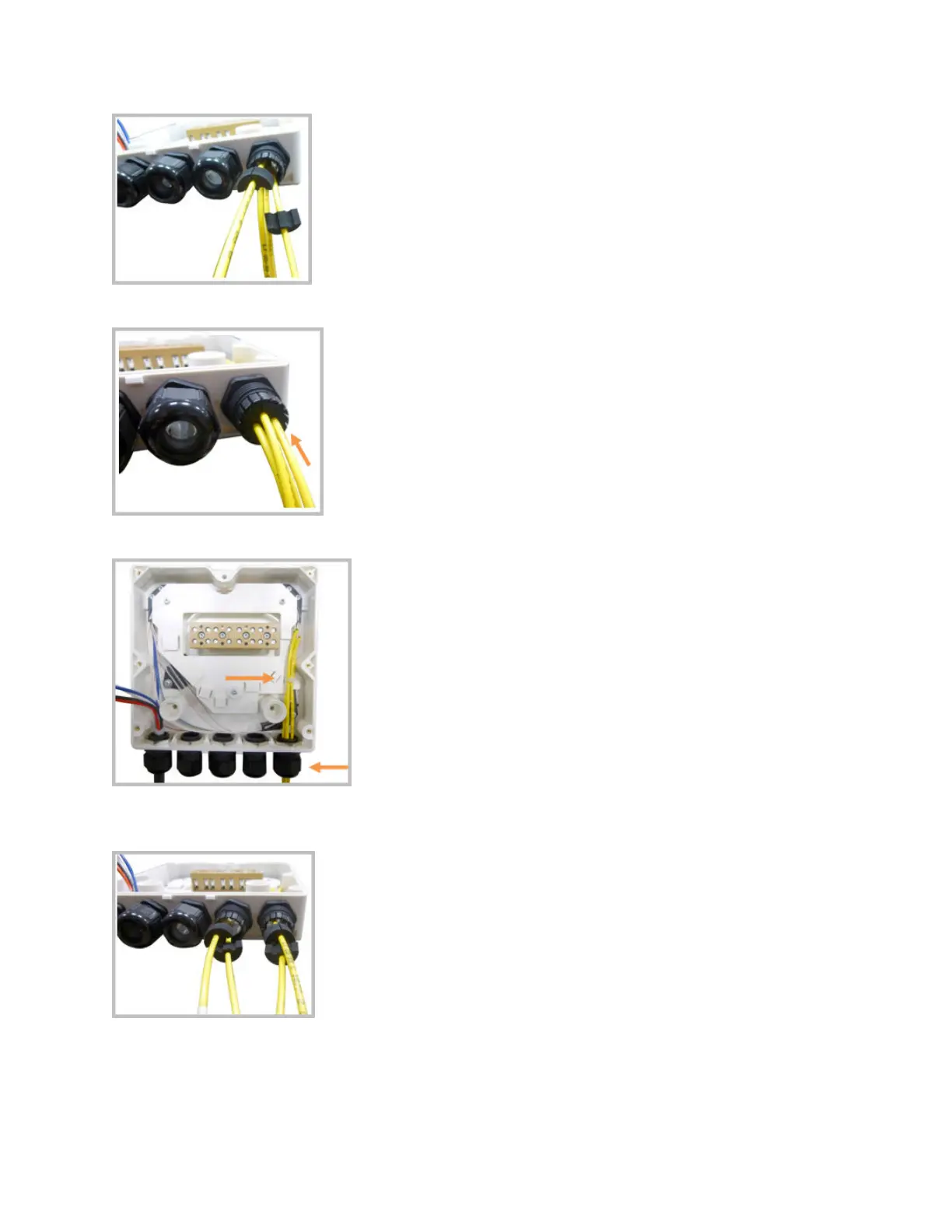
11. Press the seal insert into the clamp ring opening.
12. Fix the opcal cables inside the box using one cable e and ghten the sealing nut.
13. It is possible to separate the opcal cables and use two dierent cable glands. Remove the sealing nut
and rubber on each cable gland.
14. Close all unused grooves with the plasc cylinders, no maer if one or two cable glands are used.
DRAFT: CONFIDENTIAL
Chapter 4: Mount the Fiber UAP2
CommScope ERA
®
UAP2 with Fiber Interface Installaon Guide , Release
P/N M0203AB, DRAFT Rev D 25










 To Next Page