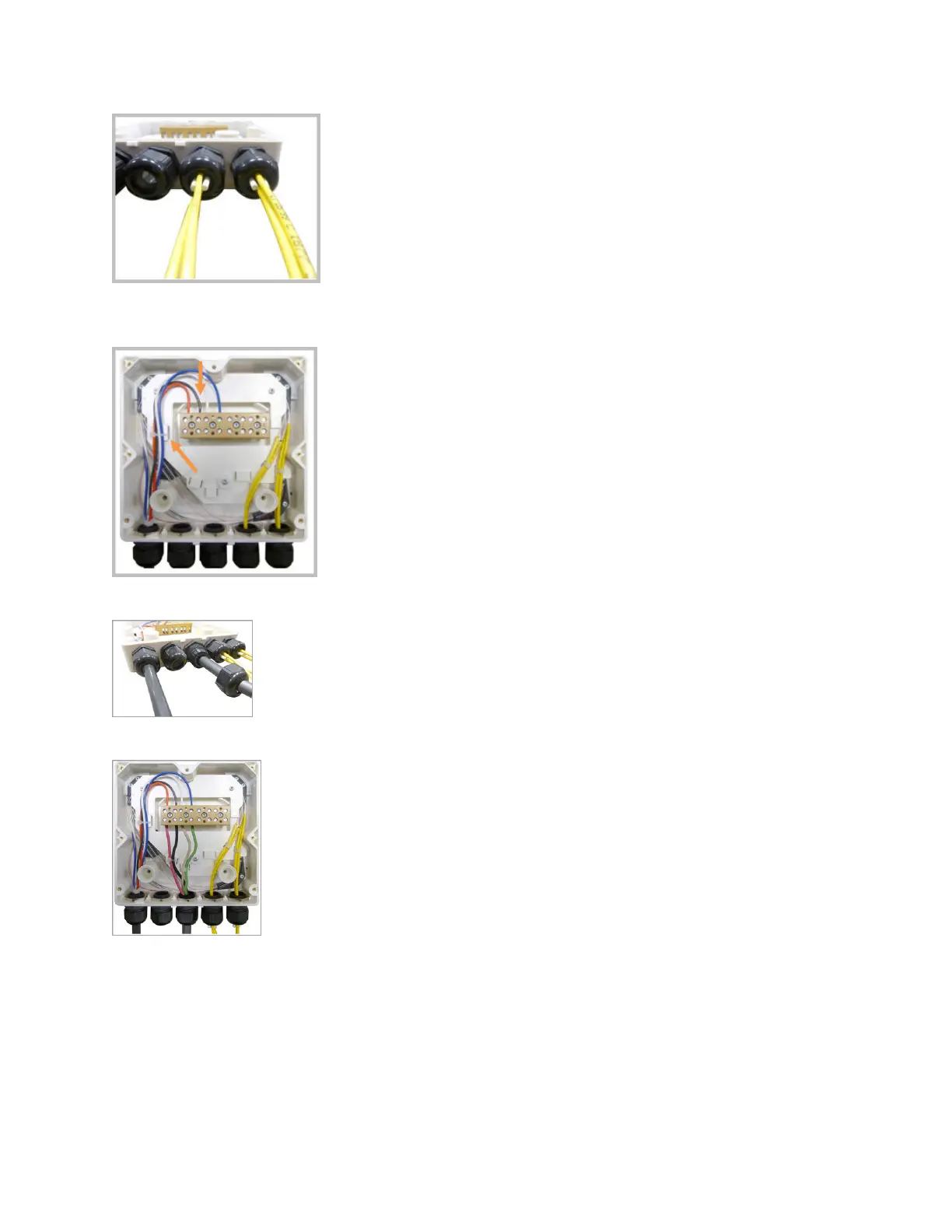
15. Insert the copper wires in the rst mulple terminal connectors. See markings on the internal support.
Then fasten the copper cables inside the box using one cable e.
16. Remove the sealing nut and insert the UAP2 supply cable and ghten the sealing nut.
17. Connect the supply cable to the terminal strip and x it inside the box using one cable e.
18. Complete the steps in Mount the Fiber UAP2.
Wire a Hybrid Fiber Splice Box for 4-Wire Power with Limited Power Source
Use the 4-wire power setup when Limited Power Source (LPS) is required by local electrical/safety codes.
Each UAP2 can accept two Limited Power Sources from the DC PSU where local regulaons require it.
DRAFT: CONFIDENTIAL
Chapter 4: Mount the Fiber UAP2
CommScope ERA
®
UAP2 with Fiber Interface Installaon Guide , Release
P/N M0203AB, DRAFT Rev D 26










 To Next Page