ComNav 1101 Autopilot
INSTALLATION 4 - 3
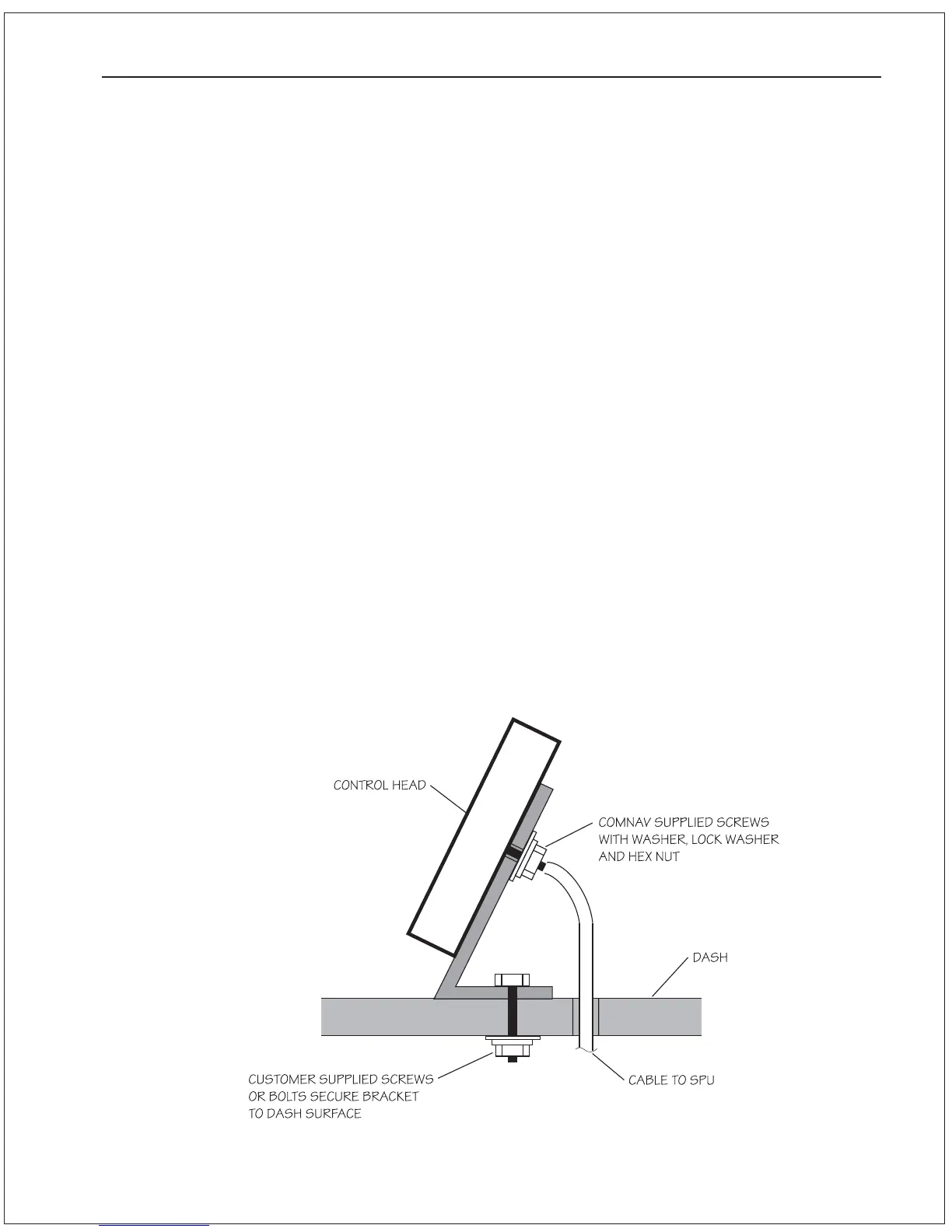
Angle Bracket Mounting
1 . Ensure that the location you choose for the 1101 Control Head
and bracket has sufficient clearance to allow for the cabling
behind the unit.
2. Using the Angle Mounting Bracket as a template, mark the
location of the two mounting holes on the surface to which the
bracket will be attached.
3. Drill out the mounting holes to the appropriate diameter for the
type of fastener that will be used to secure the Angle Mounting
Bracket.
4. Position the Angle Mounting Bracket over the mounting holes
and secure it.
5. Ensure that the mounting screws supplied with the Control
Head are threaded all the way in to the brass inserts on the
rear of the Control Head. Line up the mounting screws with the
corresponding holes on the Angle Mounting Bracket and settle
the Control Head so that it lies flush on the surface of the
bracket.
6. Secure the Control Head with the washers, lockwashers, and
hexnuts provided.
7. Route the Control Head cable to the SPU.
Figure 5—Angle Bracket Mounting Diagram



 To Next Page