ComNav 1101 Autopilot
Steering a Direct Bearing
In this navigation method, XTE is not factored into the calculation
that the Autopilot uses to determine the heading to steer. Test this
out so as to be familiar with it by performing the following steps:
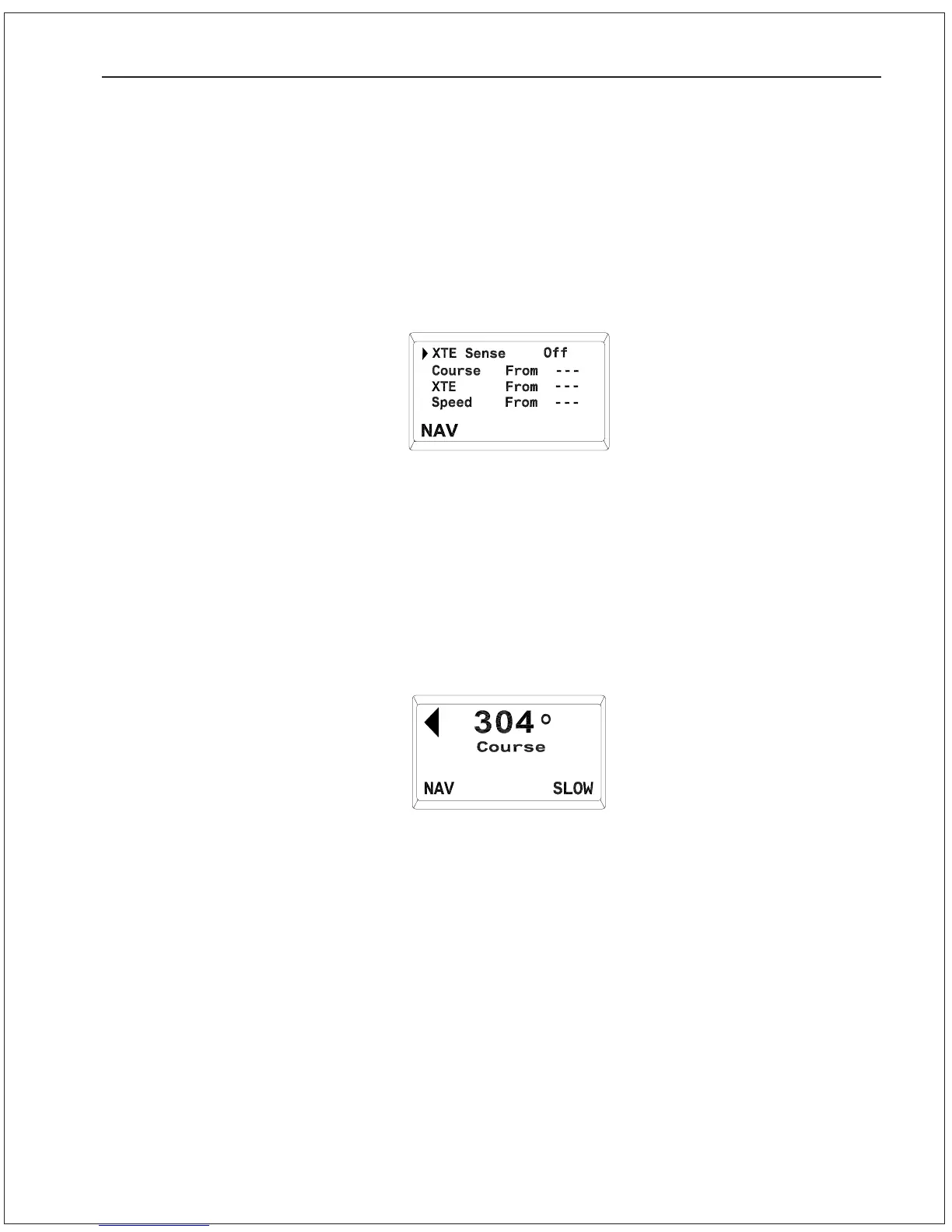
1. Bring up the NAV menu by double-pressing the Nav button twice
in quick succession. Change the value for XTE Sense
(cross-track error) to “OFF”.
3. Put the Autopilot back into NAV mode by pressing and holding
the NAV button until the unit beeps and the word “NAV” appears
in the bottom portion of the display:
4. Observe the Autopilot heading display. It should match the
bearing reported by the navigation device.
Problems in NAV mode
If while testing NAV mode the Autopilot displays “No Data from Nav
Device”, then the Autopilot is not receiving the NMEA data from the
navigation device properly. Refer to Section 9—Problem Solving for
assistance.
Make sure the navigation device is turned on and that a waypoint is
programmed in.
2. Switch the Autopilot to STANDBY mode and manually steer the
vessel away from the waypoint track by a few hundred meters.
ADVANCED OPERATIONS 7 - 6



 To Next Page