ComNav 1101 Autopilot4 - 4 INSTALLATION
Signal Processing Unit
The SPU should be mounted in a clean and dry area, away from
heat, moisture and salt water.
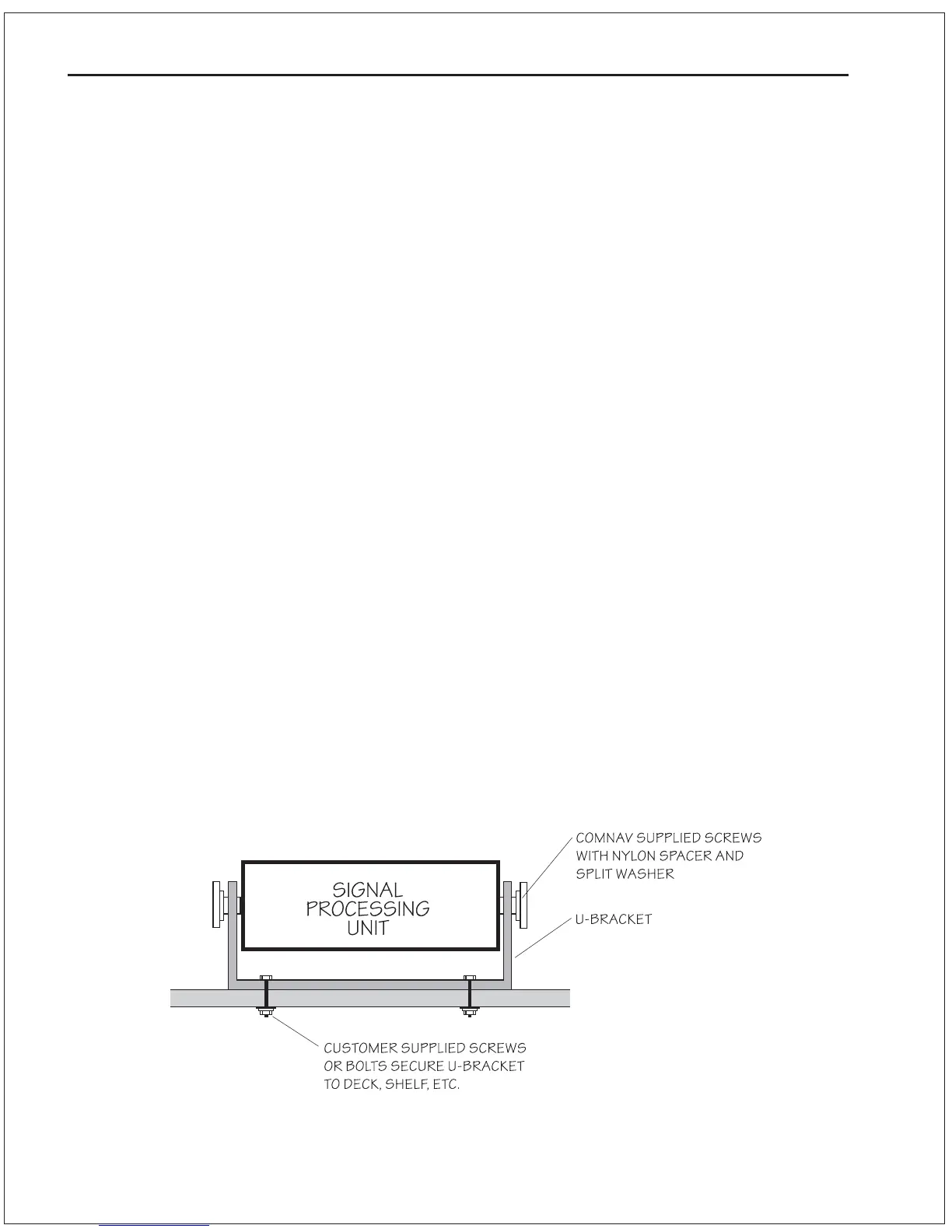
1. Determine a suitable location for the SPU. Preassemble the U-
bracket onto the SPU, and “dry fit” to ensure there will be
adequate clearance for the cables.
2. Mark the position of the mounting holes of the U-bracket on the
mounting surface, and drill them out for a 1/4" bolt or screw.
3. Secure the U-bracket to the mounting surface with 1/4" bolts
or screws.
4. Slide the SPU into place between the bracket uprights, and
attach it using the supplied screws. Be sure to use the nylon
spacers and split washers supplied. The nylon spacer goes
between the SPU and the bracket, while the split washer goes
between the bracket and the screw head.
5. Note that the SPU is supplied with plastic caps installed onto
the Auxiliary Station and the Heading Output receptacles. If your
installation will not have an Auxiliary Control Head, Handheld
Remote, or will not be using the Heading Output cable, leave
these caps in place. The receptacles are weather resistant only
with the caps on, or when cables are plugged into them.
Damage caused by exposing a receptacle to the elements
cannot be repaired under warranty.
Figure 6—SPU Mounting Diagram



 To Next Page