ComNav 1101 Autopilot5 - 8 GETTING STARTED
Compass Configuration
To configure the Autopilot for the type of compass to which it is
connected, perform these steps:
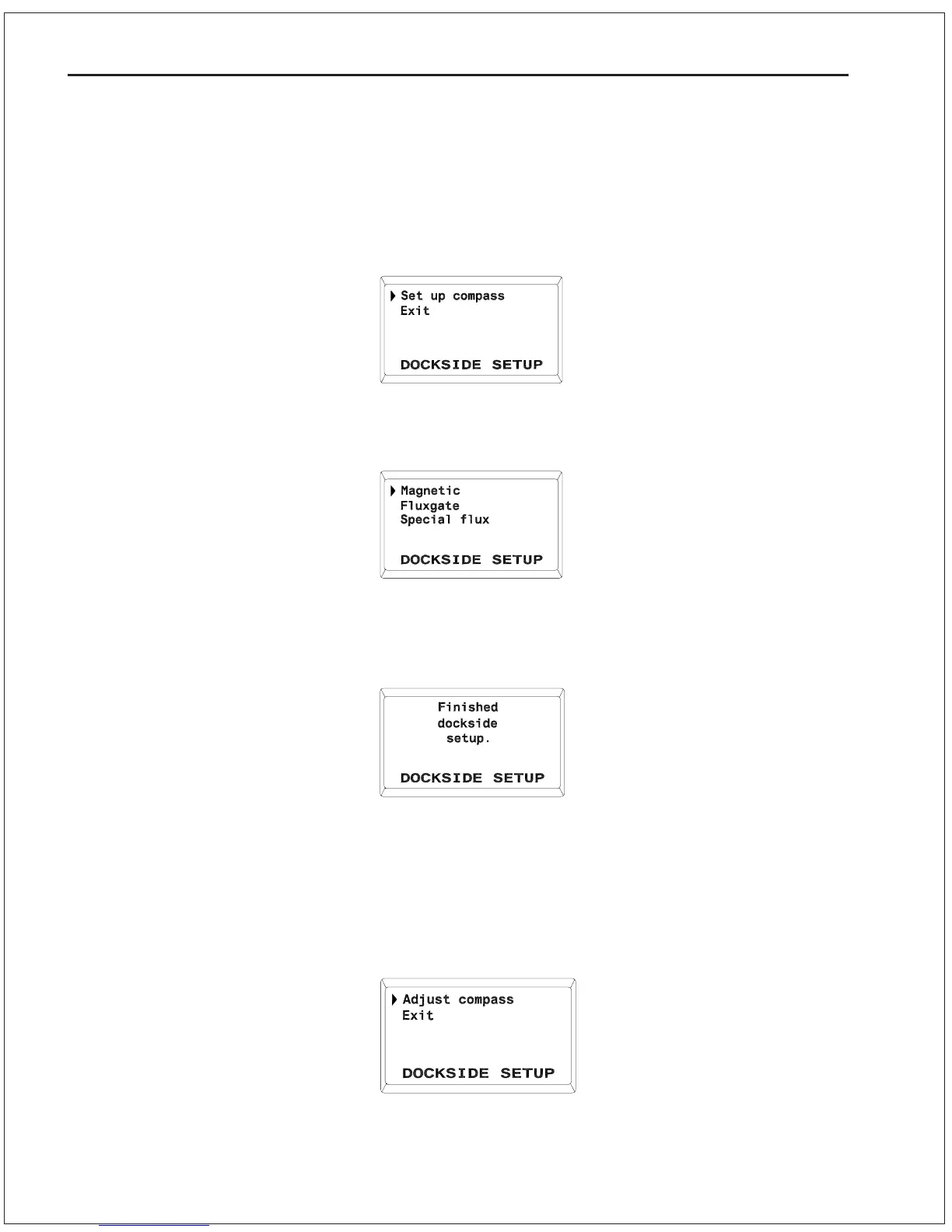
1. Starting from the display shown here:
press the SPEED button once and the following display will come
up:
2. The first item on the display (“Magnetic”) will be flashing. If you
have magnetic compass, press the SPEED button once. The
display will come up as:
After a few seconds this display will disappear, and the Autopilot will
automatically go to STANDBY mode.
3. If you have ComNav Fluxgate compass, use the ADJUSTMENT
KNOB to point the cursor to Fluxgate and press speed button
once. The display will come up as:
Do not select “Adjust Compass” at this time (you will do this during
Sea Trials).



 To Next Page