ComNav 1101 Autopilot
followed a few seconds later by:
then refer to “Problems in DOCKSIDE SETUP mode” in
Section 9—Problem Solving.
Once you have identified and corrected the fault you need to per-
form another Full Reset and repeat the Rudder Drive Test steps 1
through 3 again.
4. Use the steering wheel and move the rudder to within a few
degrees of the mid-ships position. Press the SPEED button
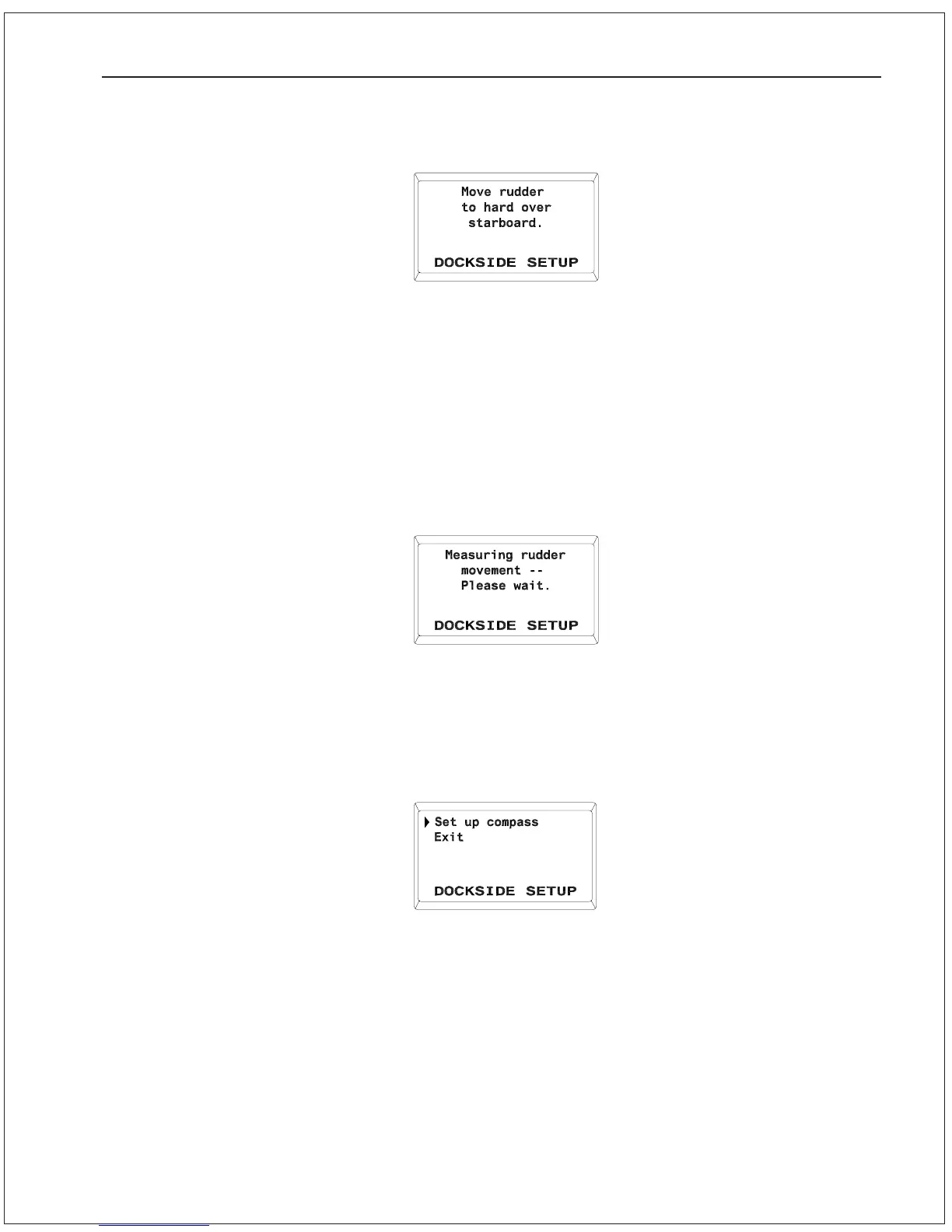
once and the display will show the following:
The Autopilot will go through approximately 30 to 60 seconds of
rudder movements. During this period, the Autopilot is learning the
rudder steering response and the rudder limits. If the rudder drive
test is successful, the Autopilot will stop the rudder at mid-ships
and the display will come up as shown:
If after 60 seconds the display continues to show “Measuring
rudder movement—please wait”, then the rudder drive test was not
successful. Turn the Autopilot off and refer to “Problems in
Dockside Setup Mode” in Section 9—Problem Solving.
Once you have identified and rectified the fault, redo the Rudder
Setup steps 1 through 4 again.
5. If rudder drive test is successful, proceed with Compass
Configuration.
GETTING STARTED 5 - 7



 To Next Page