ComNav 1101 Autopilot6 - 9 BASIC OPERATIONS
Set Speed Trip Point
The Speed Trip Point is the vessel speed at which the Autopilot
steering settings automatically change from Fast to Slow and vice-
versa. To set the Speed Trip Point:
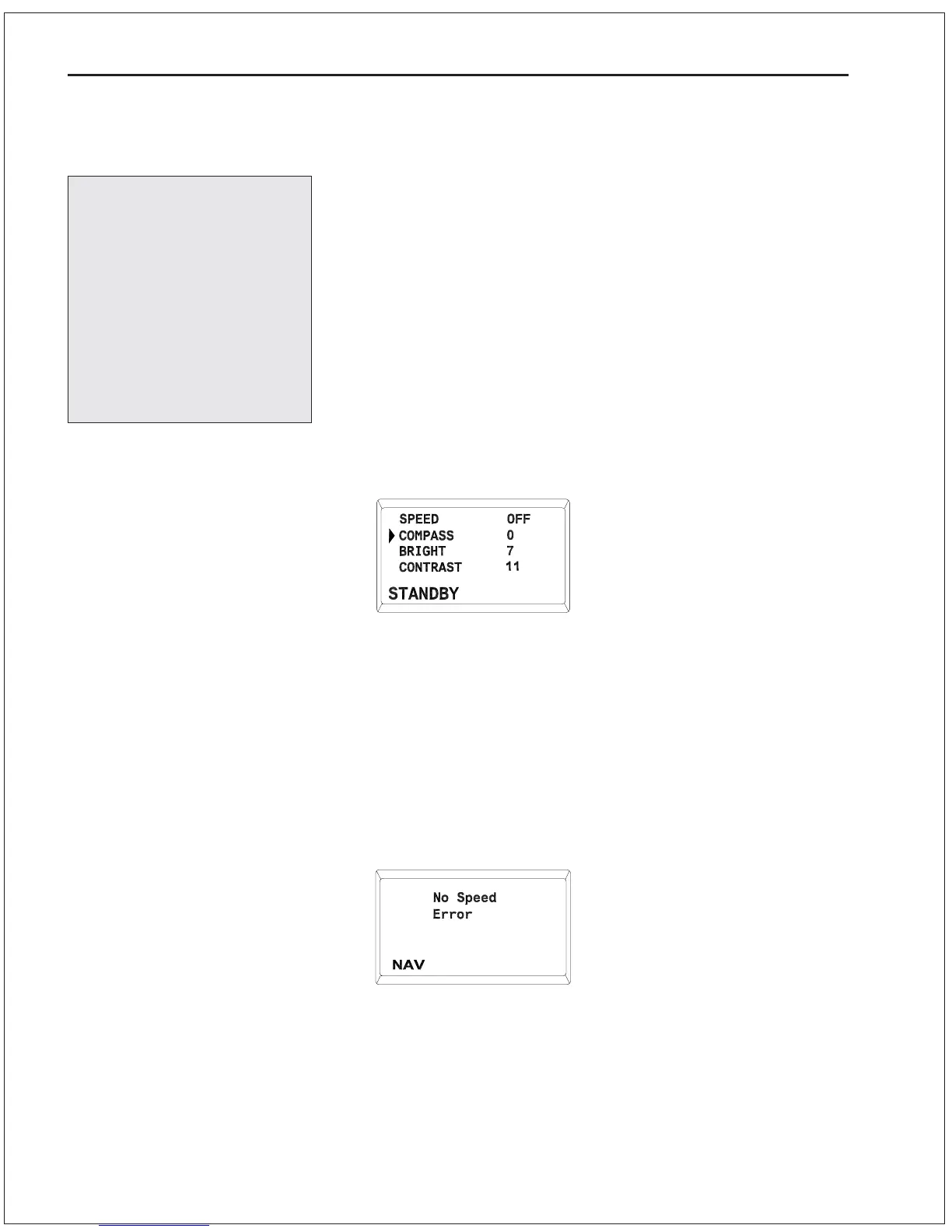
1 . Put the Autopilot in STANDBY mode.
2. Double press the STBY/OFF button to display the menu.
3. Use the ADJUSTMENT KNOB to move the cursor until it is
pointing at the “SPEED” parameter.
4. Press the STBY/OFF button, the value will begin to flash.
5. Use the ADJUSTMENT KNOB to select a speed in range of 1 to
30 knots at which you want the autopilot to changeover from
Slow to Fast settings. If you select “OFF” there will be no
automatic changeover between Fast and Slow settings. You will
still be able to toggle between Fast and Slow settings manually
using the SPEED button.
6. Press the STBY/OFF button to save the value.
7. Double press the STBY/OFF button to return to STANDBY
mode.
To use the Speed Trip Point feature, the Autopilot must be inter-
faced to a navigation device supplying speed data in NMEA 0183
format. If the speed trip point is set and no navigation device is
connected, the “No Speed Error” will flash every 20 seconds when
in AUTOPILOT or NAV modes. To prevent this message appearing,
set the Speed Trip Point value to “OFF.”
Factory default settings
for your ComNav
Autopilot are listed in the
table in the User Notes &
Settings section at the
end of the manual. Use
this table to record all
changes made to your
Autopilot settings during
Sea Trials.



 To Next Page