ComNav 1101 Autopilot
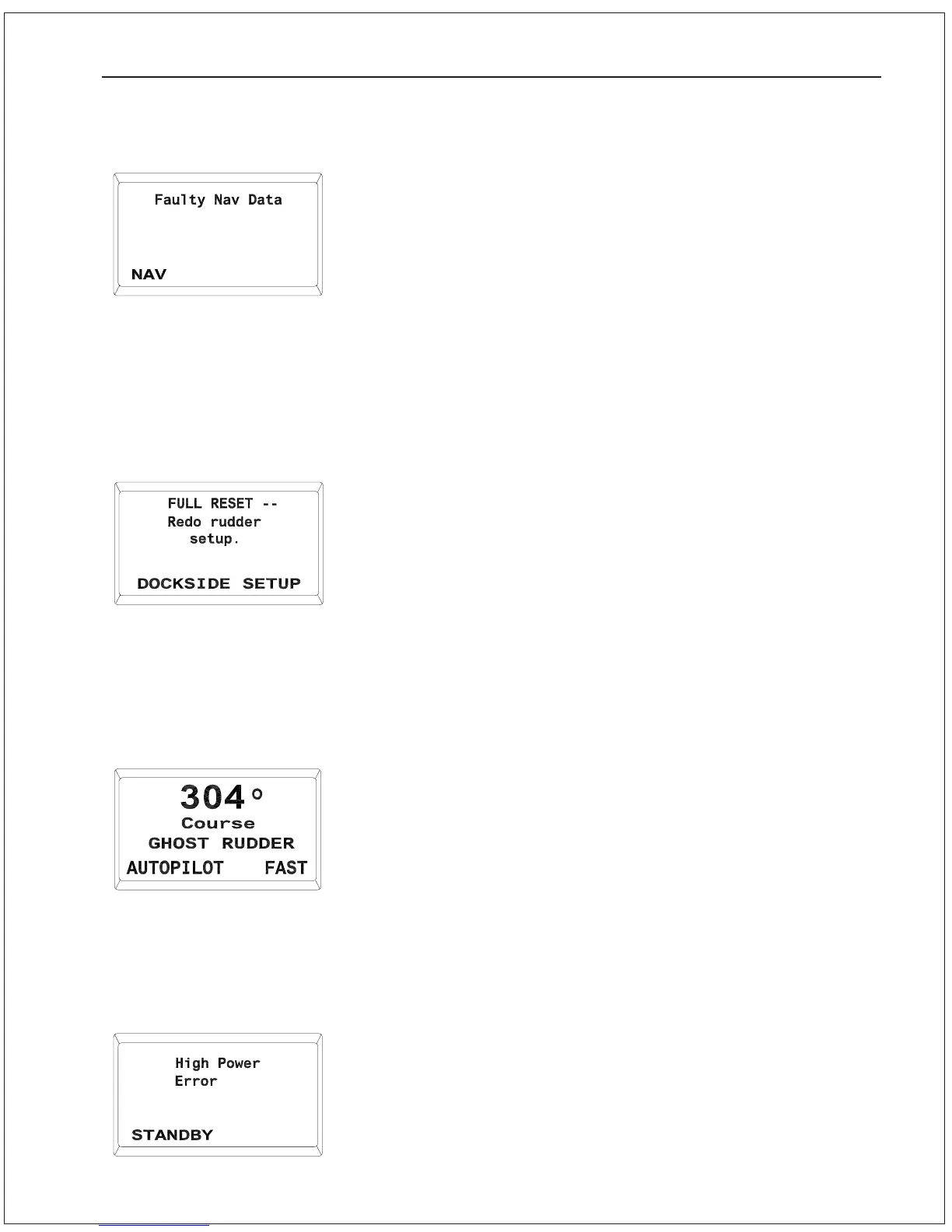
Faulty Data From Navigation Device
This indicates that one or more of the alarm flags in the data
sentences from the Navigation Device are set.
The Autopilot will continue to use this data, but will sound the
audible alarm and display the error message shown above after
every data sentence that is received until the error flags are
cleared. Caution should be used if the Autopilot is left in NAV mode.
1. Check the front display of the Navigation Device for an alarm
indication. If the alarm continues for more than 30 seconds,
disengage the Autopilot.
Full Reset – Redo rudder setup
This error may occur when the Autopilot is first turned on.
The 1101 Autopilot performs a Power-On Self Test every time it is
turned on. As part of this test, it verifies the memory where the
steering parameter values are stored. If a piece of data is not
correct, the Autopilot will set everything back to the factory default
settings.
1. If this error occurs on a regular basis, return the Autopilot to a
ComNav dealer or the factory for repair.
Ghost Rudder
If an error in the Rudder Follower is detected, the Autopilot will
switch to GHOST RUDDER mode, wherein the vessel’s rudder
position is calculated by the Autopilot based on the rudder
movements learned during the Rudder Drive Test in DOCKSIDE
SETUP. The Autopilot will not work as well with the Ghost Rudder as
with the Rudder Follower.
1. The Rudder Follower should be repaired or replaced as soon as
possible.
High Power Error
The voltage supplied to the Autopilot has risen above 35 VDC.
1. The Autopilot may become damaged if this condition continues.
Turn off the Autopilot, open the circuit breaker that supplies the
Autopilot, and determine the cause of the over-voltage
condition. Do not use the Autopilot until the problem is
rectified.
PROBLEM SOLVING 9 - 8



 To Next Page