. . . . . . . . . . . . . . . . . . . . . . . . . . . . . . . . . . . . .
5-26
ArmadaStation Removal and Replacement Procedures
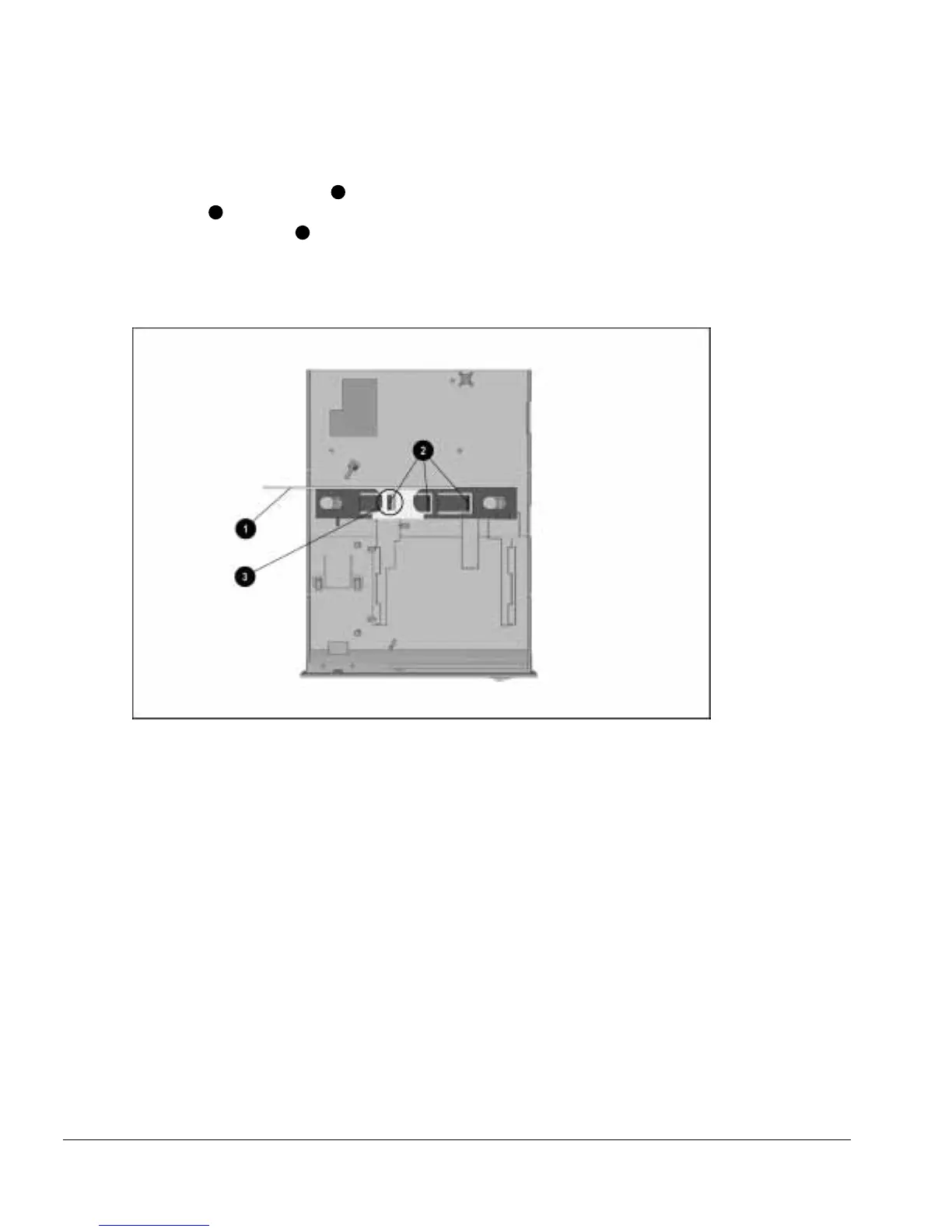
7. Turn the drive cage/half-height MultiBay adapter assembly upside down. Position
the security extension bar
1
as far to the left as it will go. This is done by pressing
the tabs
2
on the lock slide and moving the security extension bar to the left until it
locks on the first tab
3
(Figure 5-25).
If the half-height MultiBay adapter is being installed in the right half-height bay, the
security extension bar should lock in the middle tab.
Figure 5-25.
Alignment of the Security Extension Bar
NOTE: Step 7 is not necessary when installing a Compaq LTE 5000 Half-Height
MultiBay Adapter.
8. Turn the drive cage/half-height MultiBay adapter assembly right side up.



 To Next Page