. . . . . . . . . . . . . . . . . . . . . . . . . . . . . . . . . . . . .
ArmadaStation Removal and Replacement Procedures
5-43
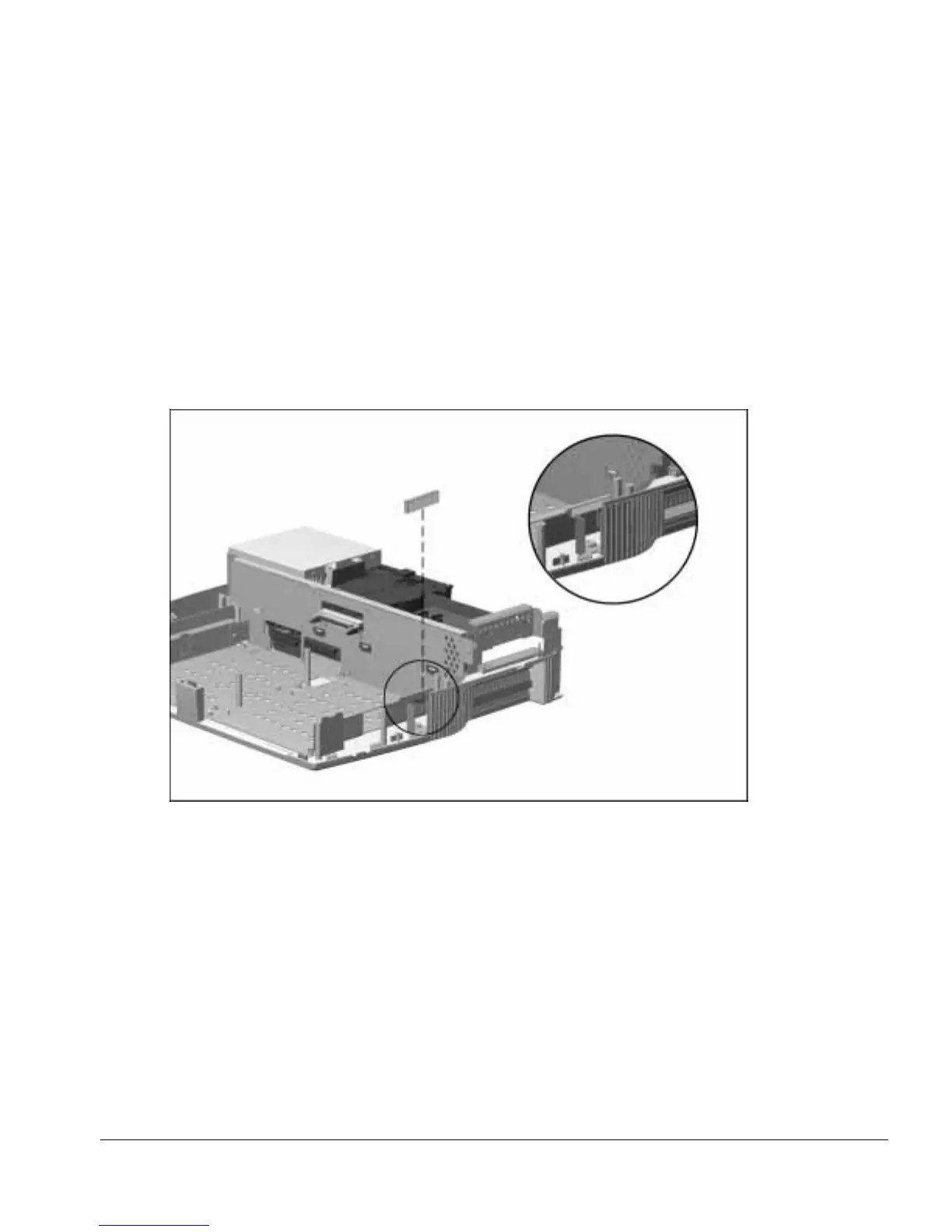
After the control panel assembly has been removed, inspect the control panel spacer to
determine if it should be replaced. To replace the control panel spacer, follow these
steps:
1. Completely remove the old control panel spacer from the base assembly
(Figure 5-41).
2. Remove the backing from the new control panel spacer and install it in the base
assembly in the indicated position.
NOTE: Make sure the control panel spacer fits flush against the top and right edges of
the sheetmetal on the lower case.
Figure 5-41.
Replacing the Control Panel Spacer



 To Next Page