6-6 l Troubleshooting
How to Identify the Cause of a Problem
(continued)
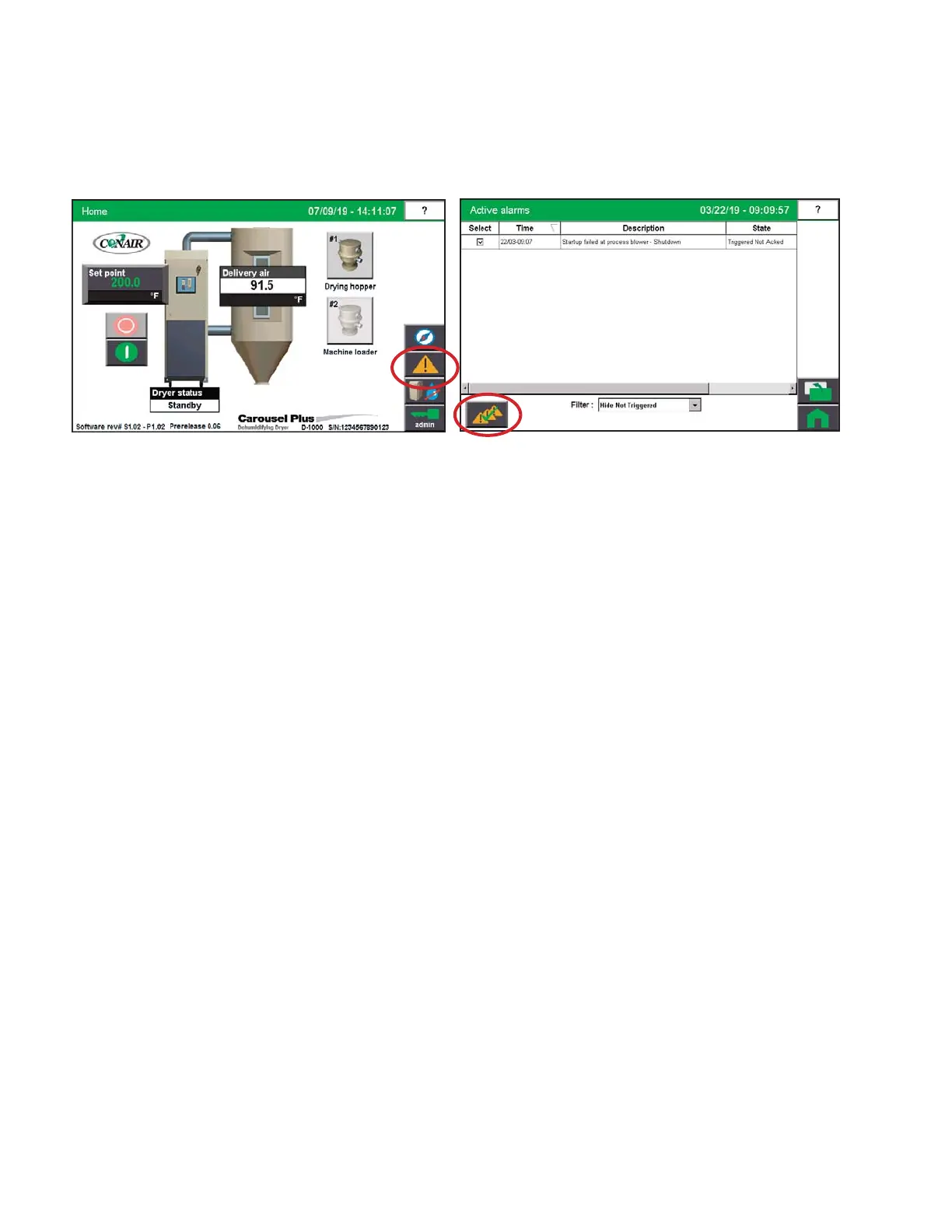
3 Press the “Alarm Log” button from the main screen to access the alarm history and
note the newest alarm(s).
4 Press the “Acknowledge All Alarms” button.
5 After correcting the problem, take note of the problem. If the problem was not
solved, the alarm will reactivate.
There may also be a second alarm condition that occurred as a result of the first alarm.


 To Next Page