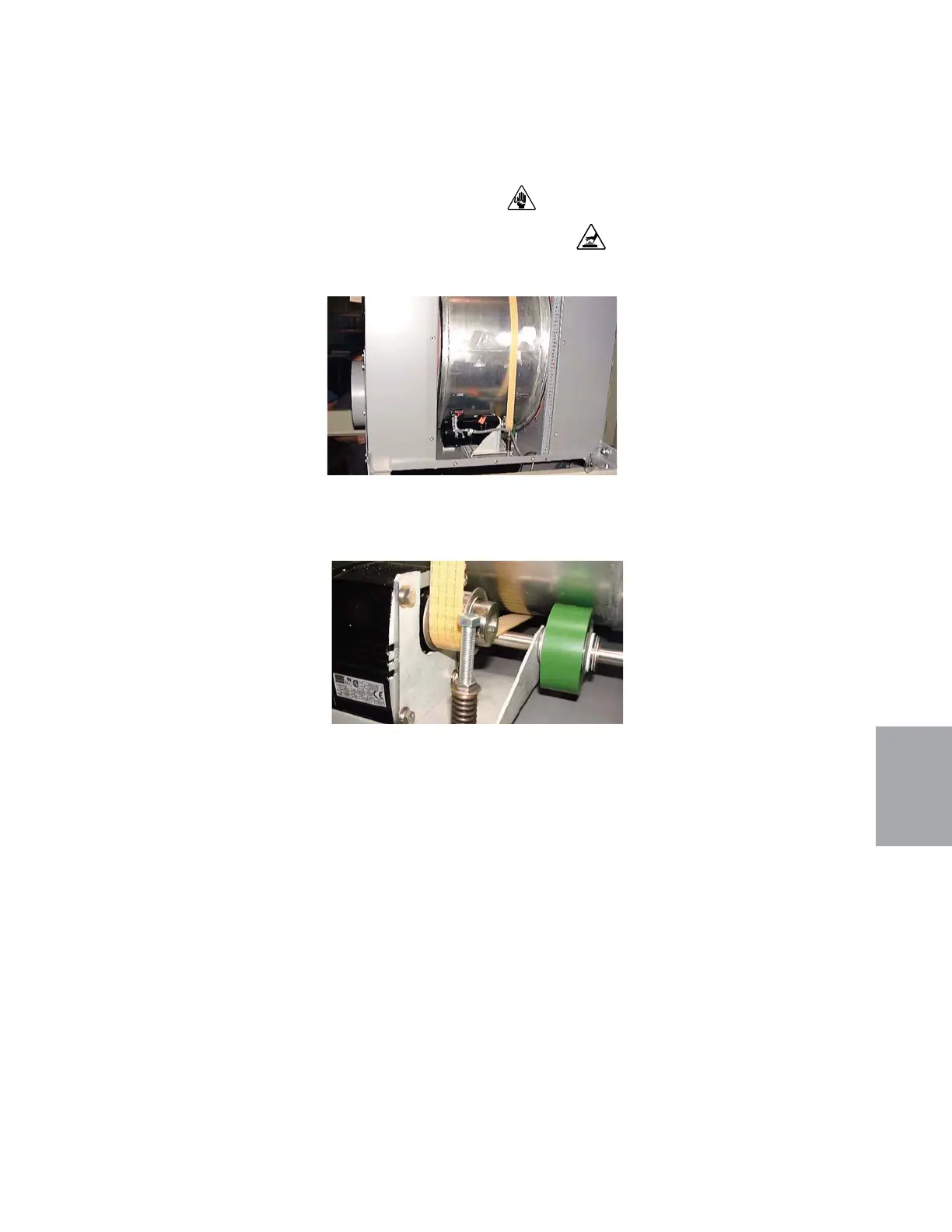
Replacing the Desiccant Wheel Motor
(D 1300 - 5000)
1 Stop the dryer, disconnect and lockout the main power.
2 Open the right side panel(s), as viewed from the front of the dryer.
3 Unbolt and remove the ac-
cess panel on the side of the
desiccant wheel assembly.
4 Disconnect the wiring con-
nection to the motor.
5 While noting the number of turns, relieve the tension on the drive bolt by loosening
the nut above the tension spring until the belt can be slipped off the motor sprocket.
6 Unbolt the motor and remove it from its
mounting bracket.
7 Remove the sprocket from
the old motor, and install it
onto the new motor.
8 Bolt the new motor in place.
Be sure to remove the plastic
plug in the vent hole of the
gearbox.
(continued)
6
Troubleshooting
Troubleshooting l 6-45


 To Next Page