4
Operation
(continued)
Operation l 4-19
Control Function Descriptions - RW
Configuration
(continued)
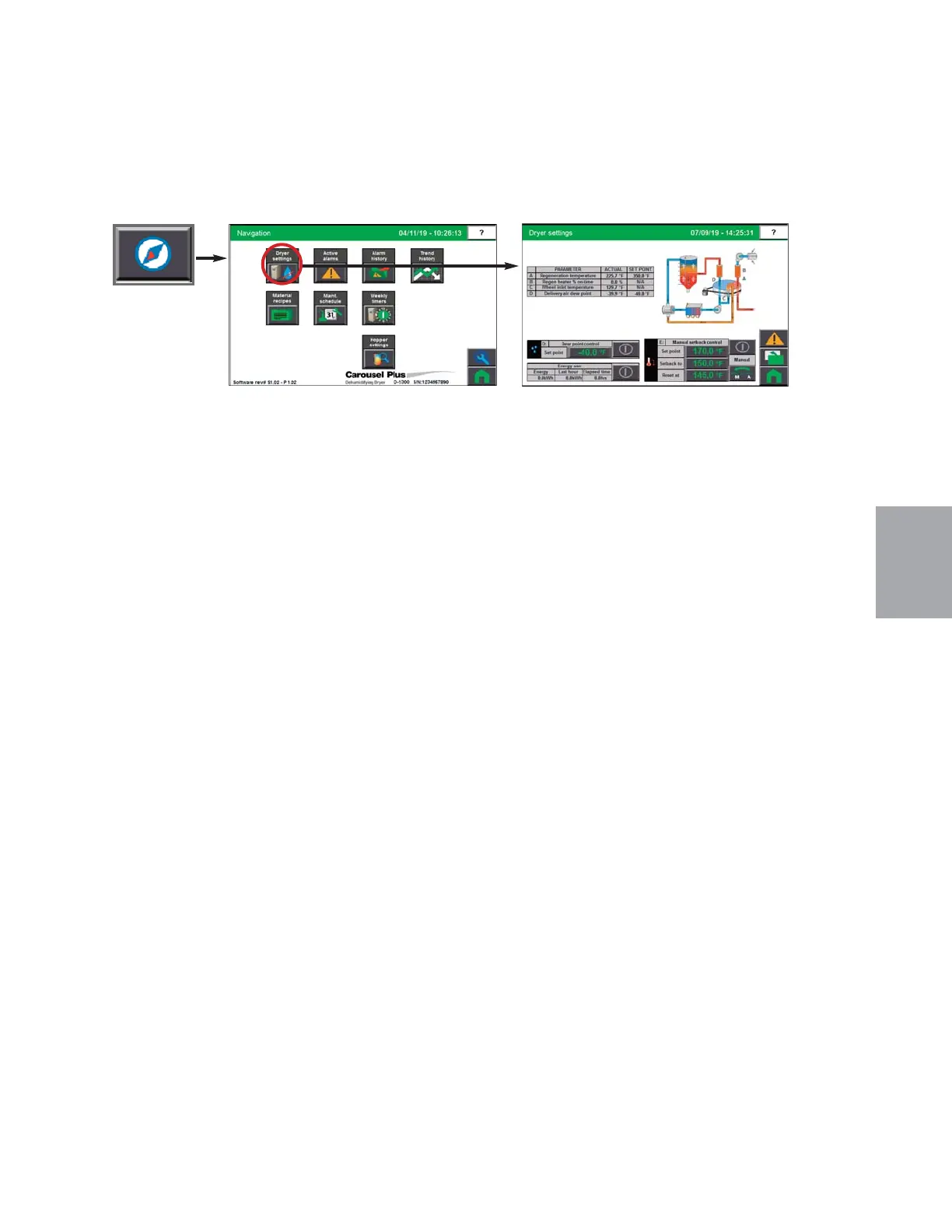
Dryer Settings screen
To access the ResinWorks Dryer Settings screen:
1 Press the Navigation button from the Home screen.
2 Press the ResinWorks Dryer Settings button.
The ResinWorks Dryer Settings screen provides the user with the ability to enable or disable
options.
This screen allows you to change:
• Dewpoint Control
• Enable Energy use monitor.
• Utilize Setback control - manual or auto.
NOTE: Proper login is required
to change these settings.
0


 To Next Page