4
Operation
Control Function Descriptions -
Stand Alone Configuration (continued)
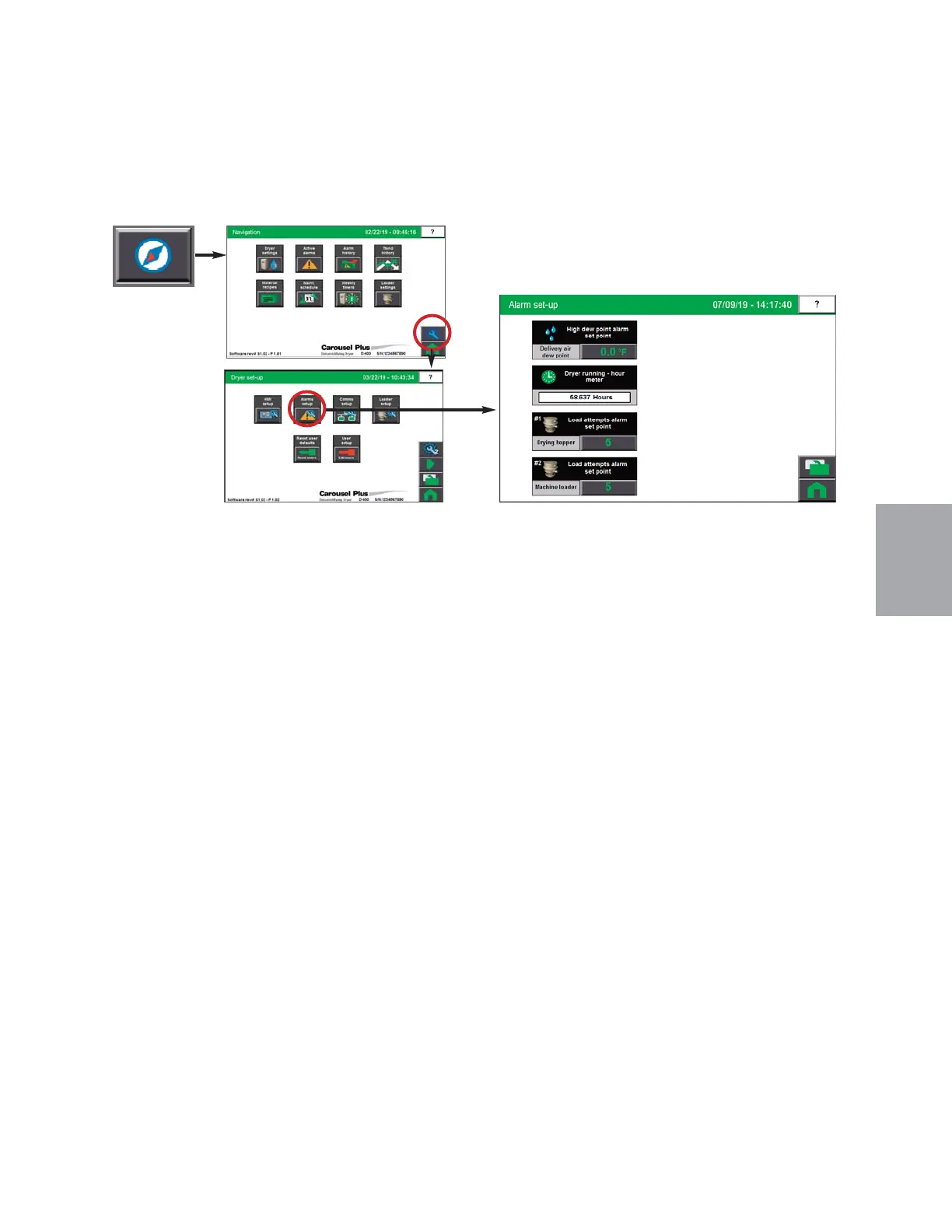
Alarm Setup screen
To access the Alarm Setup screen:
1 Press the Navigation button from the Home screen.
2 Press the Wrench button to open the Dryer Set-up button.
3 Press the Alarm Set-up button to open the Alarm Set-up screen.
The Alarm Setup screen provides the user with the ability to enable, disable and adjust set-
points for alarms in the Drying system. Both passive and shutdown alarms can be modified
from these screens.
NOTE: Proper login is required to change these settings.
0
Operation l 4-43


 To Next Page