Operati on l 4-37
To Start Drying
1 Make sure there is material in the hopper.
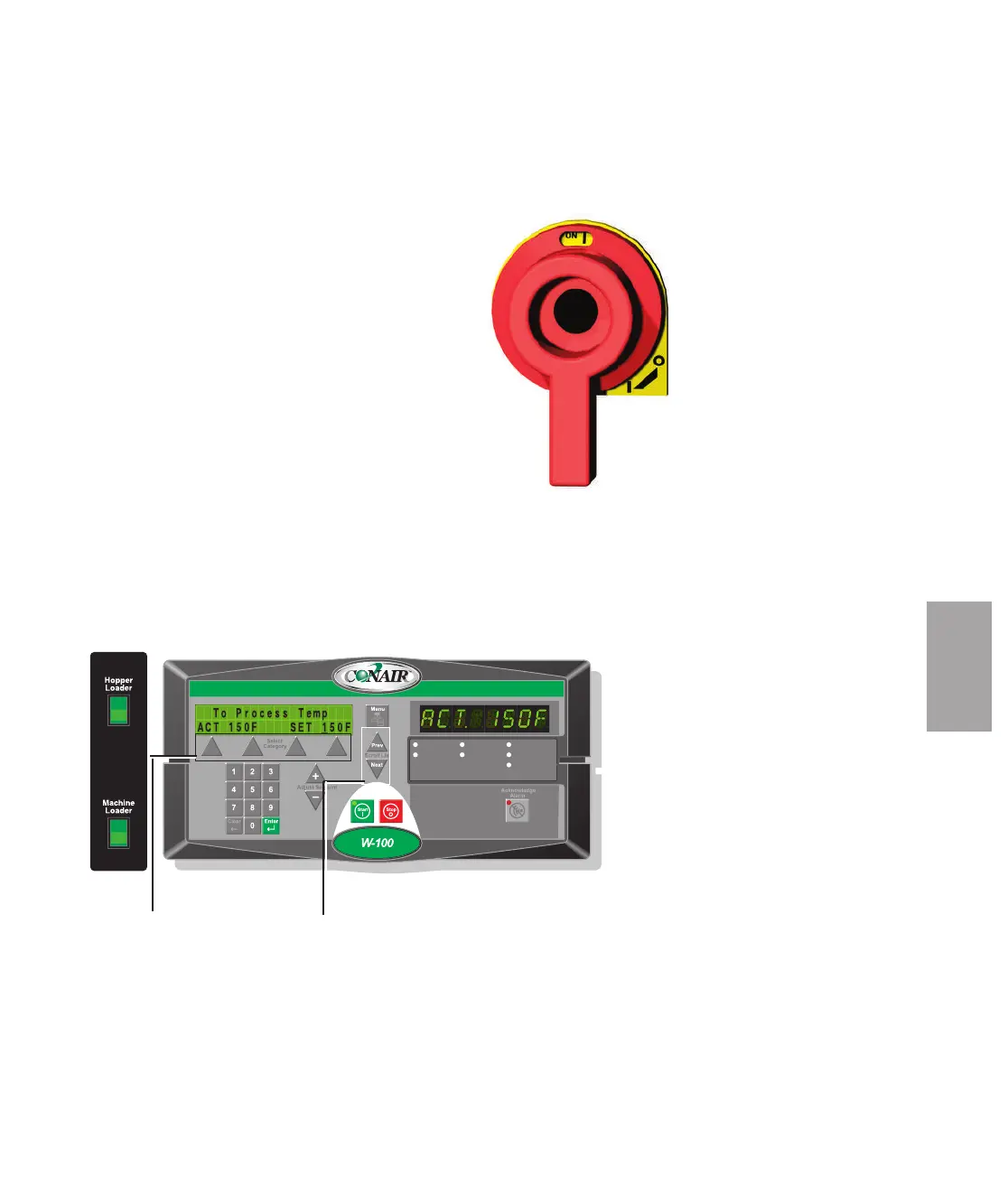
2 Turn on the main power to the dryer. Make sure
the dryer’s disconnect dial is in the ON position.
This powers up the control and the display lights
will illuminate.
3 Set the drying temperature. Press the Select
Category key directly below the temperature. Then
adjust the Setpoint using the (+) or (-) buttons or
enter the temperature on the numeric keypad and
press enter.
(continued)
Auto Start
Dewpoint Control
Set-Back Temp.
Process Blower
Process Heater
Regen. Blower
Regen. Heater
NOTE: When changing a setpoint use the Select
Category Key directly below the value to be changed.
Once pressed the value will blink, then use the keypads
or (+) (-) adjustment setpoints to enter the new value.
Then press “ENTER” for the new value to be recognized.
✐
4
Operation
Setpoint
Adjustment
buttons
Select
Category
buttons








 To Next Page