page-50 EVOLUTION COVER
4.
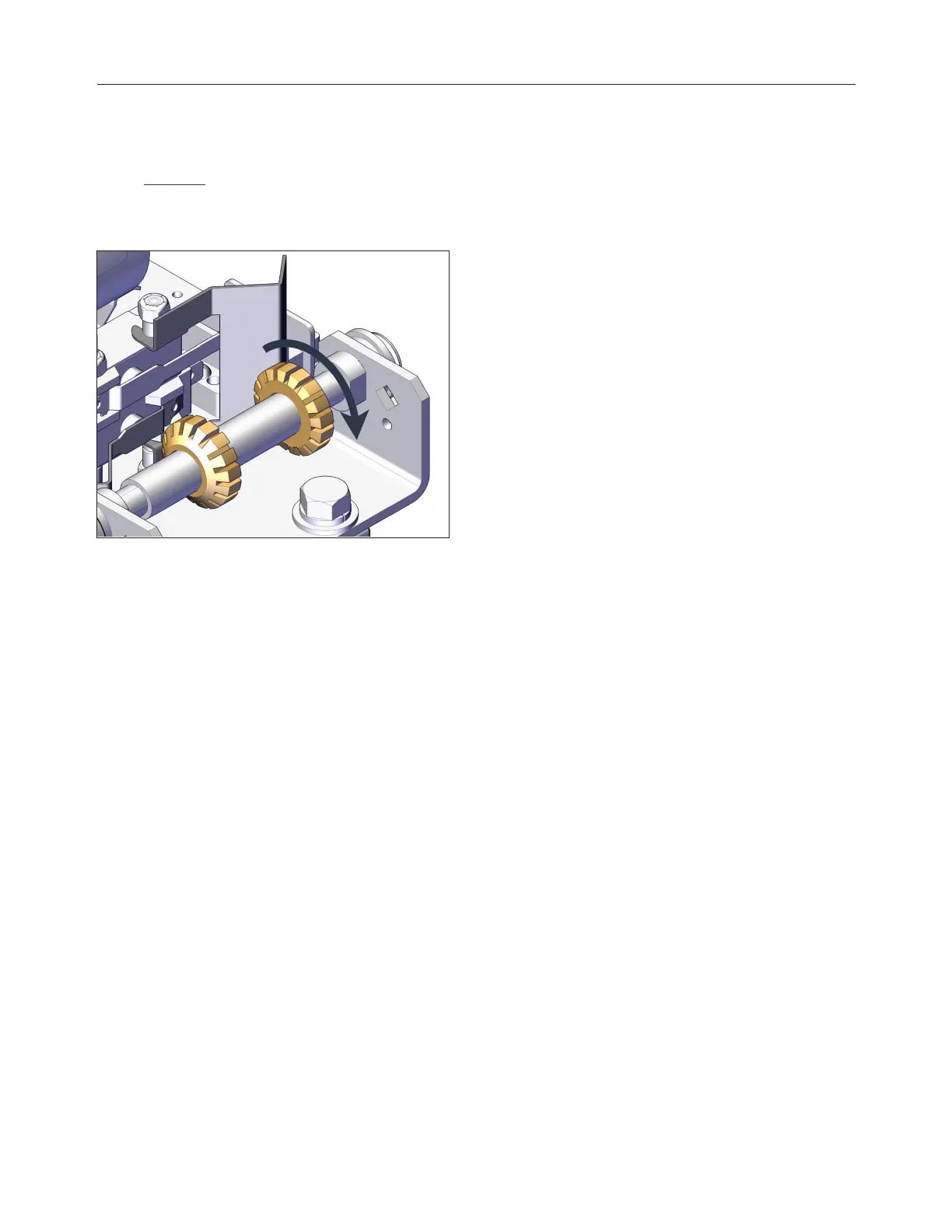
To reduce the lift up limit, turn by hand the up-
cam wheel counterclockwise looking from the
cam plate mounting screw side as shown in
Figure 81. It has around 4° between each cam
wheel tooth and adding or removing a tooth
resolves in adding or removing approximately
5/32 in. (4 mm) on the cover lifting stroke.
FIGURE 81: CAM WHEELS
5.
Once the up limit is set to the desired
position, reinstall the cam plate to its original
location and make sure that it is properly
inserted in the slot of each cam. Never
operate the system without the cam plate and
retaining screw installed.
6.
Reinsert the slotted mounting screw.
7.
Reinstall the operator cover without screws.
8.
Turn the power on and test the system.
Repeat the previous steps if necessary.
9.
Once the adjustment is completed, fasten the
operator cover with the screws (4) .
240799 OWNER'S MANUAL REVISION 4



 To Next Page