User Interface
110 / 135
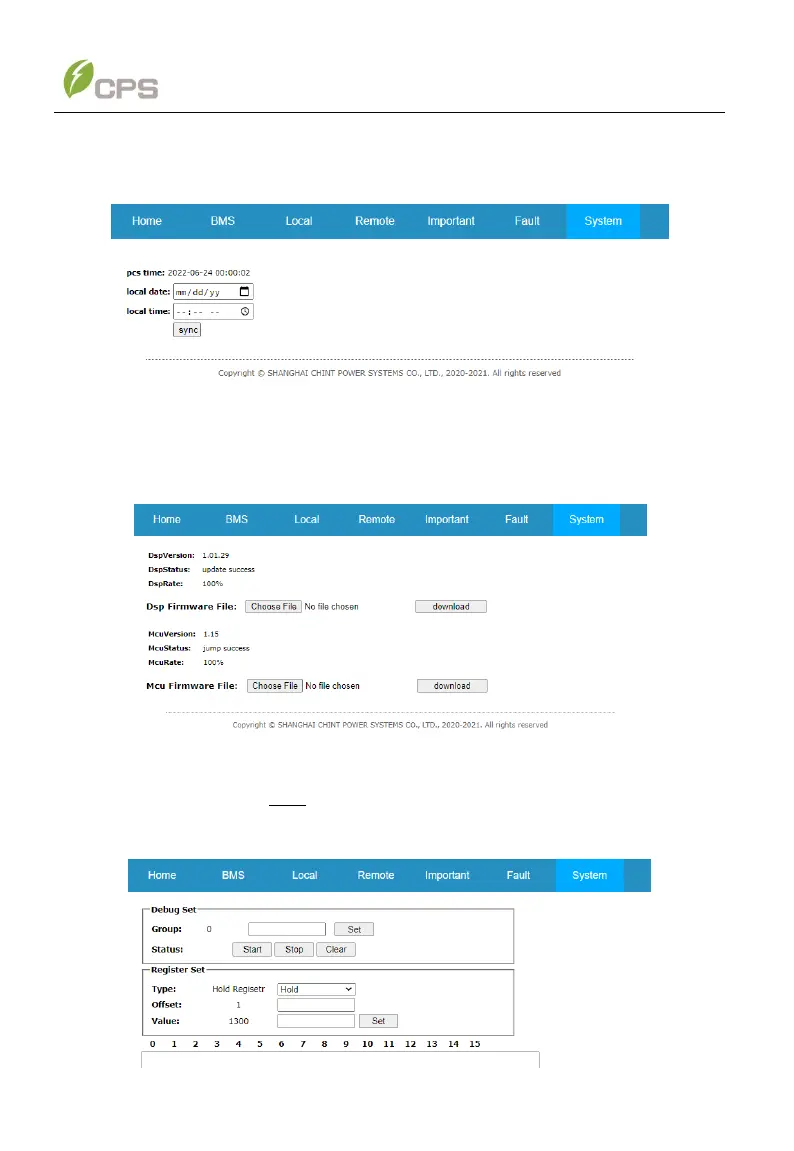
If the TIME displayed on the web page is incorrect. Customers can switch to the
Date/Time sub-menu, then click the Sync button to synchronize the time of PCS.
Figure 6-62 Date/Time Sub-menu
Customers can also upgrade LCD or DSP firmware through the Firmware interface.
Choose the target upgrading files and click Download to upgrade the firmware.
Figure 6-63 Firmware Sub-menu
The Debug sub-menu is only for professional service personnel to maintain or
service the system.
Figure 6-64 Debug Sub-menu



 To Next Page