User Interface
112 / 135
4. To modify “Reactive power set in per” to -20%, the following instruction can be
issued:
01 06 30 4C FF EC 07 60
5. To change the local / remote control item to remote control mode, the following
instruction can be issued:
01 06 30 9C 00 01 87 24
6. To have the PCS power-off in local control mode, the following instruction can
be issued:
01 06 30 AB 55 55 08 45
7. To have the PCS power-on in remote control mode, the following instruction can
be issued:
01 06 31 0E 00 01 27 35
6.4.2 Modbus TCP
Port: 502
IP Address: 10.122.1.221 (default)
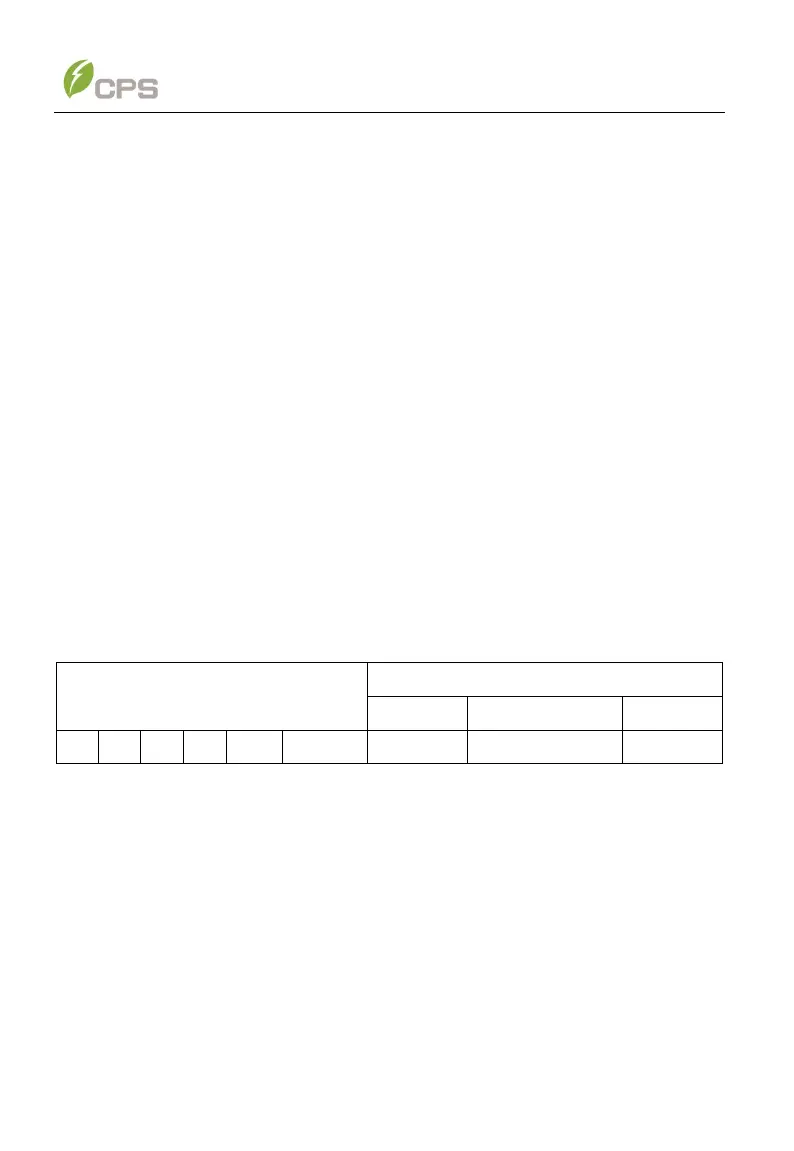
Modbus TCP Frame Format:
Examples for writing to single register
1. To modify “Active power set in per” to 50%, the following instruction can be
issued:
00 00 00 00 00 06 01 06 30 47 01 F4
2. To modify “Active power set in per” to -100%, the following instruction can be
issued:
00 00 00 00 00 06 01 06 30 47 FF 9C
3. To modify “Reactive power set in per” to 10%, the following instruction can be
issued:
00 00 00 00 00 06 01 06 30 4C 00 64



 To Next Page