Mechanical Installation
21 / 135
3.4.3 Install the PCS
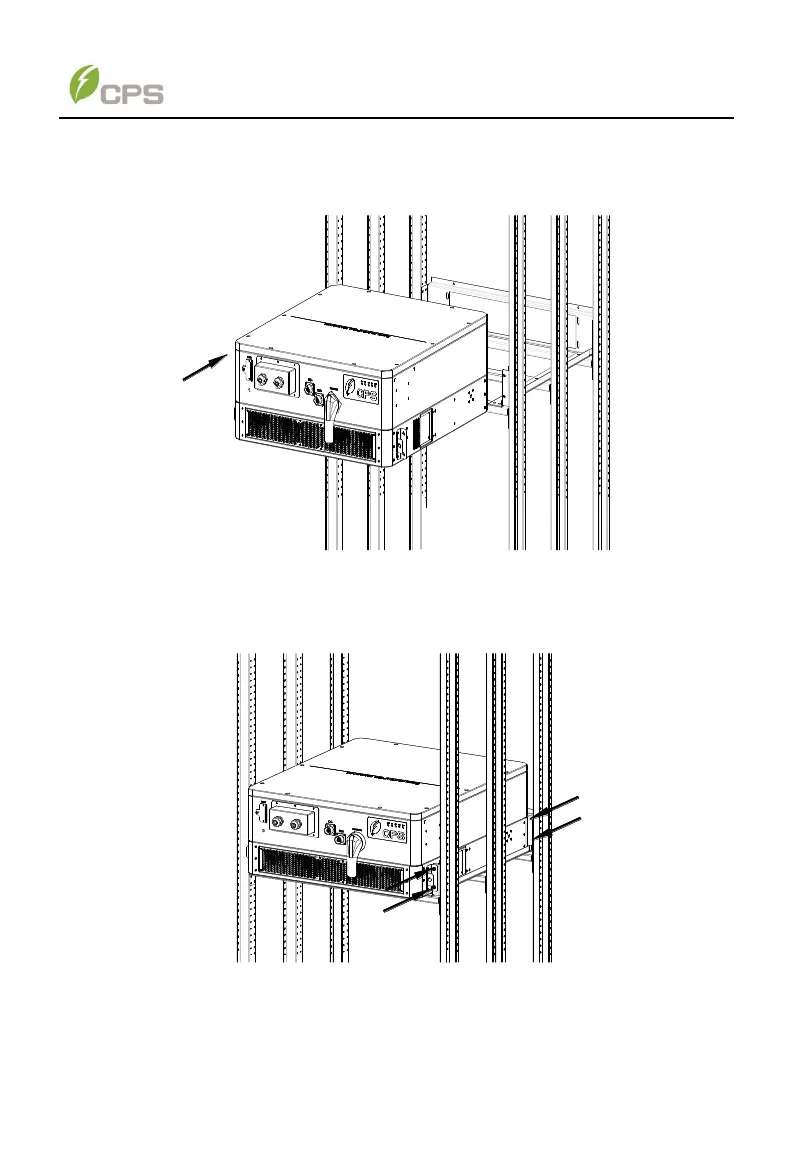
1. Push inside the PCS along the rail brackets (4) until the AC side surface of
the PCS touches the back plate (5) of the mounting bracket. The PCS
should placed on the mounting bracket steadily.
Figure 3-12 place the PCS on the mounting bracket
2. Fasten two lugs of the PCS onto the front mounting brackets (3) with four
M6x18 screws, and then fasten the back plate (5) onto the AC side surface
of the PCS with another four M6x18 screws, as shown below..
Figure 3-13 Fasten the PCS with screws



 To Next Page