User Interface
91 / 135
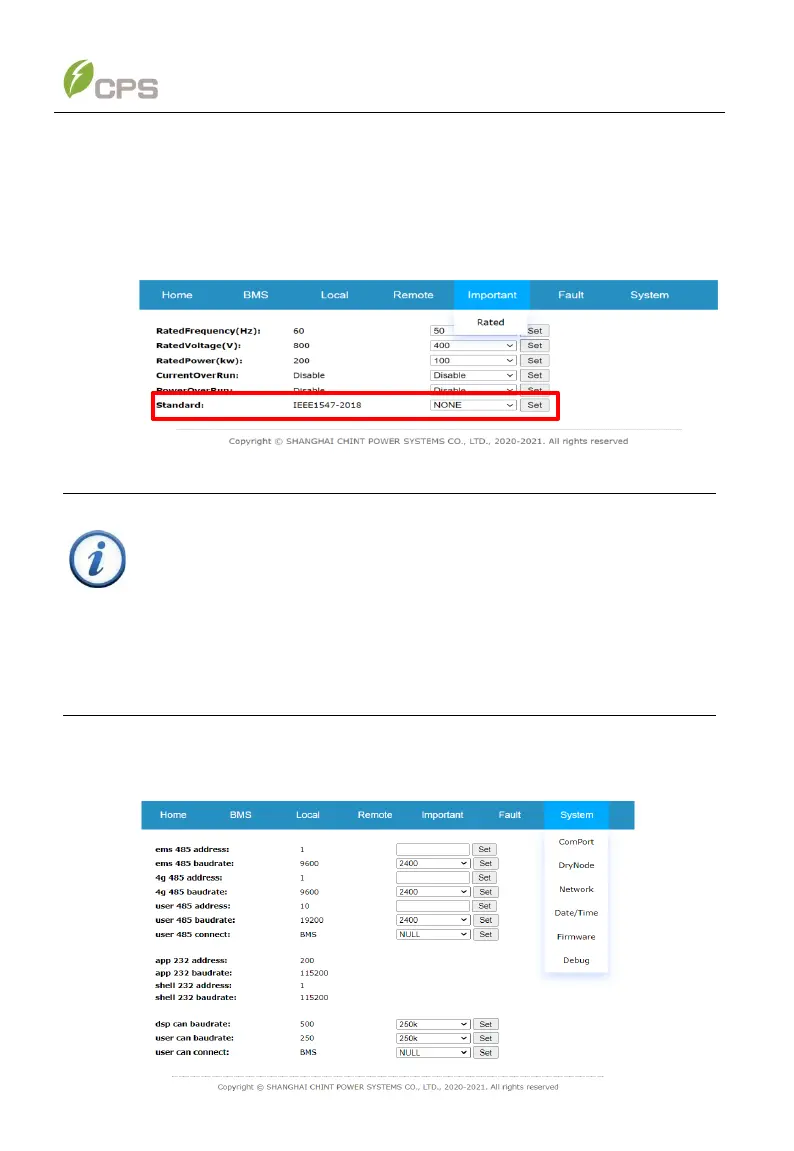
6.3.2 Web application setting
1. After logging onto the web page, click Important menu and then click Set
button to set the grid standard according to the requirements of your local
authority and related parameters as required.
Figure 6-33 Set the grid standard
IMPORTANT!
Please check with your local utility company before selecting a Grid
Code. If the PCS is operated with a wrong Grid Code, the electric
utility may reject the interconnection agreement.
It is prohibited to placed the PCS into operation before the overall
system complies with the national rules and safety regulations.
2. Click System menu to set RS485, synchronize Time/data, update Firmware
or set other parameters in related drop-down list as required.



 To Next Page