Operation
118 / 135
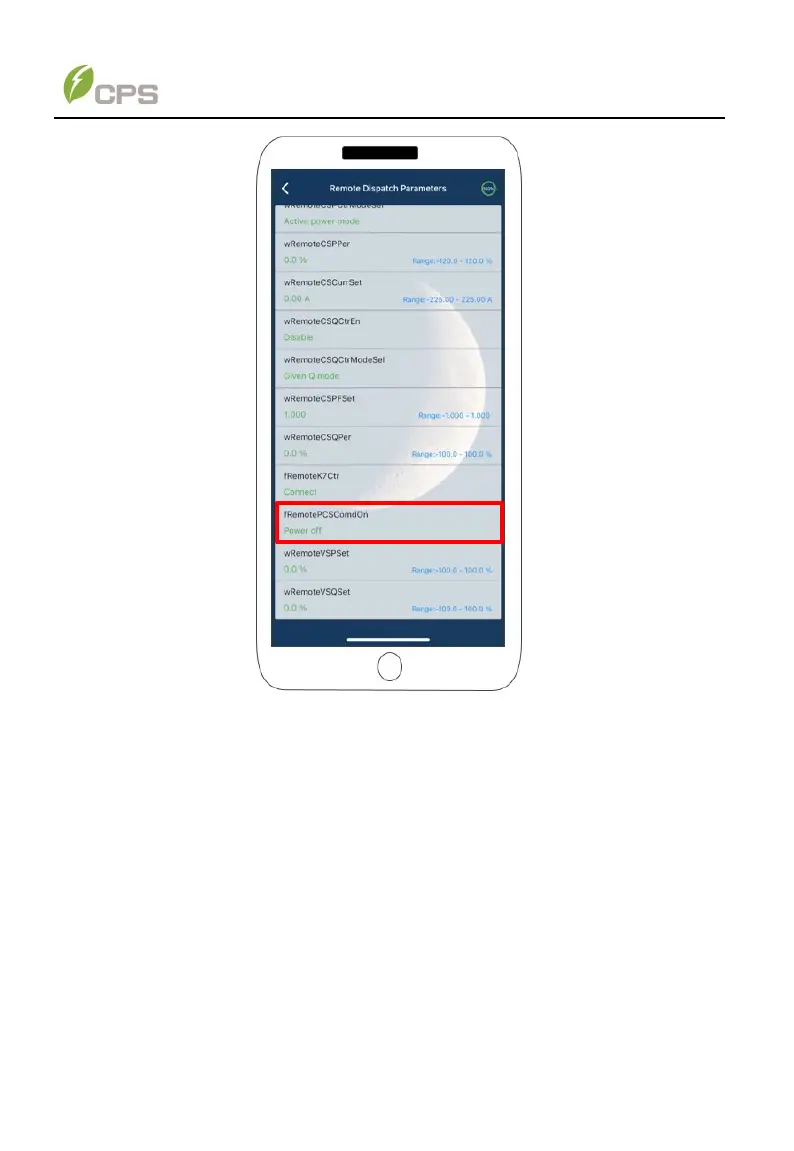
Figure 7-5 Power On for remote start-up
7.1.2 Shutdown
Local shutdown: Normally, it is not necessary to shut down the PCS, but it can be
shut down if a regulation setting change or maintenance is required.
Refer to 7.1.1 Start-up, set “PCScommandonoff” parameter as “power off” by APP or
as “PCS off” by web browser and then the PCS will be shut down.
Remote shutdown: Refer to 7.1.1 Start-up, and set “rRemotePCSComdon”
parameter as “power off” by APP or as “PCS off” by web browser to shut down the
PCS.
Note: PCS will be shut down automatically when the output voltage and power of
Batteries are lower than the set value; or AC power grid fails; or the ambient
temperature exceeds the normal range.



 To Next Page