EasyManua.ls Logo

CPS SCA36KTL-DO/US-480 - History Record

CPS SCA36KTL-DO/US-480
156 pages
Print Icon
To Next Page IconTo Next Page
To Previous Page IconTo Previous Page
Loading...
112
Running Record
6.4 History Record
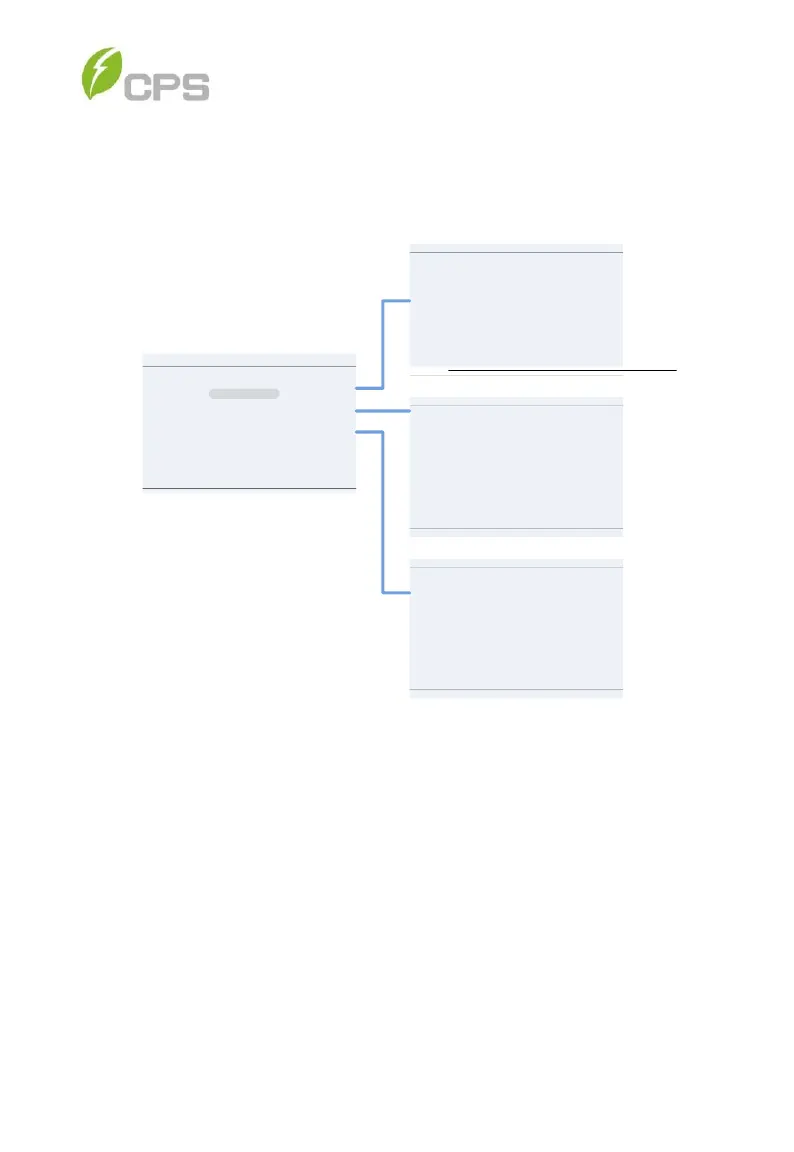
Move the cursor to History Record in the main menu interface. Press ENT
to check the history information. There are 3 submenus in the History
Record menu: Current Error, Running Record and Fault Record. See
Figure 6-21.
History Record
Running Record
Fault Record
Current Error
Current Error
P1/1
Date Fault
2015-10-22 12:20:08 ArcboardErr
2015-10-22 12:20:08
2015-10-22 12:20:08
Fault0040
Time
Fault0040
Fault Record
P1/1
Num
Date
Fault
001 15-10-22 12:20
003 15-10-22 12:20
002 15-10-22 12:20
Time
Fault0040
Fault0040
ArcboardErr
Event
ON
OFF
ON
Running Record
P1/1
Num Date
Event
001 15-10-22 12:20
003 15-10-22 12:08
002 15-10-22 12:13
004 15-10-22 12:07
006 15-10-22 12:02
005 15-10-22 12:04
Fault
Standby
Standby
Running
Fault
Checking
Time
Figure 6-21 History Menu and Submenu
1. Current Error: This log will display any faults that are currently
affecting the operation of the inverter.
2. Running Record: This log can store up to 128 running history
messages. This includes normal operating events such as the
inverter turning on, going into standby and turning off.
3. Fault Record: This log can store up to 128 fault codes.


Table of Contents

Related product manuals