©2015 Cradlepoint. All Rights Reserved. | +1.855.813.3385 | cradlepoint.com
30
User Manual / CBA850
11/5/15
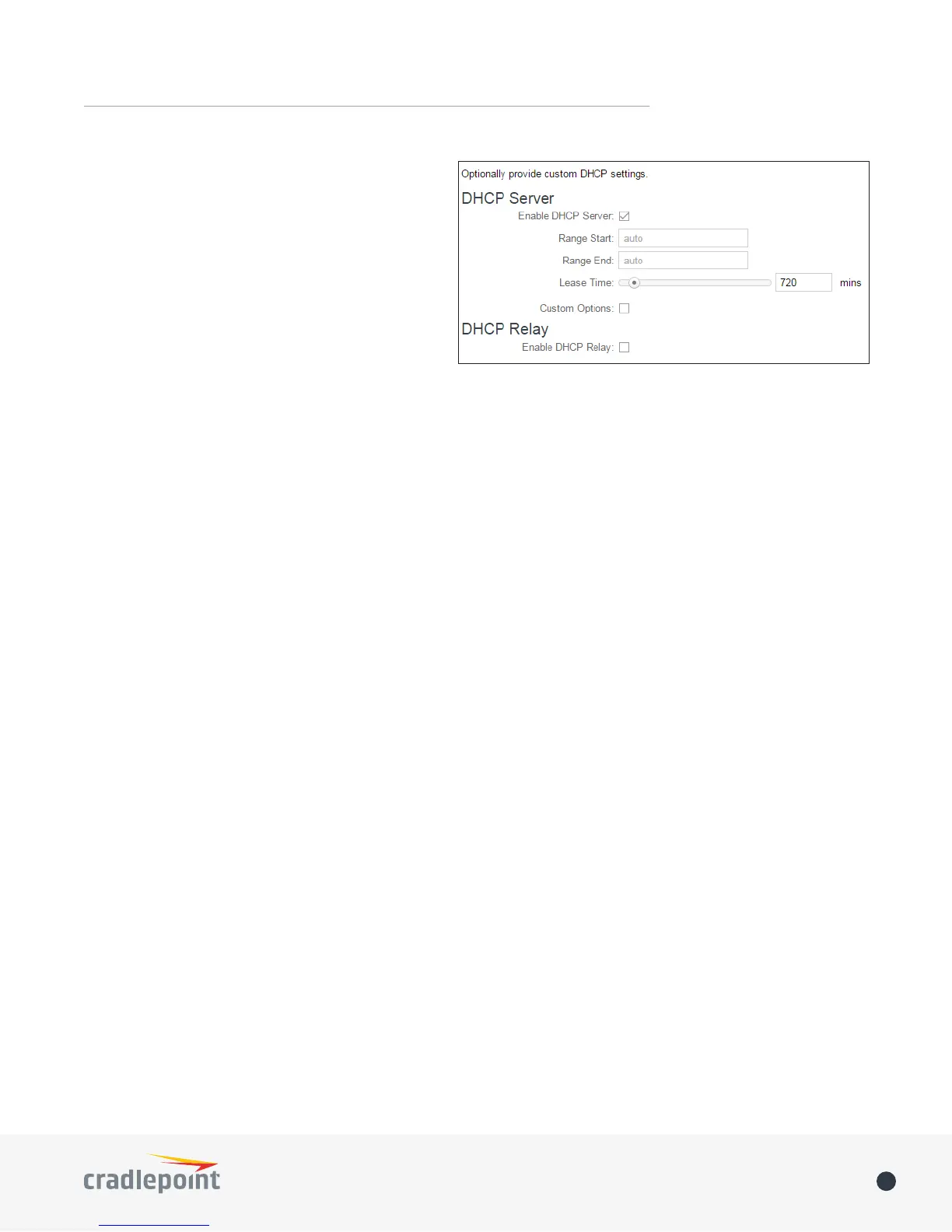
available at NETWORKING > Local Networks
> DHCP Server.
• Range Start: The starting IP address in the
DHCP Server range is the beginning of the
reserved pool of IP addresses which will be
given to any DHCP enabled computers on
your network. The default value is almost
always sucient.
• Range End: The ending IP address in the
DHCP Server range is the end of the
reserved pool of IP addresses which will be
given to any DHCP enabled computers on
your network. The default value is almost always sucient.
• Lease Time: The lease time species how long DHCP enabled computers will wait before requesting a
new DHCP lease. Smaller values are better suited to busy environments.
• Custom Options: Send optional extra options to DHCP clients of this network. This can be used to, for
example, set the boot TFTP server of a network for disk-less clients.
DHCP Relay
• Enable DHCP Relay: DHCP Relay communicates with a DHCP server and acts as a proxy for DHCP
broadcast messages that must be routed to remote segments. This is accomplished by converting
broadcast DHCP messages to unicast messages to communicate between clients and servers.
Multicast Proxy
Multicast Proxy: Enables IGMP proxying to allow Multicast Streams to ow across this network.
Quick Leave Mode: Disable quick leave mode if it’s vital that the daemon should act exactly as a real multicast
client on the upstream interface. However, disabling this function increases the risk of bandwidth saturation.
Altnet: If multicast trac originates outside the upstream subnet, add address(es) to the “altnet” to dene
legal multicast sources.
IPv6 Addressing
Address Configuration Mode: SLAAC stands for Stateless address autoconguration. A network can be congured
to use SLAAC only, or it can be congured to also use DHCPv6 to provide ip addresses to clients.
DHCP Range Start: The DHCP Range Start is the beginning of the range that will be used for IPV6 DHCP
addresses. The IPv6 range will always start at 1.
DHCP Range End: The ending IP address in the DHCP Server range is the end of the reserved pool of IP addresses
which will be given to any DHCP enabled computers on your network.
IPv6 DHCP Lease Time: Species how long DHCP enabled computers will wait before requesting a new DHCP
lease.
Schedule
Enable Schedule Service: Enable the interface scheduler. A schedule allows an interface to be enabled or disabled
during specic hours of a day.
VRRP
Enable VRRP: Enable or disable VRRP.
Virtual Router IP: IP Address of the Virtual Router.
Virtual Router ID: Identier of the Virtual Router.
Router Priority: Failover priority of this router. The highest priority router will take ownership of the Virtual IP.















 To Next Page