©2015 Cradlepoint. All Rights Reserved. | +1.855.813.3385 | cradlepoint.com
40
User Manual / CBA850
11/5/15
FILTER POLICIES
A Filter Policy is a one-way lter applied to initialized network trac owing from one zone to another. A
Filter Policy needs to be assigned to a Forwarding for it to take eect. Filter Policies can either be Added,
Edited, or Removed.
• Default Allow All is a precongured policy to
allow all trac initialized from one zone to ow
to another zone. The state of the connection is
tracked to allow responses to traverse the zones
back to the source. LAN to WAN forwardings use
this policy by default. The policy can be removed or
altered to lter the trac ow.
• Default Deny All is a precongured policy to deny
all trac initialized from one zone to be blocked
to another zone. WAN to LAN forwardings use this
policy by default. The policy can be removed or
altered to lter the trac ow.
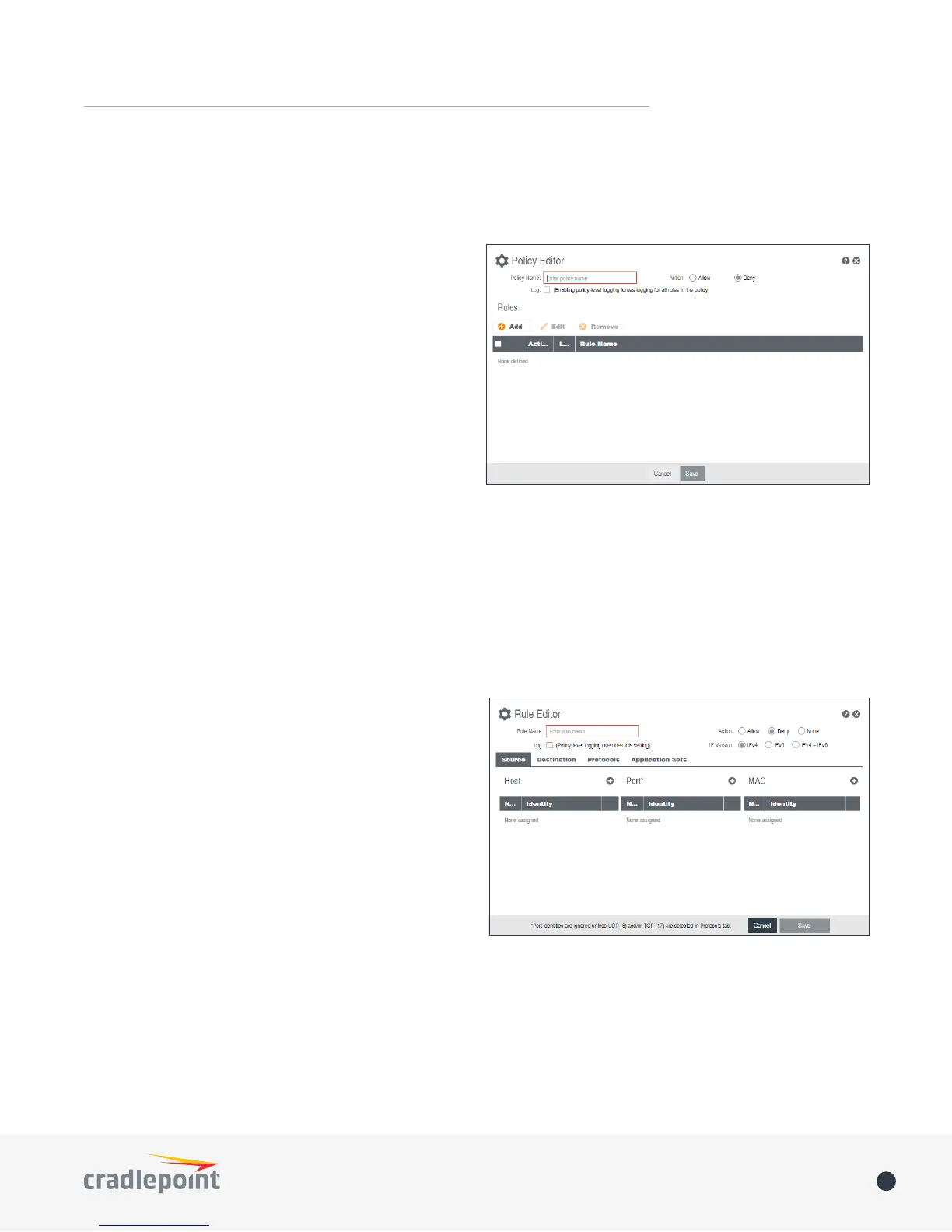
Click Add to create a new lter policy, or select an
existing policy and click Edit to open the lter policy
editor.
• Name: Create a name meaningful to you.
• Action: Choose either Allow or Deny. This is the action taken by the rewall if none of the lter policy rules
match the trac being ltered.
• Log: When checked, every rule in the policy will log matching packets as if the rule’s Log option had been
selected.
Click Add to create a new rule for this lter policy, or select an existing rule and click Edit to open the Rule
Editor.
• Name: Create a rule name meaningful to you.
• Action: Choose either Allow or Deny. This is the
action taken by the rewall if the rule criteria
match the trac being ltered.
• Log: When checked, each packet matching this lter
rule will be logged in the System Log.
• IP Version: Select the IP version to match.
• Enter match criteria under Source, Destination,
Protocols and Application Sets.
• Source: Select dened identities or enter
individual criteria for the appropriate Host, Port
and MAC address columns to match the source
of the trac.
• Host: Enter an IP address or select a host
identity.
• Port: Enter a port, port range, or select a port identity.
• MAC: Enter a MAC address or select a MAC address identity.
• Destination: Select dened identities or enter individual criteria for the appropriate Host, Port and
MAC address columns to match the destination of the trac. See Source for the column denitions.
• Protocols: Select protocols (such as TCP, UDP, GRE, etc) from the dened list or enter a numeric code
for other protocols to match trac of that protocol.
• Application Sets: Select the dened application set or sets to match trac related to those sets.















 To Next Page