©2015 Cradlepoint. All Rights Reserved. | +1.855.813.3385 | cradlepoint.com
41
User Manual / CBA850
11/5/15
OPTIONS
Firewall Options
• Anti-Spoof: Anti-Spoof checks help protect against malicious users faking the source address in packets
they transmit in order to either hide themselves or to impersonate someone else. Once the user has
spoofed their address they can launch a network attack without revealing the true source of the attack or
attempt to gain access to network services that are restricted to certain addresses.
• Log Web Access: Enable this option to create a syslog record of web (IP port 80) access. Each entry will
contain the the IP address of the server and the client. Note that this may create a lot of log entries,
especially on a busy network. Sending the system log to a syslog server is recommended.
Application Gateways
Enabling an application gateway makes pinholes thru the rewall. This may be required for some applications
to function, or for an application to improve functionality or add features.
NOTE: Exercise caution in enabling application gateways as they impact the security of your network.
• PPTP: For virtual private network access using Point to Point Tunneling Protocol.
• SIP: For Voice over IP using Session Initiation Protocol.
• TFTP: Enables le transfer using Trivial File Transfer Protocol.
• FTP: To allow normal mode when using File Transfer Protocol. Not needed for passive mode.
• IRC: For Direct Client to Client (DCC) transfer when using Internet Relay Chat. You may wish to forward TCP
port 113 for incoming identd (RFC 1413) requests.
DMZ (Demilitarized Zone)
A DMZ host is eectively not rewalled in the sense that any computer on the Internet may attempt to
remotely access network services at the DMZ IP address. Typical uses involve running a public web server,
supporting older games, or sharing les.
NOTE: As with port forwarding, caution should be used when enabling the DMZ feature as it can threaten the
security of your network.
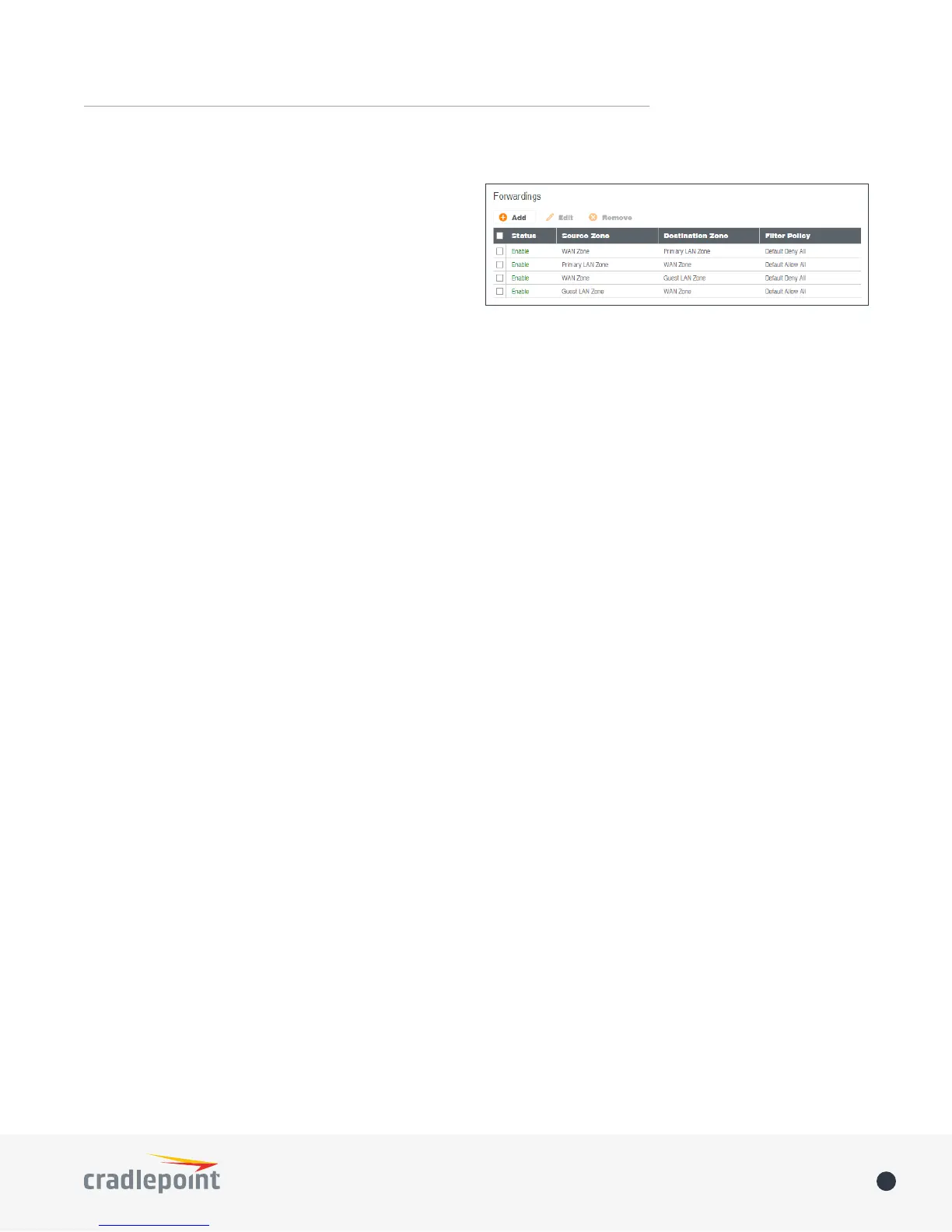
ZONE FORWARDING
Forwardings dene how Filter Policies aect trac
owing between zones in one direction. Simply
congure the Source Zone, Destination Zone, and
Filter Policy to dene a Forwarding. Forwardings can
be Added, Edited, Removed, or Toggled. Toggling a
Forwarding will either enable or disable the Forwarding.
Source and Destination zones are chosen from the list
of Zone Denitions. In addition, two special zones can
be selected for forwarding endpoints:
• The All zone will match any trac handled by the router and is used as an endpoint for IP Filter
Rules migrated from previous rmware versions. User editable zones are preferred when adding new
forwardings.
• The Router zone will match any trac initialized from or directed to router services and can be used
to lter router service trac. An example of trac initialized by a router service would be the ECM
Management service. An example of trac destined to a router service would be the SNMP service.















 To Next Page