©2015 Cradlepoint. All Rights Reserved. | +1.855.813.3385 | cradlepoint.com
46
User Manual / CBA850
11/5/15
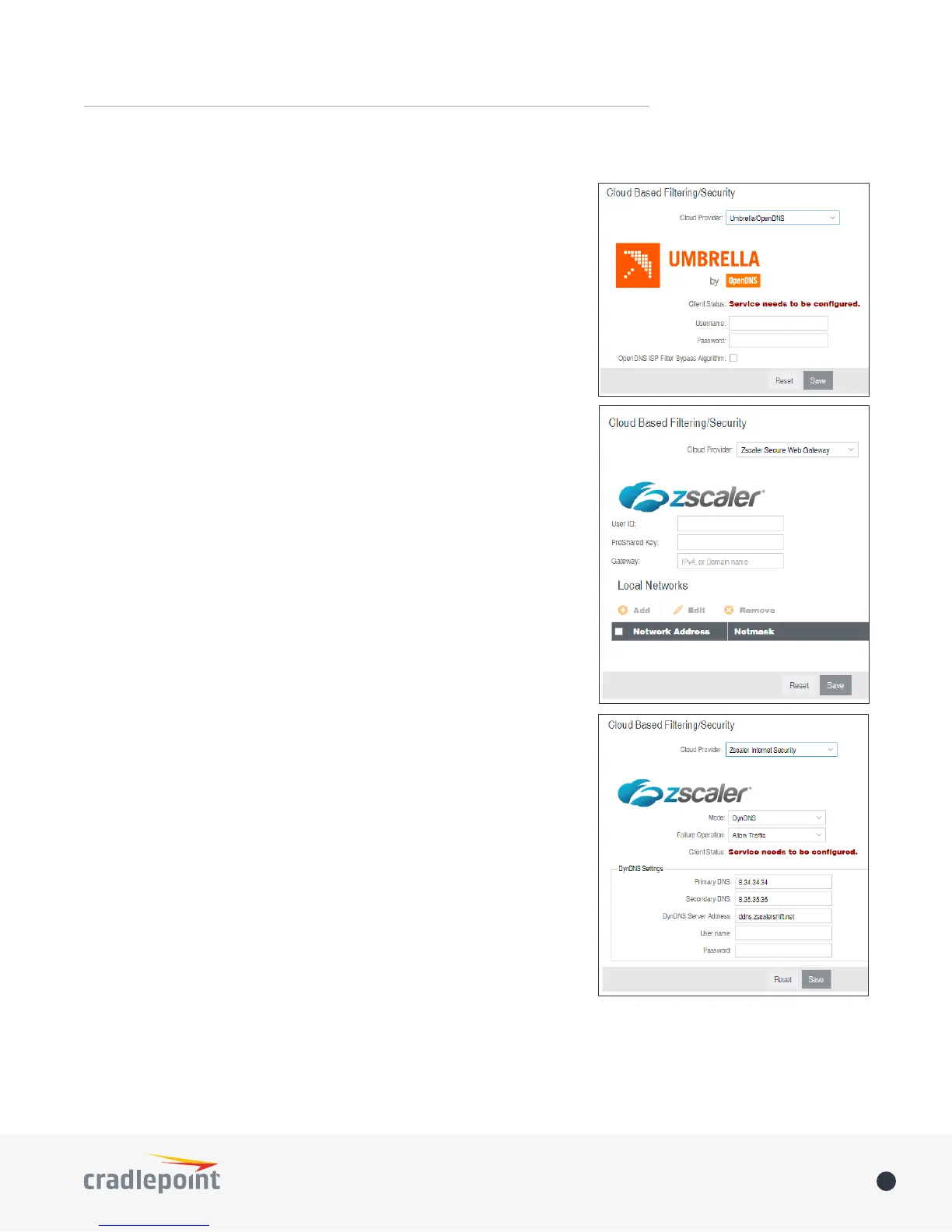
Select a third-party Cloud Provider from the dropdown list.
• Umbrella by OpenDNS
• Zscaler Secure Web Gateway
• Zscaler Internet Security
Umbrella by OpenDNS
Umbrella by OpenDNS is a cloud-based web ltering and security
solution that protects you online by ltering websites. Go to http://
www.opendns.com/business-security for information about Umbrella.
Enter your Umbrella account information in order to use these content
ltering settings.
OpenDNS ISP Filter Bypass Algorithm: It is possible that your Internet
Service Provider (ISP) uses the port that OpenDNS is congured to
access, port 53, which will prevent OpenDNS ltering. If OpenDNS does
not appear to be working correctly, enabling this will attempt to bypass
those ports when using an OpenDNS content ltering level.
Zscaler
Zscaler is a cloud-based web ltering and security provider that oers
several plan options. Depending on your Zscaler implementation, this
could include:
• Global Cloud Platform
• Real-Time Reporting
• Behavioral Analysis
• URL Filtering
• Advanced Threat Protection
• Inline Anti-Virus & Anti-Spyware
• Web 2.0 Control
• Data Loss Prevention
• Bandwidth Management
• Web Access Control
• And more…
NOTE: Zscaler requires a feature license. Go to SYSTEM > Feature
Licenses to enable this feature.
Enter your Zscaler account information to enable these settings. Input
local network information (Network Address and Netmask) to assign
your Zscaler implementation to one or more local network(s).
CLOUD-BASED FILTERING















 To Next Page