©2015 Cradlepoint. All Rights Reserved. | +1.855.813.3385 | cradlepoint.com
48
User Manual / CBA850
11/5/15
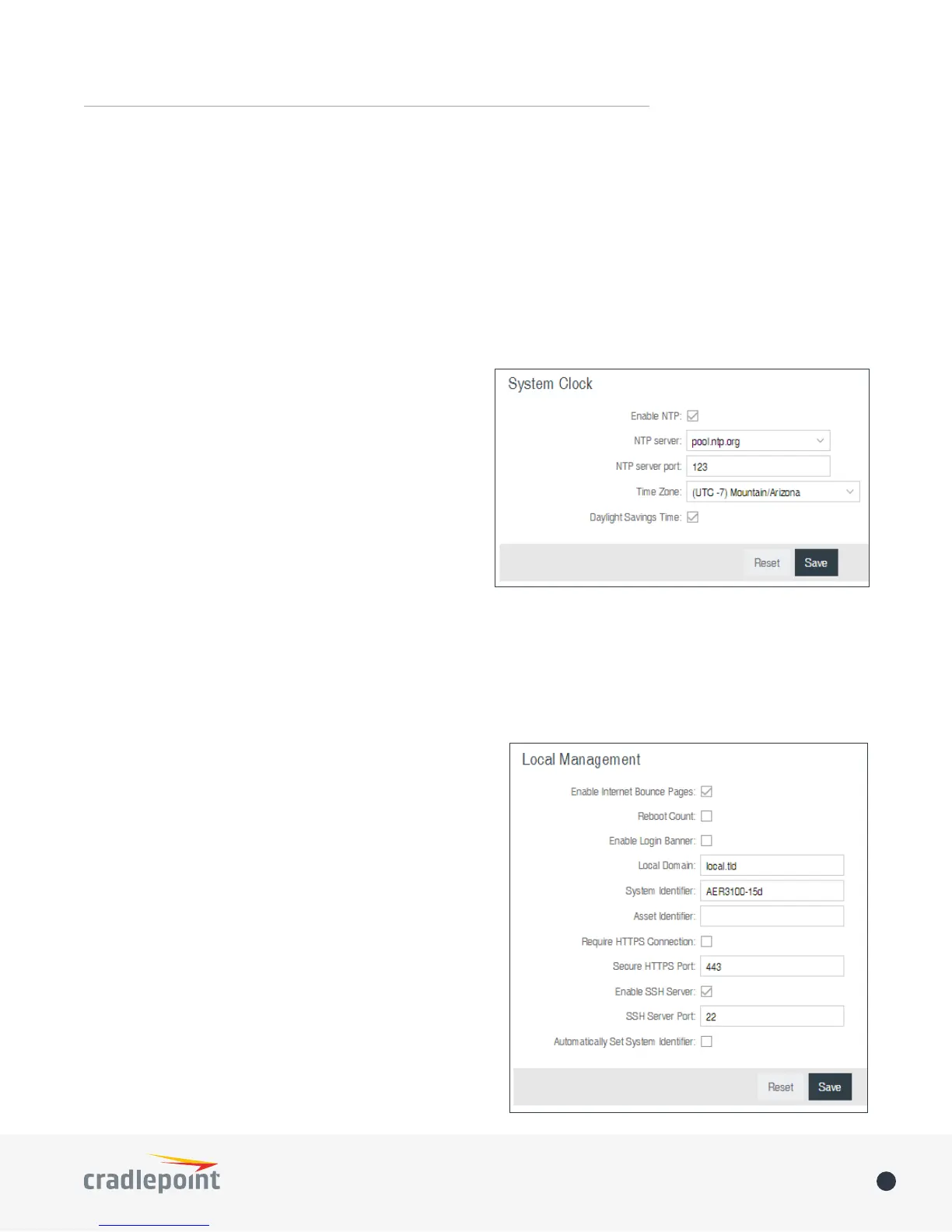
SYSTEM CLOCK
• HTTP Port: Default – 8080. This option is disabled if you select “Require Secure Connection”
• Secure HTTPS Port – Default: 8443.
NOTE: You can restrict remote access to only specied IP addresses in SECURITY > Zone Firewall > Remote
Access Restriction.
Allow Remote SSH Access – This will enable SSH access to the router from the Internet. It is only available when
SSH access is enabled in the Local Management tab. Some carriers block the remote SSH access ports. If a ping
to the router’s WAN port does not work, it is unlikely that remote SSH access will work.
Enabling NTP will tell the router to get its system time
from a remote server on the Internet. If you do not
enable NTP then the router time will be based on when
the router rmware was built, which is guaranteed
to be wrong. Whenever the Internet connection is re-
established and once a week thereafter the router will
ask the server for the current time so it can correct itself.
You then have the option of selecting an NTP server and
adjusting the NTP server port. Select the NTP server from
the dropdown list. Any of the given NTP servers will be
sucient unless, for example, you need to synchronize
your router’s time with other devices in a network.
• Time Zone – Select from a dropdown list. Setting your Time Zone is required to properly show time in your
router log.
• Daylight Savings Time – Select this checkbox if your location observes daylight saving time.
LOCAL MANAGEMENT
• Enable Internet Bounce Pages – Bounce pages show up
in your web browser when the router is not connected
to the Internet. They inform you that you are not
connected and try to explain why. If you disable bounce
pages then you will just get the usual browser timeout.
In the normal case when the router is connected to the
Internet you don’t see them at all.
• Reboot Count – Track number of router reboots.
• Enable Login Banner – Add the CLI banner to the
router’s login page.
• Local Domain – The local domain is used as the sux
for DNS entries of local hosts. This is tied to the
hostnames of DHCP clients as DHCP_HOSTNAME.LOCAL_
DOMAIN.
• System Identier – This is a customizable identity that
will be used in router reporting and alerting. The default
value is the product name and the last three characters
of the MAC address of the router.
• Asset Identier – This is a customizable string that will
be used in router reporting and alerting.















 To Next Page