©2015 Cradlepoint. All Rights Reserved. | +1.855.813.3385 | cradlepoint.com
49
User Manual / CBA850
11/5/15
• Require HTTPS Connection – Check this box if you want to encrypt all router administration communication.
• Secure HTTPS Port – Enter the port number you want to use. The default is 443.
• Enable SSH Server – When the router’s SSH server is enabled you may access the router’s command line
interface (CLI) using the standards-based SSH protocol. Use the username “admin” and the standard system
password to log in.
• SSH Server Port – Default: 22.
• Automatically Set System Identier – This will automatically set the system ID to the name of the rst
client that gets a DHCP lease. This feature cannot be used with email alerts but alerts can be sent to ECM.
GPS
If you have an attached device with GPS support, you can enable a graphical view of your router’s location,
which appears in STATUS > GPS. SIM-based models with GPS support require that the SIM be inserted. Some
carriers disable GPS support in otherwise supported
modems. If you encounter issues with obtaining a x,
contact your carrier and ensure that GPS is supported.
Enable GPS – Enable support for querying GPS information
from capable modems.
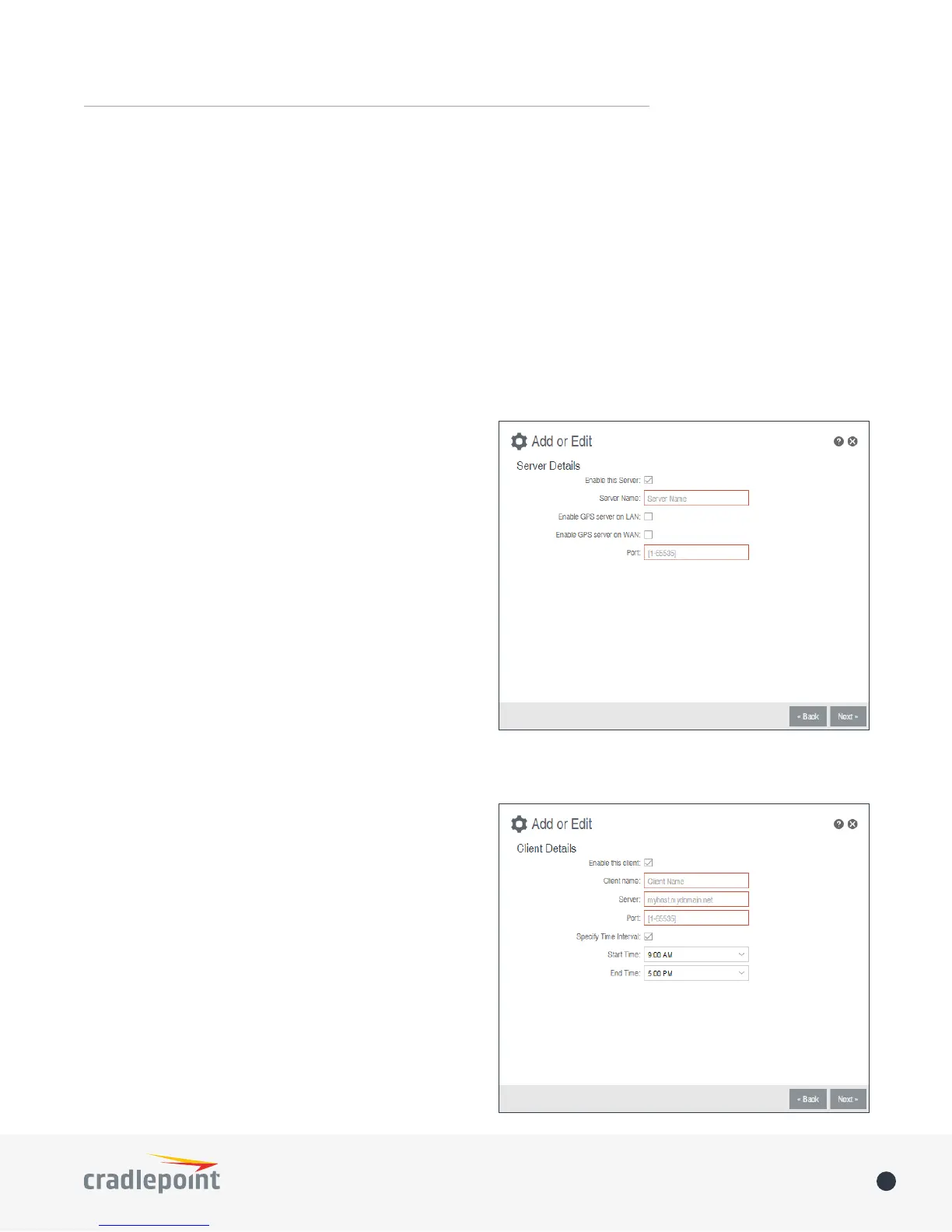
Send to Client(s)
• Enable this Server - Enables a local server to which
clients can connect and recieve GPS sentences.
• Server Name - Your server’s name should include only
Aa-Zz, numerals, and ‘_’.
• Enable GPS server on LAN - Enables a server on the
LAN side of the rewall which will periodically send
GPS sentences to TCP connected clients.
• Enable GPS server on WAN - Enables a server on the
WAN side of the rewall which will periodically send
GPS sentences to TCP connected clients.
• Port - Choose a port between 1 and 65535.
Send to Server(s)
• Enable this client - Enables periodic reporting of GPS
sentences to a remote server. The router will buer
GPS sentences if errors are encountered or if the
Internet connection goes down, and send the buered
sentences when the connection is restored.
• Client name - Your client’s name should include only
Aa-Zz, numerals, and ‘_’.
• Server - Remote server hostname or IP.
• Port - Remote server port.
• Specify Time Interval - Restricts the GPS sentence
reporting to a remote server to a specic time
interval.
• Start Time - Reporting start time.
• End Time - Reporting end time.















 To Next Page