Page 33 of 57
No Horizontal (X) Movement
1. Try to move the Vend Mechanism with your hands to the right wall then back to the left wall. If you feel
an obstruction, remove the bottom plate and check for an impediment (i.e. syrup, screw, debris, etc.) or
damaged Pulleys or Rollers.
2. Check for Cabinet Control Errors “X Comms” Error when first entering programming with 3333.
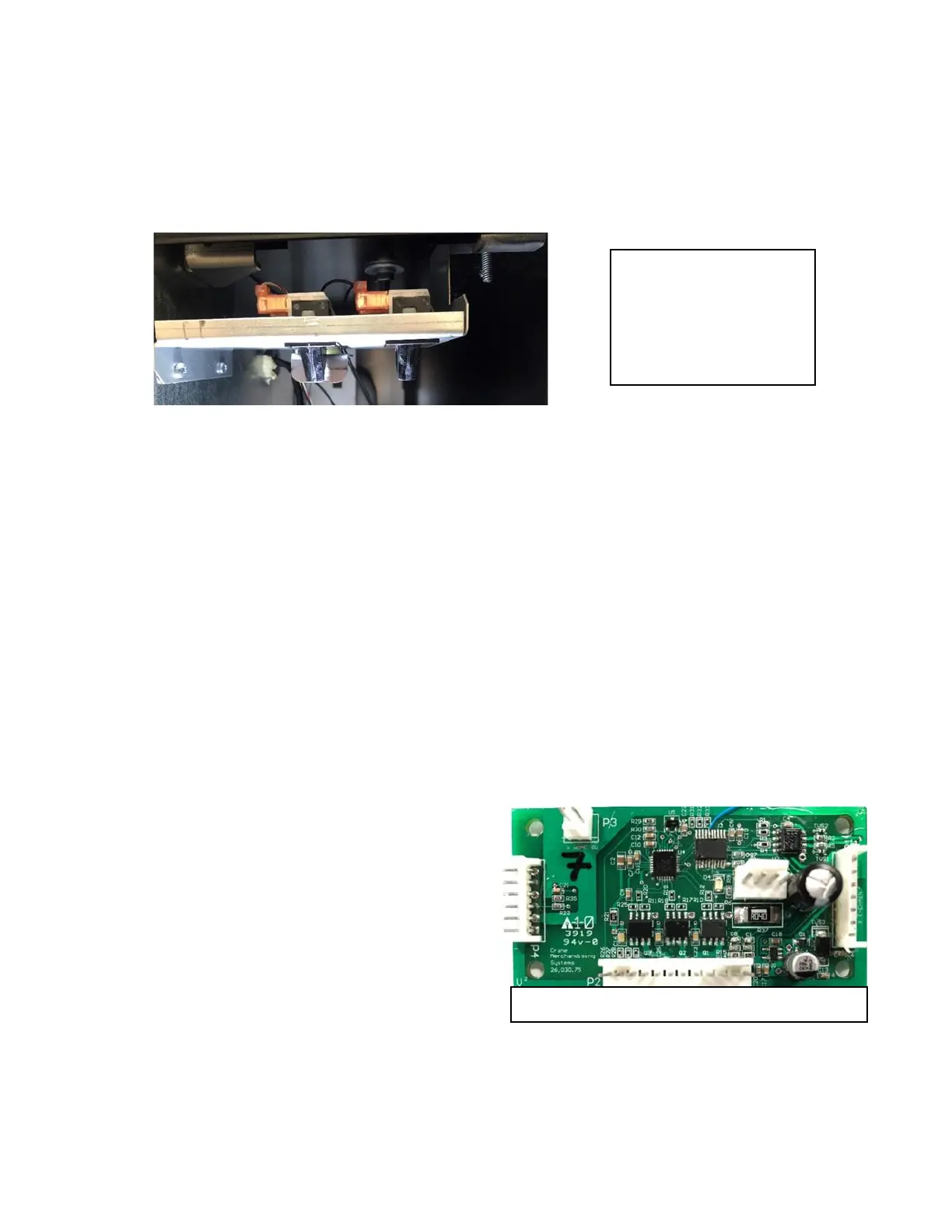
3. A Motor Power Interrupt Switch (left switch in bracket) issue:
a. Check Top Circuit Breaker that it hasn’t disengaged, reset if necessary.
b. Check the wiring from the Motor Power Interrupt Switch to the Red/Blue Wire in Pin 4 & the
Red/Green Wire in Pin 5 of P1 Connection Environmental Board. With the Motor Power
Interrupt Switch engaged, Ohm the wires, there should be continuity. If not:
1) Check the Red/Blue Wire.
2) Check the Red/Green Wire.
3) Replace the Motor Power Interrupt Switch.
c. If the Motor Power Interrupt Switch passes, check the Red/Blue Wire in Pin 4 of P1 Connection
of the Environmental Board to ground for 24VDC to the Motor Power Interrupt Switch from the
Environmental Board.
d. If 24VAC is not present, check for continuity of the Red/Yellow Wire from the OMRON Power
Supply to the Red/Blue Wire in Pin 4 of P1 Connection of the Environmental Board. If there is
not continuity check:
1) Top 3A Circuit Breaker of AC Box Assembly
2) Replace Environmental Board
3) Replace OMRON Power Supply
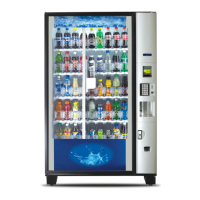
4. Remove the X Motor Board Cover and see if the
Green Status Light is rapidly flashing.
a. If light is rapidly flashing, the X Motor
Board is good.
b. If the Green Status Light is slowly
flashing, check the other Peripheral
Boards, if their Green Status Light is also
slowly flashing replace the Media Atlas
H Board. If the other Peripheral Board
Green Status Lights are rapidly flashing,
replace the Cabinet X Motor Control Board.
c. If there is no Green Status Light, check another Peripheral Boards, if their Green Status Light is
rapidly flashing, change the Cabinet X Motor Control Board.


 To Next Page