64 • DGE-100 and DM-DGE-200-C Product Manual — Doc. 7696D
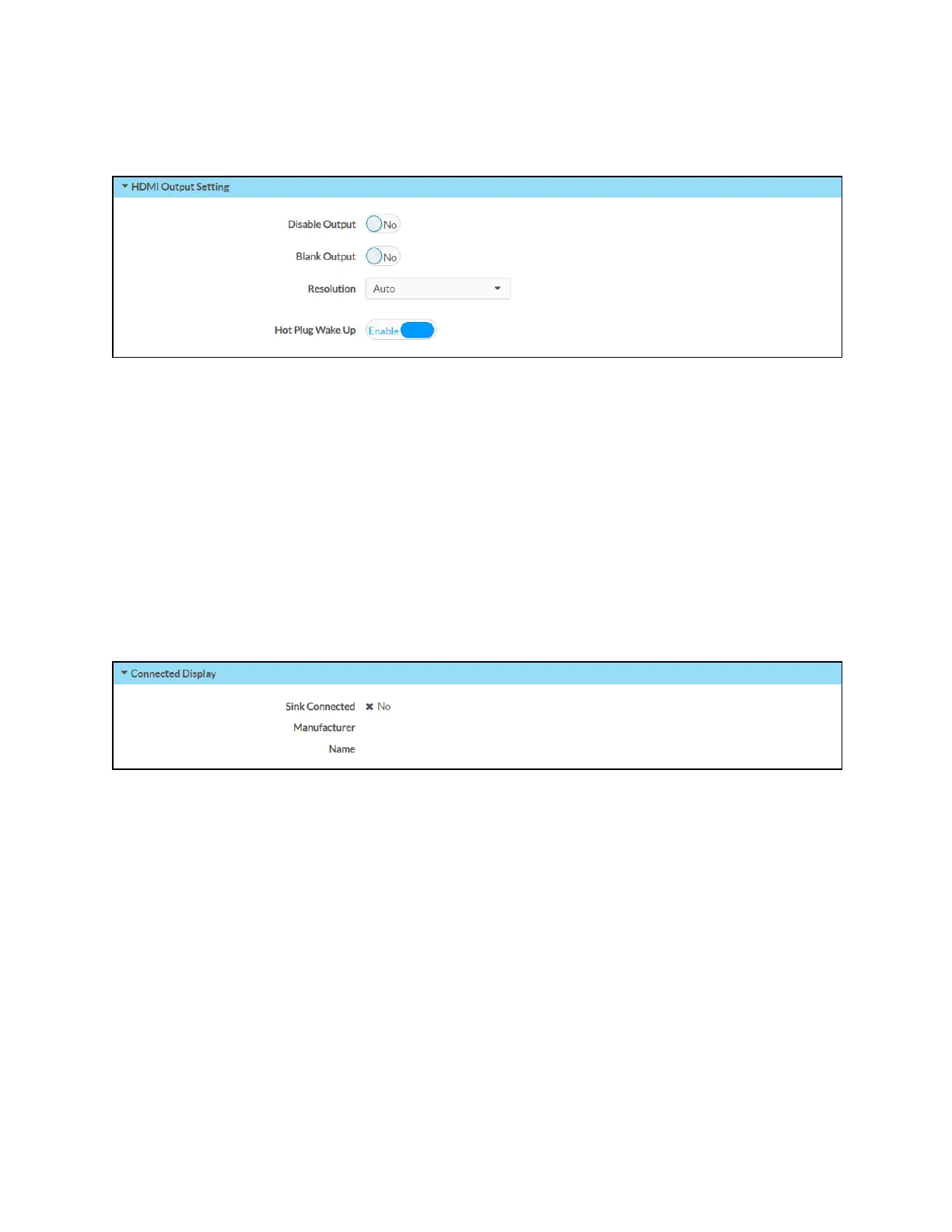
HDMIOutput Setting
Expand the HDMIOutput Setting accordion to configure general settings for the HDMIoutput.
l
Disable Output:Turn on the toggle to turn off the HDMIoutput. When the output is
turned off, no video signal will be passed to the display connected to the HDMIoutput.
l
Blank Output:If Disable Output is turned off, turn on the toggle to use output blanking for
the HDMIoutput.
l
Resolution:Use the drop-down menu to select a compatible resolution for the
HDMIoutput signal.
l
Hot Plug Wake Up:Turn on the toggle to wake the display when a source is plugged into
the HDMI output while the DGE is running.
Connected Display
Expand the Connected Display accordion to view the status of the display connected to the
HDMIoutput.
l
Sink Connected:Reports whether the display device is connected to the DGE.
l
Manufacturer:The display device manufacturer.
l
Name:The display device name.
l
Serial Number: The display device serial number.



 To Next Page