62 • DGE-100 and DM-DGE-200-C Product Manual — Doc. 7696D
DMIn
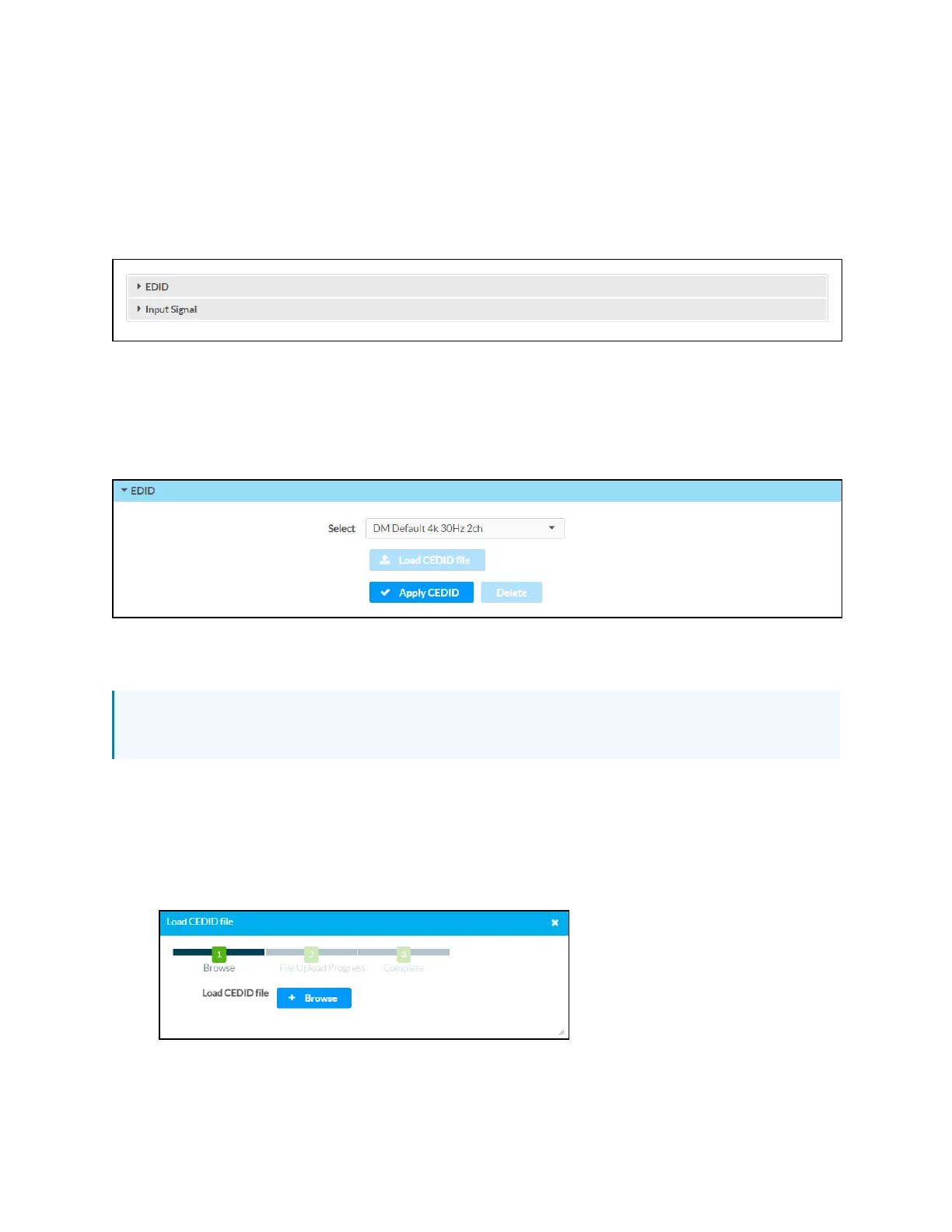
Select DMInfrom the navigation menu to display collapsible accordions for configuring the
DMinput settings.
Select an accordion name to expand the section. If the section is expanded, select the accordion
name again to collapse it.
Each selection is described in the sections that follow.
EDID(DMIn)
Expand the EDID accordion to configure EDID (extended display identification data) settings for
the DMinput.
Use the Select drop-down menu to select an EDID profile for the DM input, and then select ✓
Apply CEDID. Select Delete to delete the selected EDID profile.
NOTE: Only devices that use the selected EDID profile are allowed to send signals through
the DGE.
If the desired EDID profile is not listed, a custom EDID (CEDID)profile may be loaded onto the
device.
To load a CEDID profile:
1. Select Custom from the Select drop-down menu.
2. Select Load CEDIDFile. The Load CEDIDdialog box is displayed.
3. Select +Browse, and then navigate to the CEDIDfile on the host computer.
4. Select the CEDID file, and then select Open.



 To Next Page