Product Manual – DOC. 7844M CCS-UC-1: Crestron Mercury Tabletop Conference System • 99
Run a Web Conference
When configured, the CCS-UC-1 can run a web conference using a connected computer
that is running web conferencing software. The CCS-UC-1 provides the speakerphone,
video display, and camera capabilities (when equipped).
NOTE: The CCS-UC-1 does not provide an Internet connection to the computer to run a
web conference. The computer must have its own Internet connection.
To run a web conference, follow this procedure:
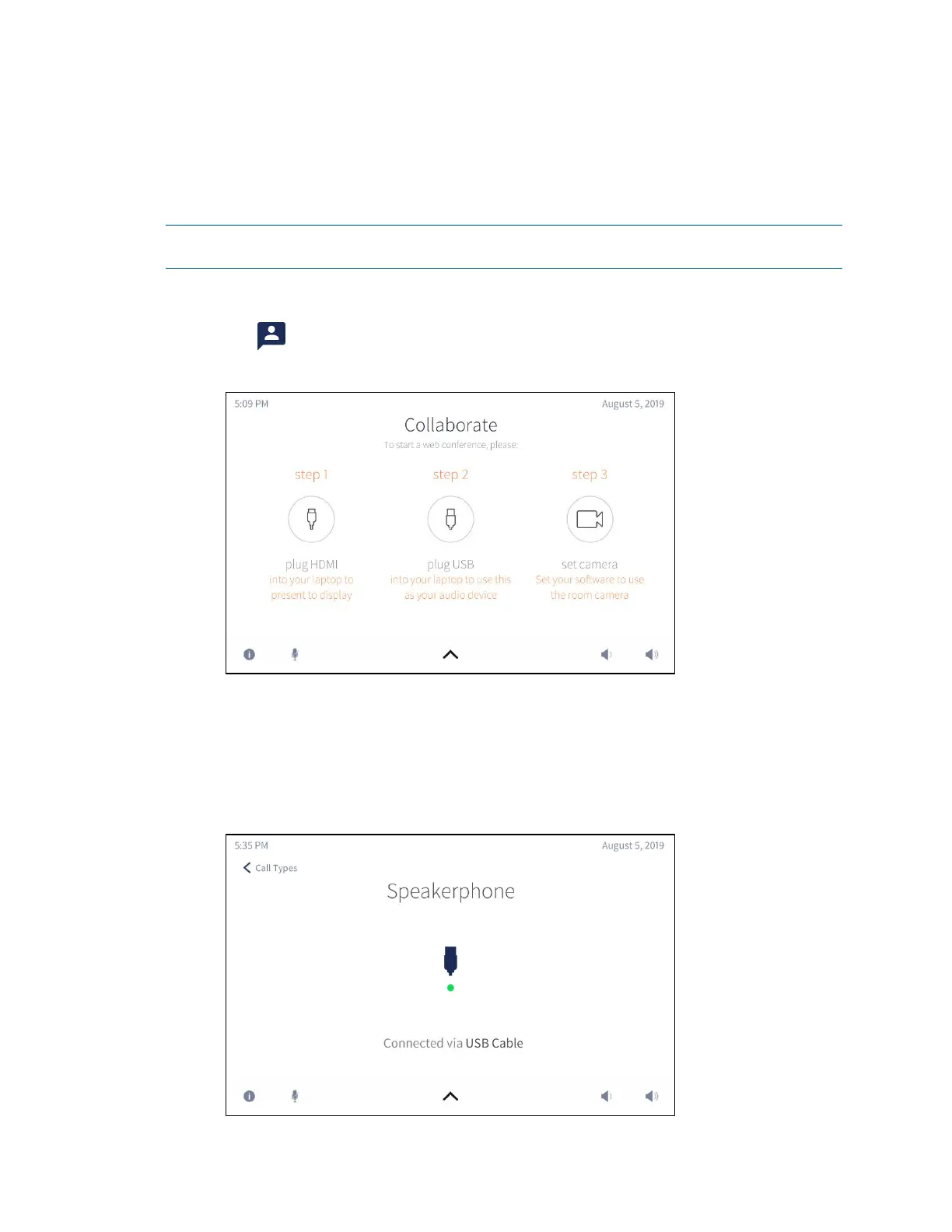
1. Tap . The Collaborate screen is displayed.
Collaborate Screen
2. Connect the HDMI cable from the CCS-UC-1 to the computer that is running the
web conference.
3. Connect the USB cable from the CCS-UC-1 to the computer that is running the
web conference software. The
USB Connected screen is displayed.
USB Connected Screen



 To Next Page
 Loading...












