Product Manual – DOC. 7844M CCS-UC-1: Crestron Mercury Tabletop Conference System • 95
2. Tap Send Snapshot to send an image of the current Crestron AirBoard content
or tap
Send Slide Deck to send a recording of the recorded Crestron AirBoard
session.
NOTE: The Crestron Airboard device’s Timeline setting must be configured to
create slide decks. For details, refer to the CCS-WB-1 Supplemental Guide (Doc.
8323) at
www.crestron.com/manuals.
Proceed Without Emailing
Tap PROCEED WITHOUT E-MAILING to end the Crestron AirBoard session without
keeping a recording of the session.
Cancel
Tap CANCEL to cancel the stop request and continue recording.
Send a Snapshot
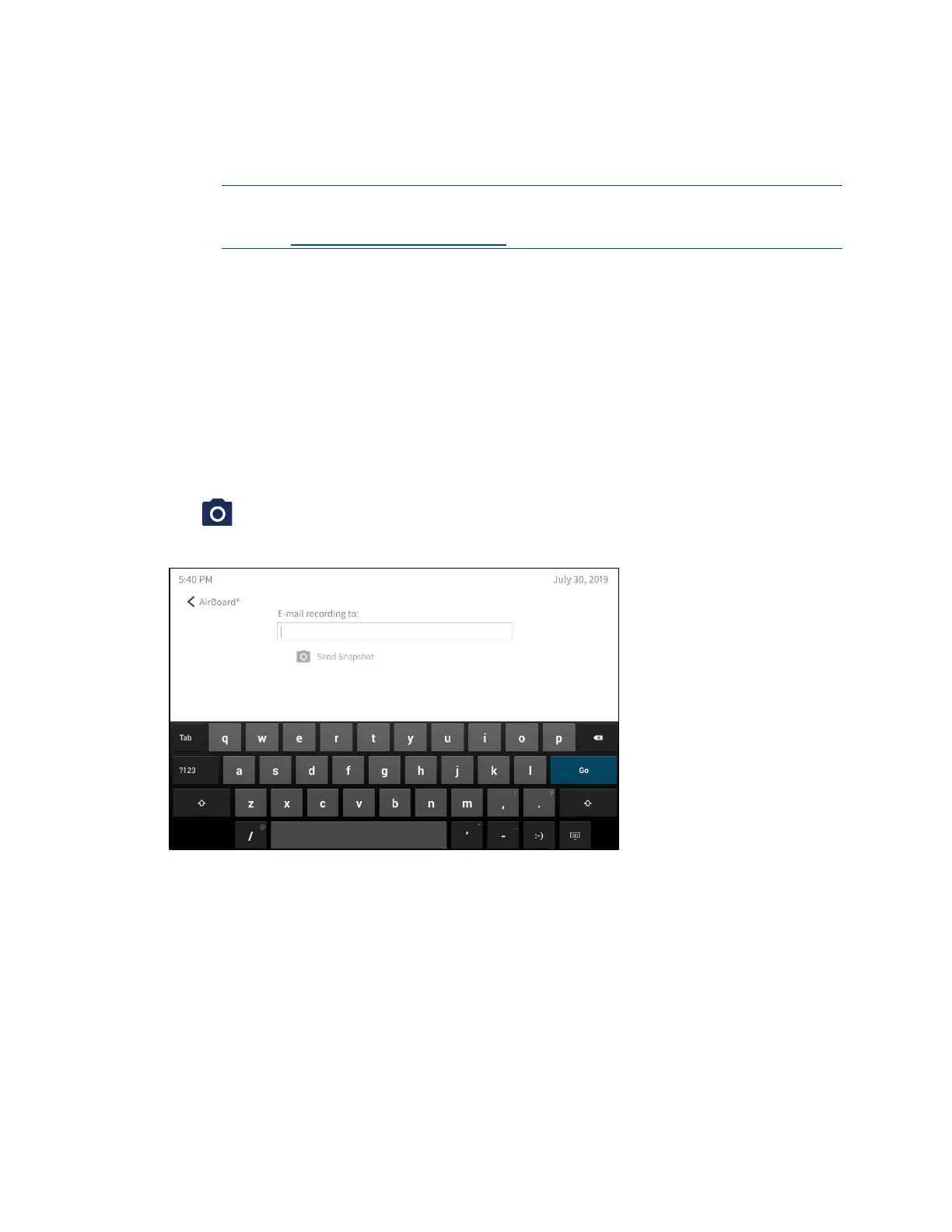
Tap to send a snapshot of the current Crestron AirBoard session.
Send Snapshot
1. Type an email address in the E-mail recording to: field. Multiple email addresses
may be entered when separated by commas or semicolons.
2. Tap Send Snapshot to send an image of the current Crestron AirBoard content.



 To Next Page
 Loading...












