Product Manual – DOC. 7844M CCS-UC-1: Crestron Mercury Tabletop Conference System • 69
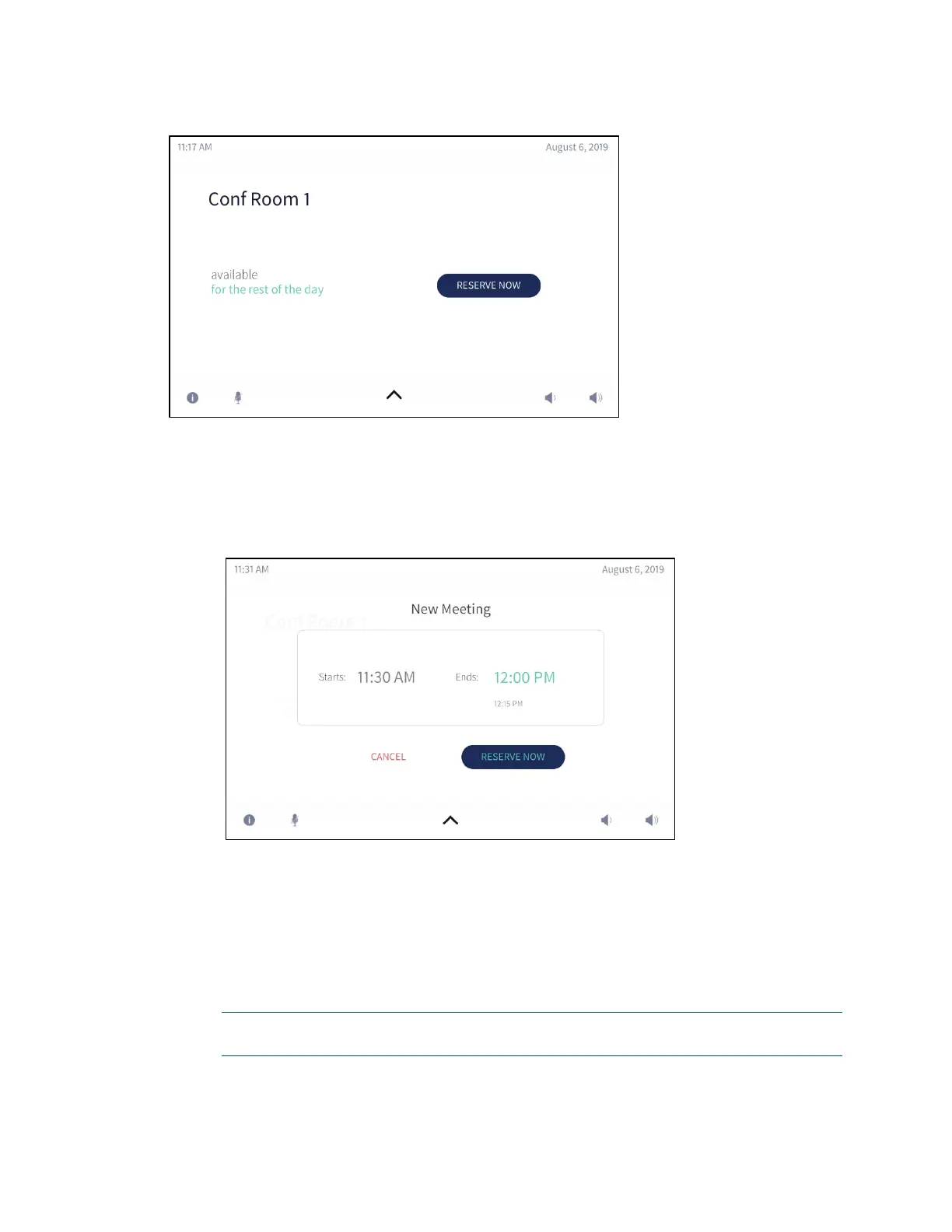
Home Screen - Available Room - Remainder of Day
The user can either use the room for the remaining time available or create a new
meeting for another time. To create a new meeting, follow this procedure:
1. Tap RESERVE NOW > to reserve the room. The New Meeting screen is displayed.
New Meeting Screen
The meeting start and end times are automatically populated for the next
available 30-minute block (for example, 5:30 to 6:00, 5:45 to 6:15, 6:00 to 6:30,
etc.
). When reserving a meeting space within a current 30-minute block, the start
time is rounded down to the nearest 5-minute increment. For example, tapping
RESERVE NOW at 5:44 pm creates a meeting with a start time of 5:40. If
RESERVE NOW is tapped at 5:46 pm, the meeting start time would be 5:45 pm.
The meeting end time may be set by the user.
NOTE: RESERVE NOW Meetings may only be scheduled for the current day from
the device.



 To Next Page
 Loading...












