
 Need help?
Do you have a question about the CSN S.A.T. and is the answer not in the manual?
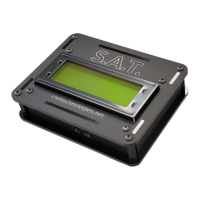
Describes the information displayed on the S.A.T. device's LCD screen, including IP address, serial number, firmware version, and tracking data.
Details how to connect the S.A.T. RIG CONTROL port to your radio using a Tip-Ring-Sleve cable.
Details on connecting the S.A.T. to a USB port for power using a Micro-USB cable.
Explains how to find the S.A.T.'s IP address, which is displayed on the LCD during startup.
Guides users to connect their mobile device to the S.A.T.'s WiFi Access Point.
Details the Track Panel, which displays satellite information and current antenna position, and allows starting tracking.
Describes the full-color world map display showing satellite location, track, and antenna position.
Explains the polar view, showing satellite tracks, azimuth, LOS, and antenna position relative to overhead.
Describes the ground view simulation, showing satellite path, antenna position, and compass direction.
Lists and describes the various option buttons available in the S.A.T. interface for control and settings.
Describes the PAN section for manually moving the antenna's azimuth and elevation using directional buttons.
Details the buttons for manual antenna control: GO, READY, PARK, STOP, CLOSE.
Covers TLE settings including SOURCE URL, upload, auto-update, and frequency database management.
Configures the S.A.T. beeper alarm for satellite AOS, including timing and playback options.
Adjusts the quality setting for the angle sense potentiometer, affecting rotator resolution.
Enables the built-in relay and describes its terminal connections and rating for closing based on satellite position.
Details configuration options for radio control, including TYPE, BAUD, ADDRESS, VFO TYPE, and update intervals.
Input field for the user's callsign, used for QSO logging features.
Input field for the user's gridsquare, used for automatic latitude/longitude calculation and QSO logging.
Input fields for precise latitude and longitude coordinates.
Displays a history of tracked satellites that have risen above the horizon.
Opens a separate browser window for viewing maps, charts, or general data on another monitor.
Provides firmware version, serial number, manual link, website, and options for updates, backup, and reset.
Guides through the process of automatically calibrating the antenna rotator's limits.
Details the manual calibration process using voltage readings to set azimuth and elevation limits.
Provides guidance on using your radio's VFO mode and spectrum scope during satellite tracking.
Explains how to select preferred satellites from the TLE list to improve performance.
Describes uploading custom TLE text files to replace stored TLEs and enable favorites.
Details the automatic download of TLEs from a specified URL at set intervals.
Explains the S.A.T.'s capability to act as a Hamlib compatible rotator and rig control server.
Configures GPS usage for tracking purposes, including disabled, enabled, and auto grid mode options.
Resets the S.A.T. password by appending the serial number to the web interface URL.
Troubleshooting advice for slow S.A.T. performance, suggesting checks on radio communication and settings.
Instructions on connecting the S.A.T. to a hidden WiFi network using a specific URL format.
Explains that the S.A.T. clock is set automatically by the web browser accessing the dashboard.
Troubleshooting steps for errors encountered when downloading TLEs, including checking network mode and URL format.
Details two methods for performing a factory reset: via the About box or by shorting CI-V cable contacts.
Addresses issues with QRZ lookups, suggesting disabling browser plugins that may interfere.
Provides guidance on connecting the S.A.T. to 2.4GHz WiFi networks, including password checks and network settings.
 General
| Brand | CSN |
|---|---|
| Model | S.A.T. |
| Category | Controller |
| Language | English |

 To Next Page