
 Need help?
Do you have a question about the CTC Union FMUX04 and is the answer not in the manual?
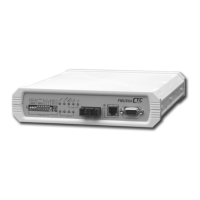
Overview of the FMUX04 as a cost-effective E1/T1 multiplexer for low-density installations.
Details on FMUX04 capabilities, options like SNMP/Order Wire, and connectivity.
A list of key features and capabilities of the FMUX04 multiplexer.
Items included in the FMUX04 package upon delivery.
Detailed technical parameters for the E1 interface, including rate, code, and impedance.
Detailed technical parameters for the T1 (DS1) interface, including rate, code, and impedance.
Information on local configuration methods using DIP switches and console port.
Specifications and pin assignments for the RS-232 console port.
Explanation of the status indicated by each LED on the front panel.
Technical details regarding optical interface parameters and performance.
Available optical transceiver types and their specifications for various distances.
Physical dimensions and weight of the FMUX04 unit.
Details on AC and DC power input voltage and consumption.
Operating temperature and humidity ranges for the FMUX04.
MTBF and emission compliance standards for the FMUX04.
Overview of the E1 signal structure and its characteristics.
The nominal data transmission rate for the E1 link.
Explanation of the line coding methods used for E1 signals (AMI/HDB3).
Overview of the T1 (DS1) signal structure and its characteristics.
The nominal data transmission rate for the T1 link.
Explanation of the line coding methods used for T1 signals (AMI/B8ZS).
Examples of how the FMUX04 can be used in point-to-point applications.
Introduction to the installation chapter covering physical, electrical, and cabling requirements.
Requirements for selecting a suitable installation site and power source.
Steps and visual guide for unpacking the FMUX04 unit.
Procedures for rack mounting or standalone installation of the FMUX04.
Covers connecting the FMUX04 to power sources, including AC and DC options.
Specific instructions for connecting the FMUX04 to an AC power supply.
Specific instructions for connecting the FMUX04 to a DC power supply.
Description and location of connectors on the rear panel of the FMUX04.
Details of switches, LEDs, and connectors found on the front panel.
Guidelines for safely removing and replacing internal modules.
Procedure for installing or removing the Order Wire feature module.
Procedure for installing or removing the SNMP feature module.
Overview of the chapter covering configuration and operation of the FMUX04.
Table detailing the function of each DIP switch on the FMUX04.
Instructions for using terminal emulation software like HyperTerminal.
Guide on establishing a console connection to the FMUX04 using RS-232.
Steps for configuring the FMUX04 via the console port.
Procedure for logging into the FMUX04 console interface locally or remotely.
How to view the real-time status of the FMUX04's optical and channel interfaces.
Access to all configuration settings for the FMUX04 unit.
Save/load settings, clear alarms, and modify login password.
Configure optical features like loopback and Far End Fault (FEF).
Settings for channel service, line code, termination type, and loopback tests.
Enable or disable the Order Wire (FXS) phone feature.
Enable or disable the alarm relay function for external alarm indications.
Set the real-time clock for time-stamping alarms and data.
Configuration options for the optional SNMP agent.
Procedure for upgrading firmware using the XMODEM protocol.
View the logged alarm history, including type and timestamps.
Display current firmware versions for main board, FPGA, and SNMP.
Accessing and configuring the remote FMUX04 unit via console.
Introduction to SNMP and its role in network management.
Explanation of SNMP operations: getRequest, getNextRequest, setRequest, and trap.
Definition and purpose of Management Information Bases in SNMP.
Details on the hierarchical structure of MIBs and object definition.
How SNMP uses communities for access control and authentication.
Steps for initial SNMP agent configuration via the console port.
Setting IP address, subnet mask, and gateway for the SNMP agent.
Defining management workstations, community strings, and trap settings.
Specifying TFTP server details for firmware upgrades.
Saving SNMP configuration settings and rebooting the agent.
Executing firmware upgrades for SNMP, main board, or FPGA via TFTP.
Information about the MIB file and how to use it with management software.
Overview of the graphical web interface for managing the FMUX04.
Procedure for logging into the FMUX04 web interface.
Selecting between local or remote unit access on the web interface.
Viewing system status and link information via the web interface.
Monitoring front panel LEDs and DIP switch settings through the web interface.
Web interface for managing system settings, passwords, and alarms.
Web interface for configuring optical loopback and FEF functions.
Web interface for setting E1/T1 channel parameters and loopback tests.
Web interface for enabling or disabling the Order Wire phone feature.
Web interface for configuring the alarm relay settings.
Web interface for setting the unit's date and time.
Web interface section for SNMP configuration settings.
Web interface for configuring SNMP agent network parameters.
Web interface for defining management workstations and community strings.
Web interface for setting TFTP server parameters for upgrades.
Web interface to save configuration and reboot the SNMP agent.
Web interface to initiate firmware upgrades via TFTP.
View alarm buffer contents via the web interface.
View firmware versions and device information via the web interface.
Managing the FMUX04 using Telnet for console-like access.
Pinout details for the console port, including RS-232 and alarm relay signals.
Examples of wiring audio or visual alarms to the console/alarm relay.
Pin assignment details for the DB9F to DB9M console cable.
Pinout information for the RJ-11 phone connector on the front panel.
Pinout details for the E1/T1 interface using RJ-45 connectors.
Pinout details for the SNMP interface using RJ-45 connectors.
List of SNMP trap codes, their descriptions, and associated alarms.
Detailed description of SNMP managed objects and their parameters.
 General
| Brand | CTC Union |
|---|---|
| Model | FMUX04 |
| Category | Multiplexer |
| Language | English |

 To Next Page