Chapter 3 Management Quick Start
3.4 Telnet Terminal
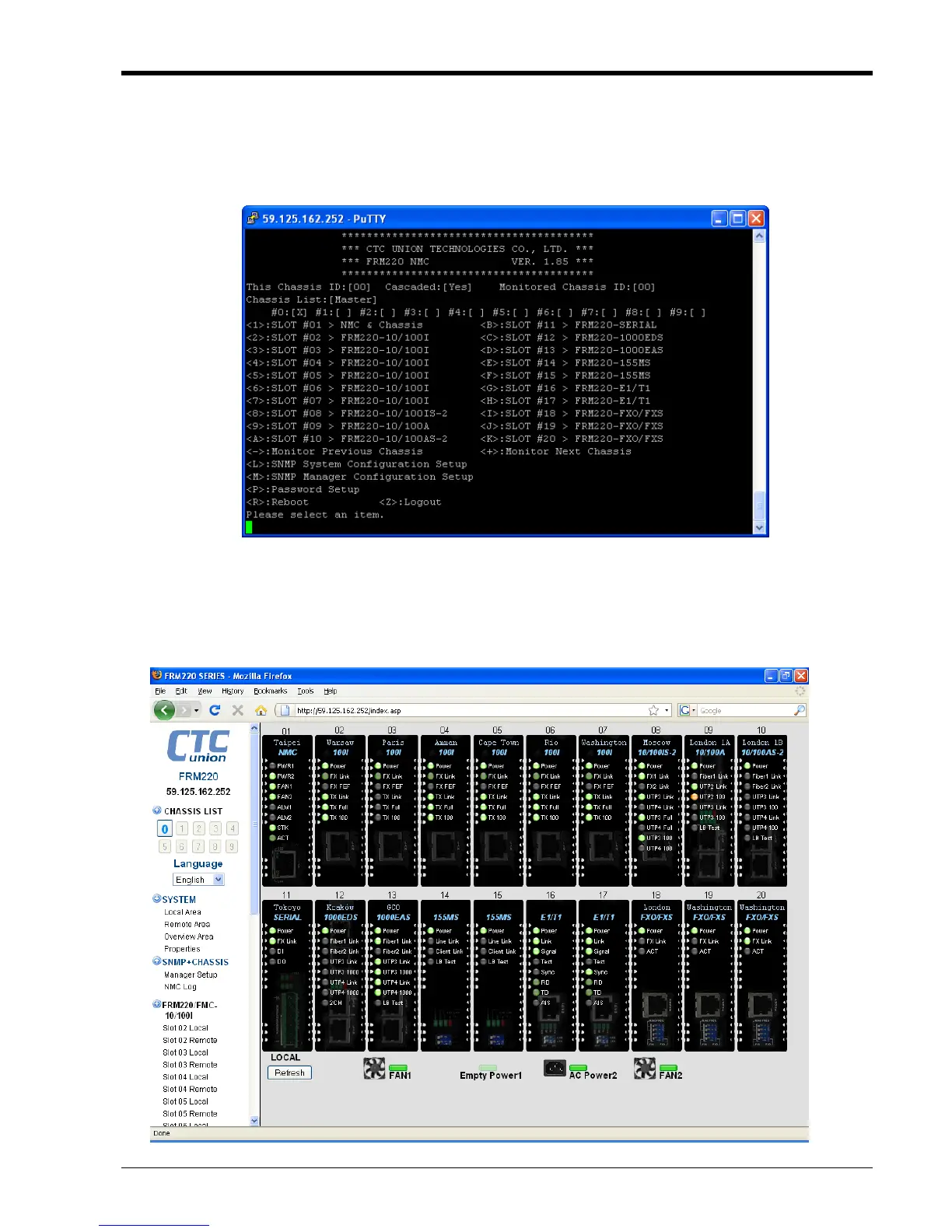
Use either a Windows® command window or Telnet client application and connect to the FRM220 NMC using
the assigned management IP address. The following is an example of a Telnet screen. It is exactly the same as a
local serial console screen, only it can be accessed remotely.
r or Firefox)
r Manual for
3.5 Web Based Manager
The FRM220 NMC supports web based management. Use your favorite browser (Internet Explore
and connect to the FRM220 NMC by using the NMC's IP address. Refer to the FRM220 NMC Use
details.
41


 To Next Page
 Loading...