Operating modes
Radio data services RDS (FM band)
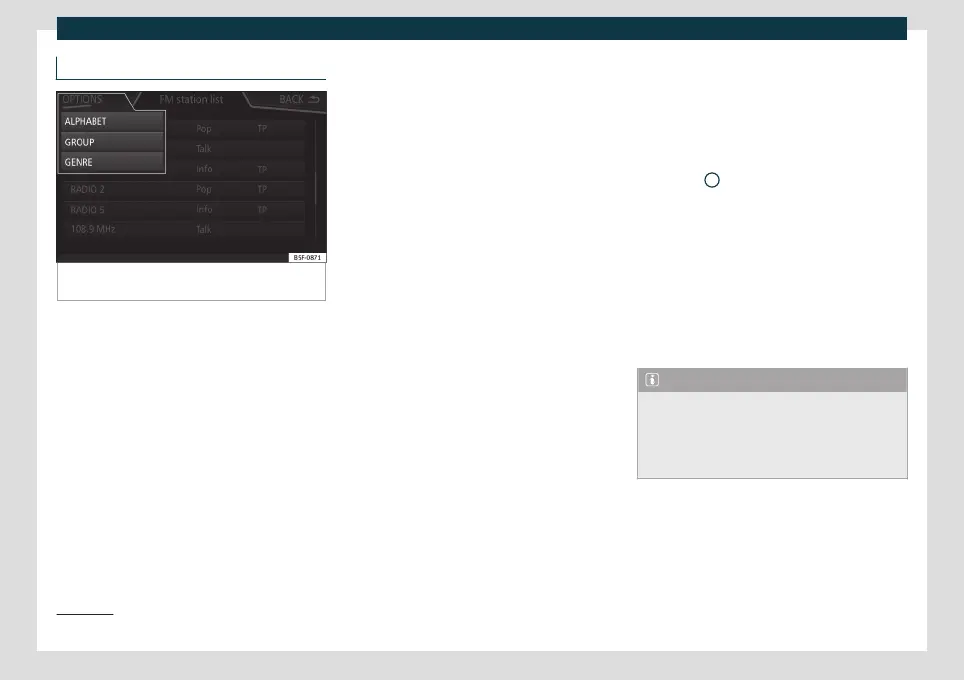
Fig. 144
Standard representation: FM station list-
ing menu
The RDS (Radio Data System) or radio data
service off
er
s additional FM information such
as the display of the station name, automatic
station tracking (AF), texts broadcast by radio
(Radio text), traffic announcements (TP) and
the type of station (PTY).
Depending on the country and the equip-
ment in question, RDS can be deactivated in
the FM Settings menu
›››
page 176.
In general, no radio data services are availa-
ble without RDS.
Station name and automatic station track-
ing
If the RDS function is available, the names of
the stations can be displayed on the RADIO
main menu and on the Station list .
FM stations temporarily or permanently
broadcast different contents on different re-
gional frequencies under the same name
(for example, Station 3).
In general, automatic station tracking takes
charge of switching to the frequency with
the best reception of the station that is
tuned at any given time, while driving. How-
ever, this may cause a regional broadcast to
be interrupted.
Automatic frequency switching and auto-
matic station tracking can be deactivated in
FM Settings
›››
page 176.
Set a station name
In certain cases the station name is exces-
sively long. This text can be locked / un-
locked by pressing on the name of the sta-
tion for about 3 seconds until an audible
warning is heard (a point will flash to the right
and left of the station name).
Radio text
Some stations that have RDS transmit addi-
tional information in text, the so-called radio
text.
The radio text is displayed in the upper half
of the screen above the memory buttons
›››
Fig. 142
A
.
The r
adio t
ext display can be deactivated in
the Settings
›››
page 176 .
Order of the station list
The stations available at any given time are
displayed on the station list screen (STA-
TIONS function button). This list can be sor-
ted by broadcast group, genre or alphabeti-
cally
›››
Fig. 144.
Note
The RDS functionality will be limited in
some countries for infrastructure reasons,
and traffic announcements (TP), automatic
station tracking (AF) and station type (PTY)
may not be available.
1)
1)
Depends on the market and unit in question.
171



 To Next Page