Infotainment System
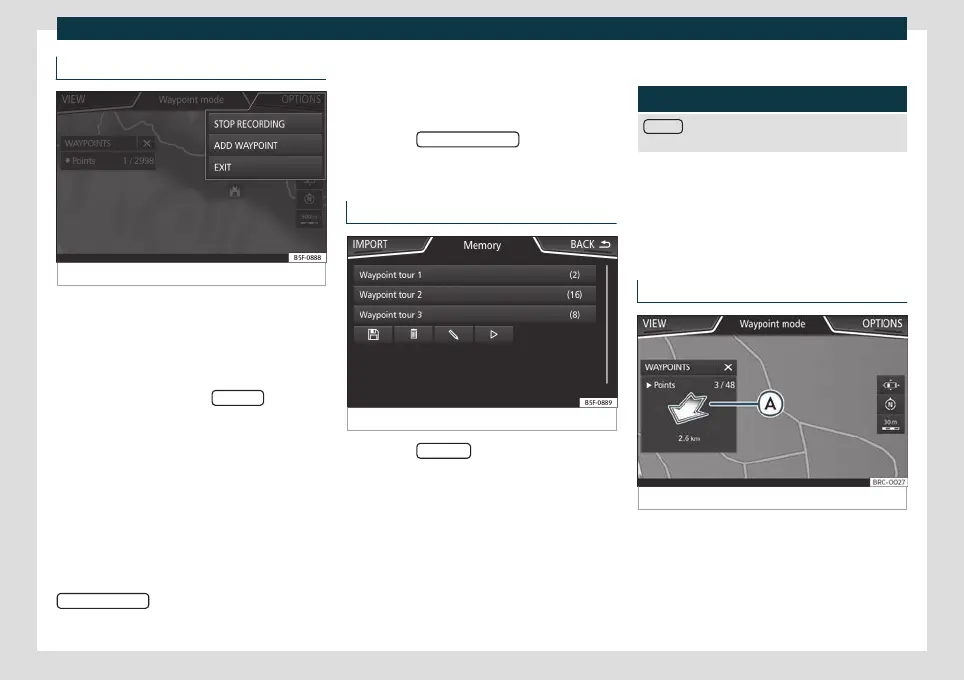
Recording an Offroad tour
Fig. 172
Recording an Offroad tour
An Offroad tour is formed by a series of stor-
ed w
a
ypoints.
Starting recording
●
In the Offroad Navigation menu, in the
pop-up window press the RECORD
pop-up
butt
on.
●
In the pop-up windo
w, the user is able to
plot the tour with a given destination or start
plotting the route without giving a final desti-
nation.
●
Starts plotting the route.
The offroad markers can be recorded by in-
dicating a manual waypoint.
●
In the Offroad Navigation menu, press the
ADD WAYPOINT
function button. The tour
waypoints defined manually are shown on
the map b
y a mark
er.
Ending recording
●
Press the STOP RECORDING
function but-
t
on in the main Offr
oad Navigation menu.
Managing stored Offroad tours
Fig. 173
Offroad Navigation menu, stored tours
●
Press the MEMOR
Y function button in the
Offr
oad Na
vigation menu.
●
A list of stored Offroad tours opens, if there
are any.
When a tour is selected, the following icons
will appear
›››
Fig. 173:
Export the tour to an SD card.
Edit the name of the tour.
Delete the tour.
Load tour
Function button: function
IMPORT
: allows the import of an Offroad route in
“.GPX” format.
Loading an Offroad tour
When the Offroad t
our is selected, press Play
and the selected tour will be loaded onto
the Navigation system.
Creating an Offroad tour
Fig. 174 Offroad route guidance mode
Start route guidance
●
Loads the stored Offroad tour.
●
Starting off in a stored route is not detec-
t
ed b
y the system automatically.
208



 To Next Page