Driving
Manually connecting and disconnect-
ing the Start-Stop system
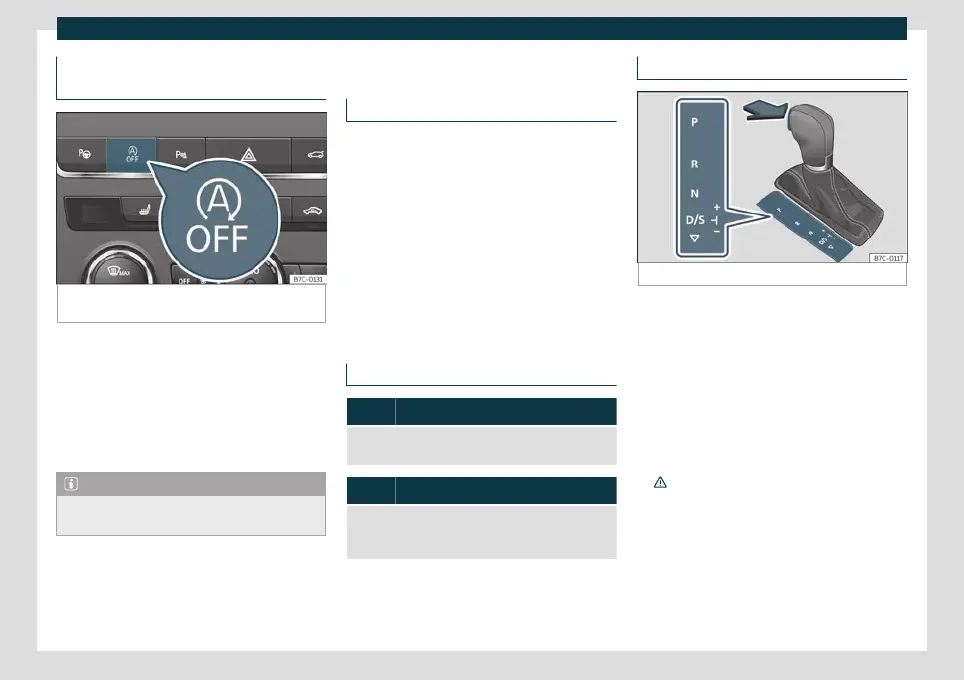
Fig. 199
Centre console: Start-stop system but-
ton.
If you do not wish to use the system, you can
s
wit
ch it off manually.
●
To manually switch on/off the Start-Stop
system, press the button
›››
Fig. 199.
The button symbol remains lit up yellow
when the system is switched off.
Note
The system switches on every time the en-
gine is turned off voluntarily.
DSG automatic transmission
Introduction
Your vehicle is equipped with an electroni-
cally controlled manual g
earbox. Torque be-
tween the engine and the gearbox is trans-
mitted via two independent clutches. They
replace the torque converter found on con-
ventional automatic gearboxes and allow for
smooth, uninterrupted acceleration of the
vehicle.
The Tiptronic system allows the driver to
change gears manually
›››
page 234, Chang-
ing gear in Tiptronic mode.
Control lamps
It lights up green
The brake is not pressed.
To select a gear range, press the brake pedal.
Flashes green
The selector lever locking button is not engaged.
The vehicle is prevented from moving forwards. En-
gage the selector lever lock.
Selector lever positions
Fig. 200
Selector lever lock.
The selector lever position is shown when
the corr
esponding sign lights up. With the
select
or lever in the manual gearbox posi-
tions M, D and S, the engaged gear is also
shown on the display.
– Parking lock
When the lever is put in this position, the
drive wheels are locked. The lever must only
be put in P when the vehicle is stationary
›››
.
T
o put the le
ver in P or take it out of P, the
locking button must be pressed and held and
the brake pedal pressed simultaneously.
232



 To Next Page