Operation
Easy Connect system
Introduction
The infotainment system brings together im-
portant v
ehicle functions and systems into a
single central control unit, e.g. menu set-
tings, radio equipment and the navigation
system.
General operating information
The follo
wing section contains all of the rele-
vant information for changing the settings in
the Vehicle Settings menu. General in-
formation on the operation of the infotain-
ment system, as well as on the warning and
safety instructions that must be taken into
account, is found in
›››
page 144
WARNING
Any distraction may lead to an accident,
with the risk of injury. Operating the Easy
Connect system while driving could distract
you from traffic.
Vehicle menu settings
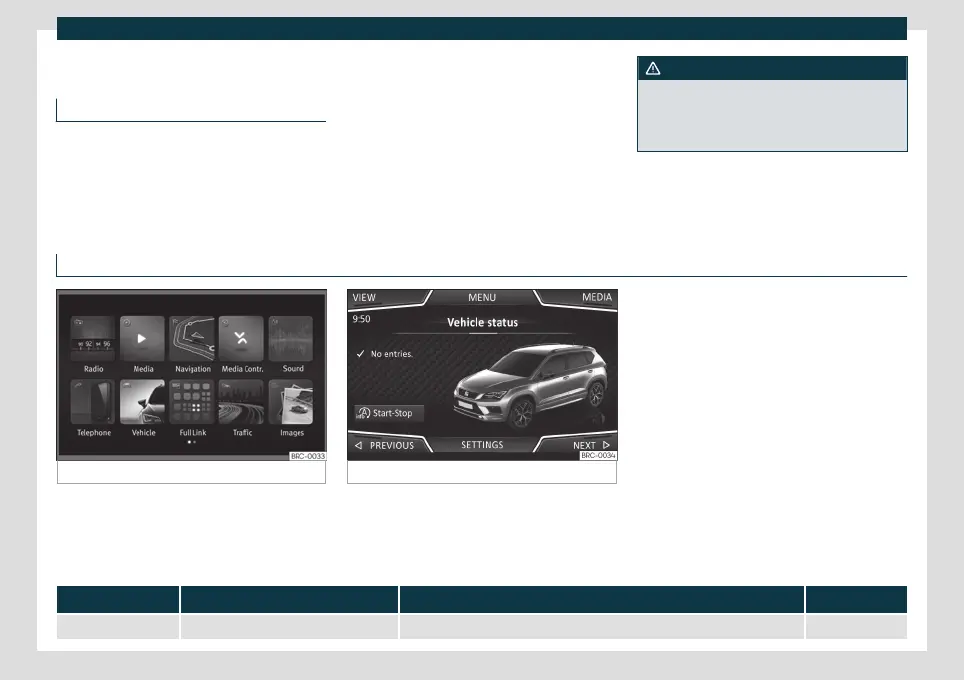
Fig. 63 Easy Connect: Main menu. Fig. 64 Easy Connect: Vehicle Menu.
Open the Vehicle settings menu
●
Switch the ignition on.
●
If the Infotainment System is off, switch it
on.
●
Pr
ess the Inf
otainment button and then
the Vehicle function button
›››
Fig. 63.
●
OR: Press the infotainment button to
open the Vehicle menu
›››
Fig. 64.
●
Press the SETTINGS function button to
open the Vehicle settings menu.
●
To select a function in the menu, press the
desired button.
Menu Submenu Possible setting Description
ESC system – Selecting the ESC Sport mode or deactivating the electronic stability system (ESC)
›››
page 279
80



 To Next Page