DGS-3100 Series Gigabit Stackable Managed Switch User Manual
Field Description
Remove — Indicates that edit type is remove.
VID List (1-4094)
Displays the VID List.
2. Define the configuration name and revision level.
3. Click
.
4. Click
to an ID row to edit the ID value.
5. Define the new value.
6. Click
. The Multiple Spanning Tree Configuration Identification is defined, and the device is
updated.
Defining MSTP Port Information
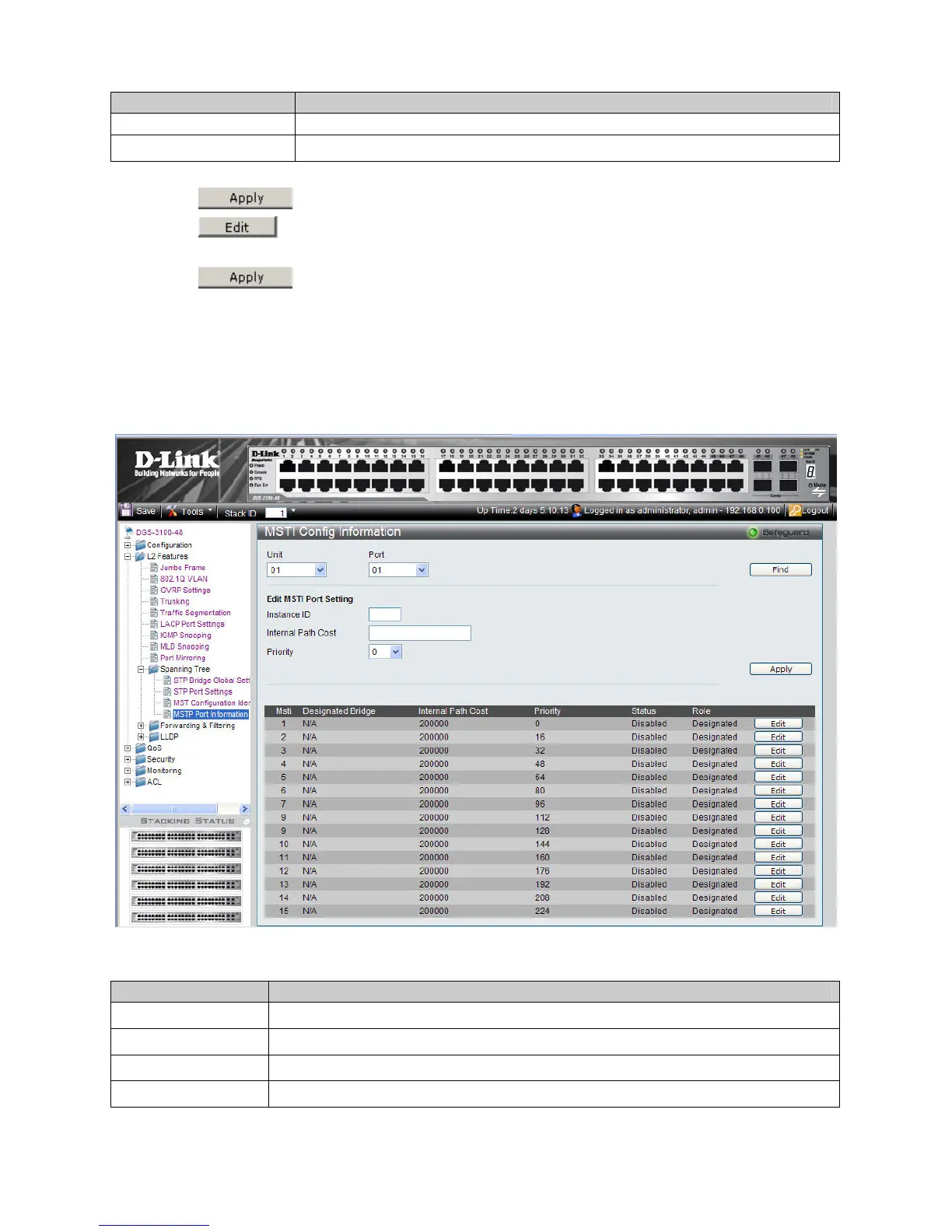
Network Administrators can assign MSTP Interface settings in the MSTI Config Information Page. To define MSTP
interface settings:
1. Click L2 Features > Spanning Tree > MSTP Port Information. The MSTI Config Information Page opens:
Figure 3–19. MSTI Config Information Page
The MSTI Config Information Page contains the following fields:
Field Description
Unit
Defines the unit to find.
Port
Defines the Port to find.
Instance ID
Lists the MSTP instances configured on the device. Possible field range is 0-7.
Internal Path Cost
Indicates the port contribution to the Spanning Tree instance. The range should always be 1-
91











 To Next Page