DGS-3100 Series Gigabit Stackable Managed Switch User Manual
54
Defining SNMP Engine ID
The Engine ID is a unique identifier used for SNMP V3 implementations. This is an alphanumeric string used to identify the
SNMP engine on the switch. To define the SNMP Engine ID:
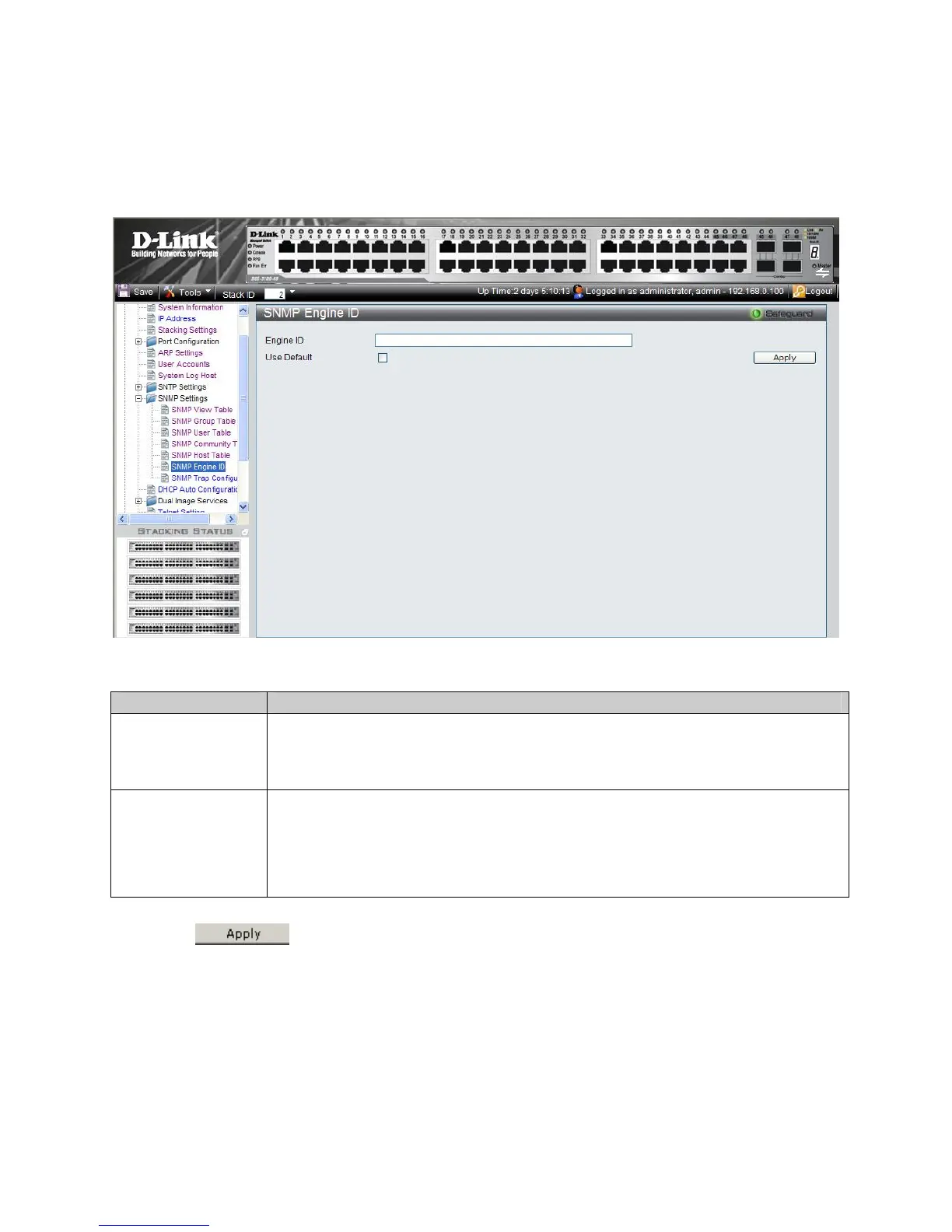
1. Click Configuration > SNMP Settings > SNMP Engine ID. The SNMP Engine ID Page opens:
Figure 2-17 SNMP Engine ID Page
The SNMP Engine ID Page contains the following fields:
Field Description
Engine ID
Defines the local device Engine ID. The field value is a hexadecimal string. Each byte in
hexadecimal character strings is two hexadecimal digits. Each byte can be separated by a period
or a colon. The Engine ID must be defined before SNMPv3 is enabled. Select a default Engine
ID that is comprised of an Enterprise number and the default MAC address.
Use Default
When selected, provides the device-generated Engine ID. The default Engine ID is based on the
device MAC address and is defined per standard as:
First 4 octets — first bit = 1, the rest is IANA Enterprise number.
Fifth octet — Set to 3 to indicate the MAC address that follows.
Last 6 octets — MAC address of the device.
2. Define the Engine ID or Use Default checkbox.
3. Click
. The SNMP Engine ID is defined, and the device is updated.











 To Next Page