DGS-3100 Series Gigabit Stackable Managed Switch User Manual
Enabling Jumbo Frames
Jumbo Frame support is designed to enhance Ethernet networking throughput and significantly reduce the CPU utilization
of large file transfers like large multimedia files or large data files by enabling more efficient larger payloads per packet.
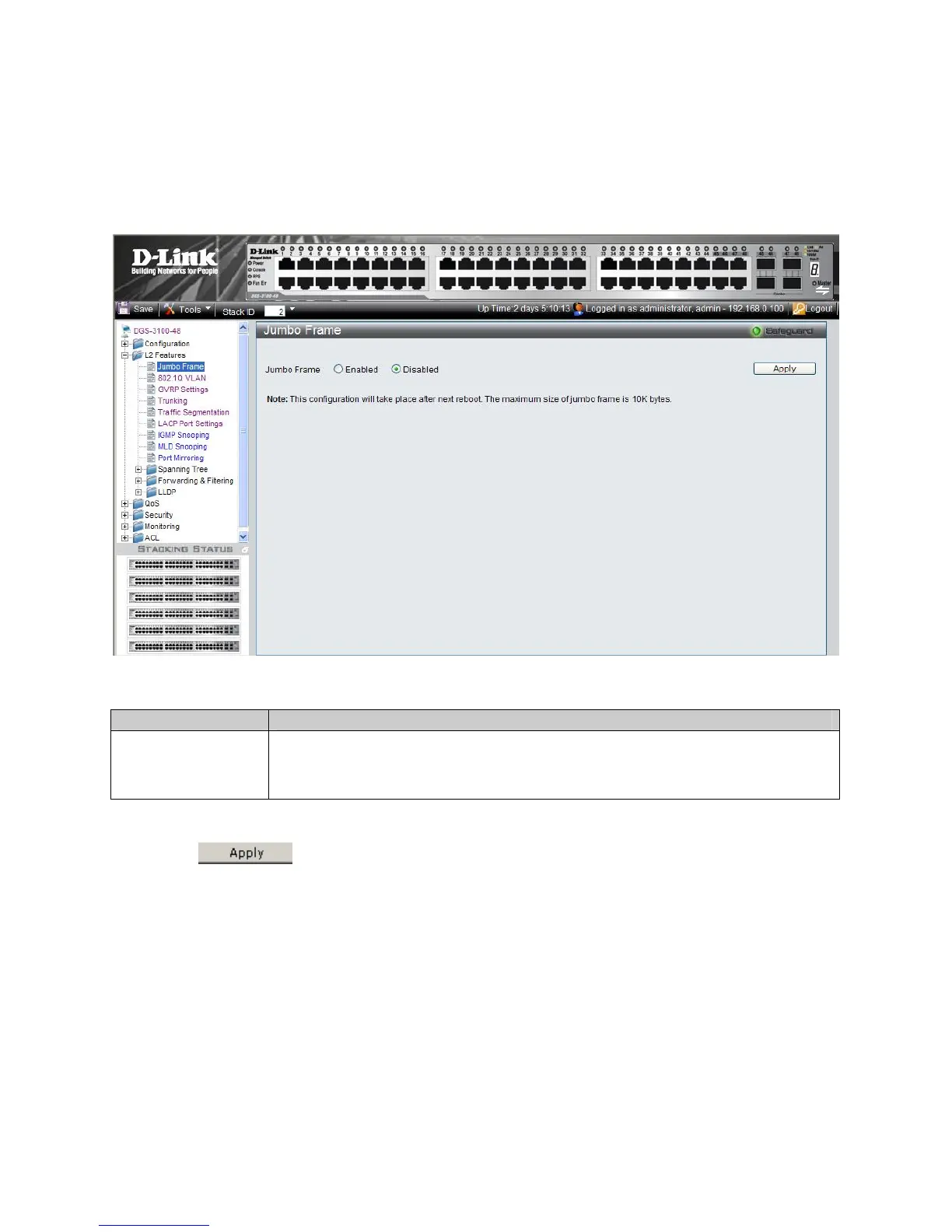
The Jumbo Frame Page al
lows network managers to enable Jumbo Frames on the device.
1. Click L2 Features > Jumbo Frame. The Jumbo Frame Page opens:
Figure 3–1. Jumbo Frame Page
The Jumbo Frame Page contains the following field:
Field Description
Defi
nes whether Jumbo Frames are enabled on the device. The possible field values are:
Enabled — Enables Jumbo Frames on the device.
Disabled — Disables Jumbo Frames on the device. This is the default value.
Jumbo Frame
2. Select Enable in the Jumbo Frames field. Jumbo Frames are enabled only after the configuration is saved and the
device is rebooted.
3. Click
. Jumbo Frames are enabled after the device is reset.
61











 To Next Page